17

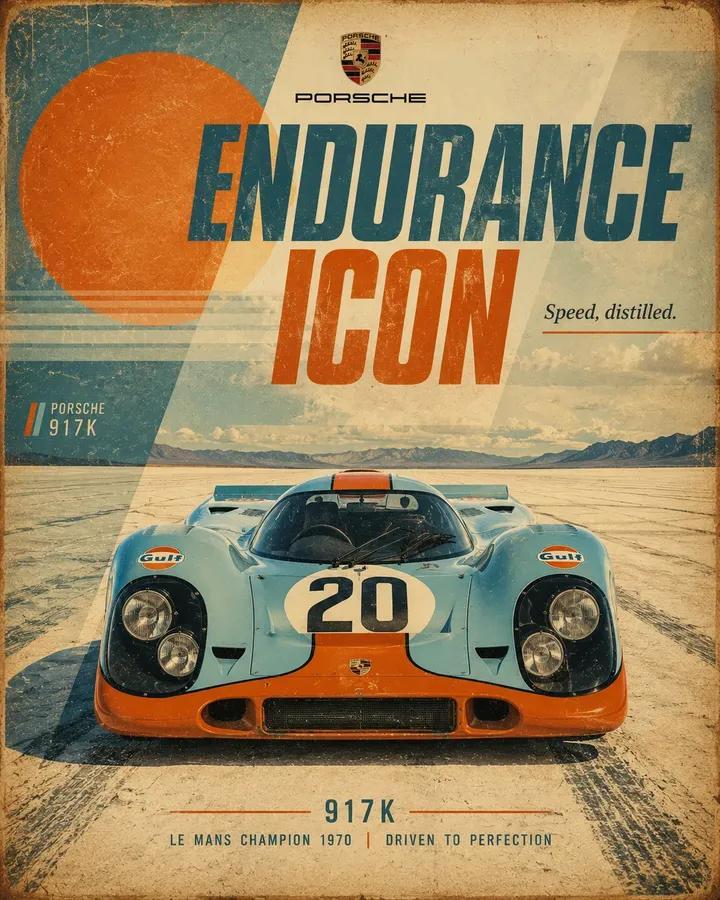
复古赛车汽车海报
Enlarge

Example images

复古赛车汽车海报

Prompt
Retro motorsport poster for {argument name="car" default="[CAR]"}, 4:5 vertical. Show a front-facing low-angle hero view of the {argument name="color" default="[COLOR]"} [CAR], centered in the composition on {argument name="scenery" default="[SCENERY]"}. Build the background with minimalist scenic depth and layered graphic design elements: a large sun shape, overlapping geometric blocks, angled panels, soft stripes, translucent shapes, and clean negative space, all blended into the scenery. Add a bold title reading “[TITLE]” at the top, a small [BRAND] logo, and a short slogan reading “[SLOGAN]”. Use [PALETTE], vintage print fading, distressed paper texture, subtle scratches, slightly sun-bleached tones, crisp automotive detail, poster-style symmetry, and a refined race-inspired editorial finish.
Category
Posters & Typography
Model
GPT Image 2
Views4
Source ID
28789
Published
Jul 15, 2026

Guide

About "复古赛车汽车海报"

What is this prompt for?

"复古赛车汽车海报" AI image prompt for GPT Image 2 (Posters & Typography). 一个使用 GPT Image 2 创建复古风格赛车海报的详细提示词,支持自定义车型、颜色和背景场景。 Copy it on Picva and recreate the look in…

The full copyable prompt and example visuals above are ready for AI image generation or one-click recreate in Picva.

How to use this prompt

  1. Step 1

    Open the prompt detail

    Review the example visuals, category, and full prompt text for "复古赛车汽车海报".

  2. Step 2

    Copy the prompt

    Copy the prompt body from this page, or load it directly in Studio.

  3. Step 3

    Pick a model (GPT Image 2)

    Prefer GPT Image 2. If you switch models, keep subject and composition and tweak style terms.

  4. Step 4

    Generate and export

    Recreate the look in Picva, or export into your workflow for editing and publishing.

FAQ

What is the "复古赛车汽车海报" prompt?
It is an AI image-generation prompt for GPT Image 2 in the Posters & Typography category. This page includes the full prompt text, example visuals, and a one-click recreate path in Picva.
How do I use this prompt to generate an image?
Copy the prompt from this page, or use Generate / Studio. Paste it into a compatible image model, or recreate the look in Picva with optional reference images.
Which model is this prompt for?
This page lists GPT Image 2. Most descriptive prompts also transfer to nearby image models such as GPT Image, Flux, or Midjourney with light style tweaks.
Can I use the result commercially?
You can usually copy the prompt for creation, but commercial use of the final image depends on the model terms, reference-image rights, and the generated content. Follow the source author and platform rules.