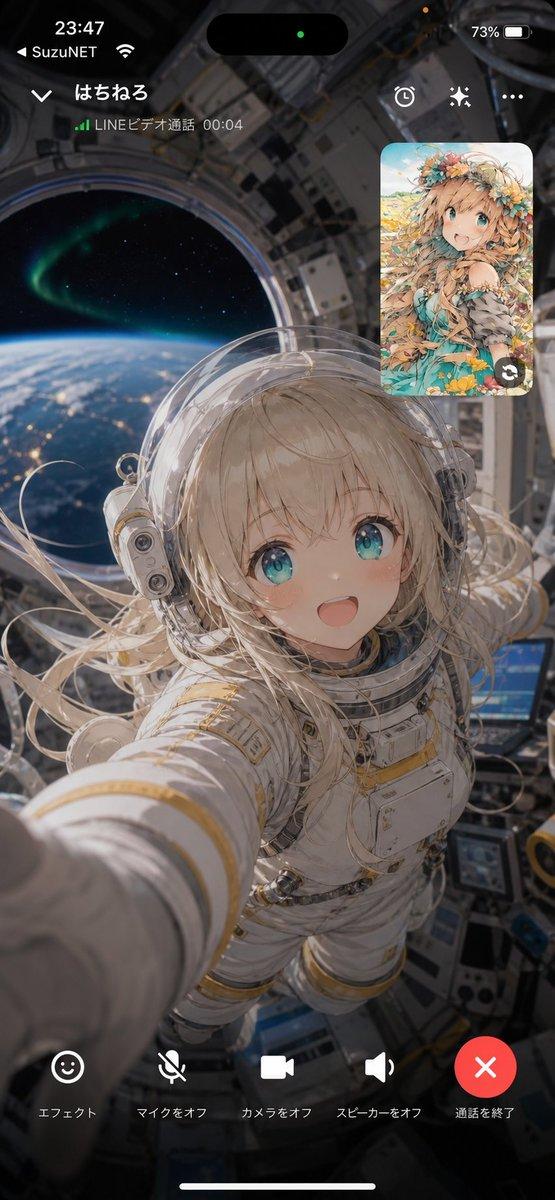
科幻动漫外骨骼飞行
Prompt
An ultra-dynamic sci-fi anime cinematic zero-gravity exosuit flight video featuring Elara Quinn. Preserve her exact face, glowing sapphire cybernetic eyes, long braided white hair floating weightlessly, sleek white-and-gold EVA combat exosuit with pulsing blue plasma thrusters, heavy magnetic boots, and a fully transparent bubble-visor. Keep perfect character consistency the whole time. Never change her outfit, hair, or face. STYLE: ultra-premium anime feature-film quality, high-energy mecha/space anime cinematography, aggressive dynamic zero-G animation, realistic orbital physics in a stylized anime aesthetic, dramatic harsh solar lighting contrasted with deep space shadows, detailed plasma exhaust and debris simulation, lively expressive facial acting. Absolutely no slow motion at any point. Constant high speed and momentum. SETTING: high-speed flight through a massive shattered orbital ring-station floating above a glowing blue earth-like planet, fast-rushing metallic debris, distant silent explosions, brilliant lens flares from the raw sun, vivid deep-space sci-fi atmosphere. FORMAT: one continuous single-take shot, no cuts, no transitions, no montage, one uninterrupted aggressive camera move. HOOK (first 2 seconds): open EXTREMELY close on Elara’s face mid-freefall through space, looking straight into the lens with a fearless, breathless smile, white braided hair floating elegantly in zero-G, visor fully transparent. She taps her temple comms-link. Instant speed and kinetic energy from frame one. CAMERA: the camera rips backward off her face and whips into a fast 360-degree orbit around her floating body. In one unbroken motion, it dynamically flips upside down relative to her, revealing the massive glowing planet below, then tracks closely alongside her. It chases tightly, snapping between front, side, and over-the-shoulder angles, always fast, always handheld-energetic, never static. ACTION FLOW: Elara commands her suit, and four back-mounted thrusters fire open with a blinding blue burst. She slices through the vacuum, accelerating hard as jagged metal space-debris blasts past. She rolls into a tight corkscrew spin, weaving dangerously close through the hollow center of a destroyed solar array, her body angling dynamically to avoid colliding. She flashes a cheeky thumbs-up at the camera mid-roll. Then, with a sudden powerful burst from her hand-thrusters, she changes trajectory 90 degrees instantly, snapping her body sideways into a hard, punchy slingshot maneuver around a massive asteroid (fast and forceful, NOT slow). The plasma trails whip around, her suit mechanisms tense, and the camera shakes violently with the G-force impact of the turn. FINAL MOMENT: now dropping cleanly onto the hull of an intact command ship, her magnetic boots lock onto the metal with a heavy impact. The camera swings around to her front. The suit purges steam, the brilliant blue planet glowing behind her. She stands up tall,
- Category
- Charts & Infographics
- Model
- seedance-2.0
- Creator
- Iqra Saifi
- Source ID
- 6769
- Published
- Jul 3, 2026
Views0