20

极致微距发光余烬慢动作

Prompt
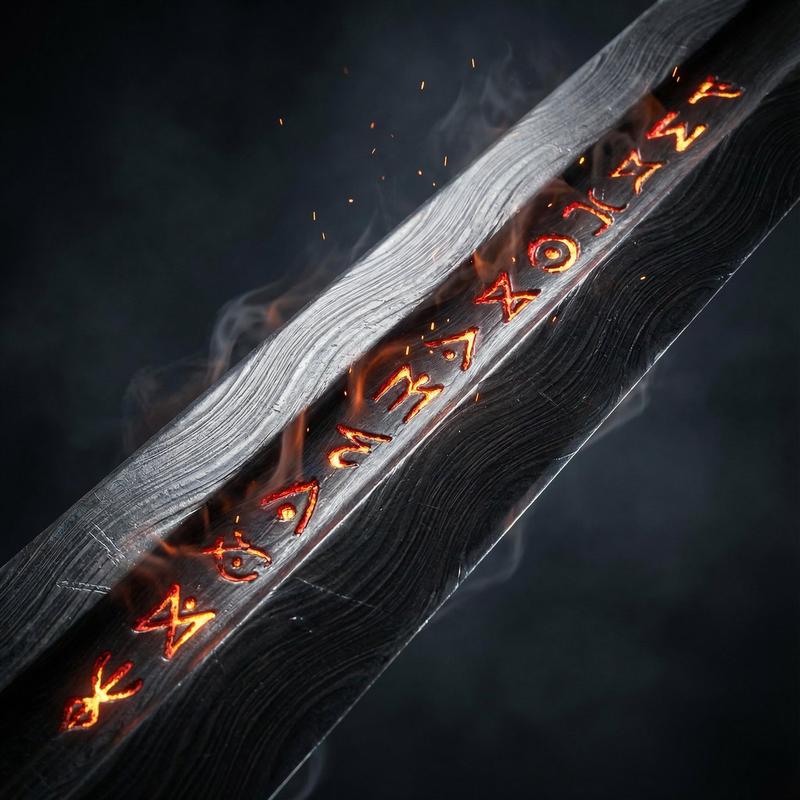
Extreme macro on a single ember crawling along a frayed cord against pure black. Frame opens black; at 1 second one ember glows to life, ignites, and travels laterally — slow-motion sparks lifting and dying, a thin spiral of smoke curling, individual carbon fibers glowing white-hot then blackening and folding. Builds to a small bright flare near 12 seconds, settling to a single glowing tip. The ember is the only light source — self-illuminated hot orange against absolute black, hard chiaroscuro. Camera tracks the spark with a tight micro push-in. Color palette: pure black and incandescent orange with a white-hot core — minimal, maximum dynamic range. Audio: low ominous drone, dry crackle and hiss of burning, a single sub-bass pulse.
Category
Photography & Realism
Model
seedance-2.0
Views4
Source ID
6911
Published
Jul 7, 2026

Guide

About "极致微距发光余烬慢动作"

What is this prompt for?

"极致微距发光余烬慢动作" AI image prompt for seedance-2.0 (Photography & Realism). 这是一个为 Seedance 2.0 设计的电影级微距提示词,聚焦于一颗沿着绳索移动的发光余烬,展现极致细节、火花以及高动态范围光影。 Copy it on Picva an…

The full copyable prompt and example visuals above are ready for AI image generation or one-click recreate in Picva.

How to use this prompt

  1. Step 1

    Open the prompt detail

    Review the example visuals, category, and full prompt text for "极致微距发光余烬慢动作".

  2. Step 2

    Copy the prompt

    Copy the prompt body from this page, or load it directly in Studio.

  3. Step 3

    Pick a model (seedance-2.0)

    Prefer seedance-2.0. If you switch models, keep subject and composition and tweak style terms.

  4. Step 4

    Generate and export

    Recreate the look in Picva, or export into your workflow for editing and publishing.

FAQ

What is the "极致微距发光余烬慢动作" prompt?
It is an AI image-generation prompt for seedance-2.0 in the Photography & Realism category. This page includes the full prompt text, example visuals, and a one-click recreate path in Picva.
How do I use this prompt to generate an image?
Copy the prompt from this page, or use Generate / Studio. Paste it into a compatible image model, or recreate the look in Picva with optional reference images.
Which model is this prompt for?
This page lists seedance-2.0. Most descriptive prompts also transfer to nearby image models such as GPT Image, Flux, or Midjourney with light style tweaks.
Can I use the result commercially?
You can usually copy the prompt for creation, but commercial use of the final image depends on the model terms, reference-image rights, and the generated content. Follow the source author and platform rules.