19

超音速峡谷飞行第一人称视角

Prompt
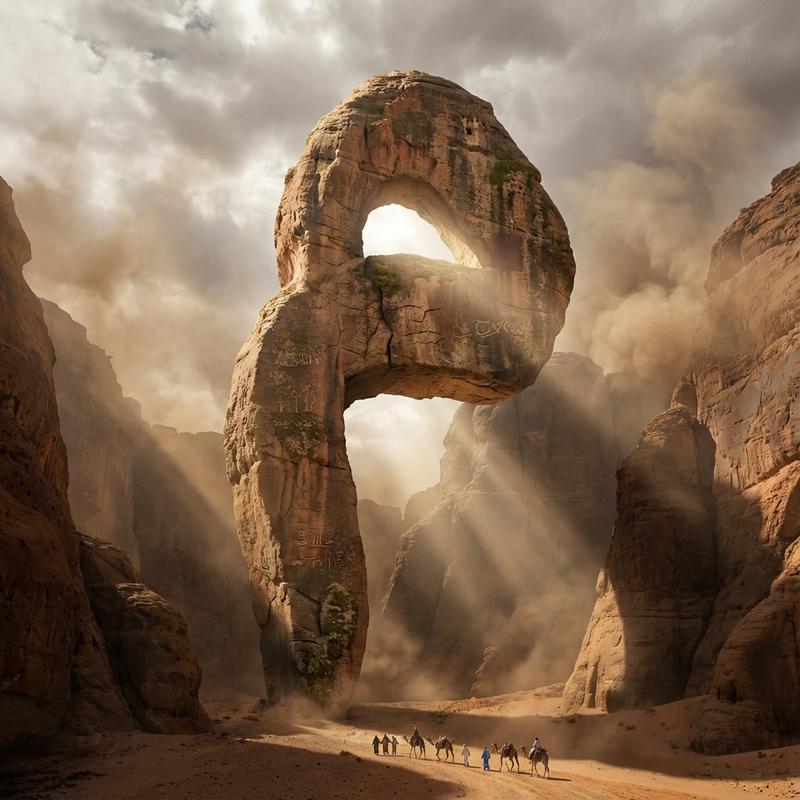
Pure first-person camera perspective, no visible drone, no cockpit, no aircraft visible. The camera flies at supersonic speed through an enormous desert canyon, hugging the terrain only inches above the rocks. Sonic booms echo through the cliffs while dust erupts behind every turn. The camera slices through impossibly narrow rock arches, skims over waterfalls, enters a dark canyon tunnel, then bursts back into daylight as multiple supersonic shockwaves ripple across the landscape. The final climb rockets vertically through thick clouds into the upper atmosphere with the Earth stretching across the horizon. Continuous one-take, authentic high-speed inertia, aggressive banking, cinematic motion blur, atmospheric distortion, volumetric dust, blockbuster Hollywood VFX, hyper-realistic.
Category
Photography & Realism
Model
seedance-2.0
Views2
Source ID
7176
Published
Jul 13, 2026

Guide

About "超音速峡谷飞行第一人称视角"

What is this prompt for?

"超音速峡谷飞行第一人称视角" AI image prompt for seedance-2.0 (Photography & Realism). 一段电影级视频提示词,描述了以超音速在广阔沙漠峡谷中进行高速第一人称飞行,并带有逼真的运动效果。 Copy it on Picva and recreate the lo…

The full copyable prompt and example visuals above are ready for AI image generation or one-click recreate in Picva.

How to use this prompt

  1. Step 1

    Open the prompt detail

    Review the example visuals, category, and full prompt text for "超音速峡谷飞行第一人称视角".

  2. Step 2

    Copy the prompt

    Copy the prompt body from this page, or load it directly in Studio.

  3. Step 3

    Pick a model (seedance-2.0)

    Prefer seedance-2.0. If you switch models, keep subject and composition and tweak style terms.

  4. Step 4

    Generate and export

    Recreate the look in Picva, or export into your workflow for editing and publishing.

FAQ

What is the "超音速峡谷飞行第一人称视角" prompt?
It is an AI image-generation prompt for seedance-2.0 in the Photography & Realism category. This page includes the full prompt text, example visuals, and a one-click recreate path in Picva.
How do I use this prompt to generate an image?
Copy the prompt from this page, or use Generate / Studio. Paste it into a compatible image model, or recreate the look in Picva with optional reference images.
Which model is this prompt for?
This page lists seedance-2.0. Most descriptive prompts also transfer to nearby image models such as GPT Image, Flux, or Midjourney with light style tweaks.
Can I use the result commercially?
You can usually copy the prompt for creation, but commercial use of the final image depends on the model terms, reference-image rights, and the generated content. Follow the source author and platform rules.