Skincare product shot: GPT Image 2 prompt
Prompt
{
 "master_prompt": {
 "product": {
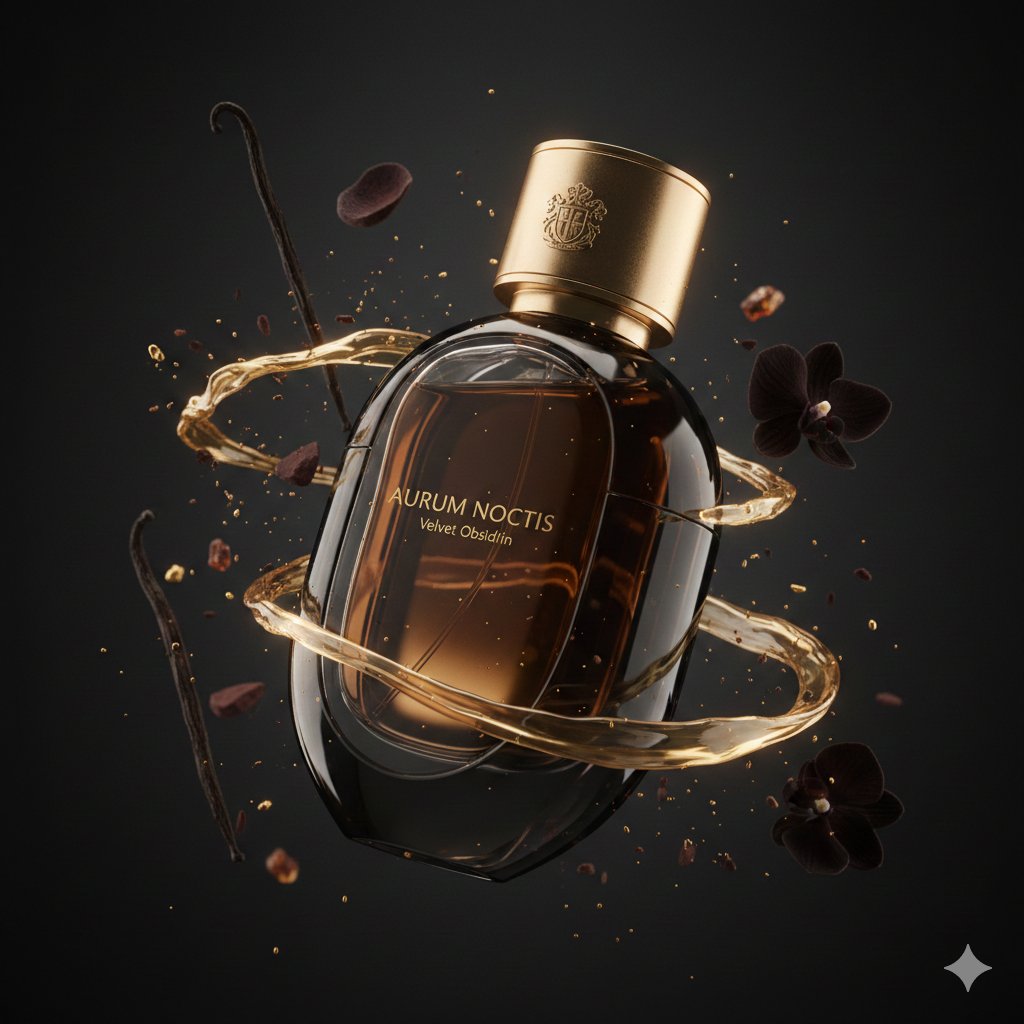
 "type": "luxury perfume bottle",
 "brand_name": "AURUM NOCTIS",
 "fragrance_line": "Velvet Obsidian",
 "container_shape": "sleek monolithic oval bottle with sculpted contours",
 "material": "obsidian-black glass with subtle smoked transparency",
 "finish": "high-gloss reflective body with satin matte side panels",
 "cap_design": "heavy magnetic cap in brushed antique gold with engraved crest",
 "label_style": "minimal gold foil typography floating on glass surface",
 "liquid_color": "dark amber with molten gold undertones"
 },
 "composition": {
 "scene_type": "ultra-cinematic luxury fragrance advertising photography",
 "orientation": "vertical",
 "aspect_ratio": "4:5",
 "camera_angle": "low hero angle for power and prestige",
 "subject_position": "floating mid-air with elegant slow rotation",
 "motion": "fluid golden fragrance trails and aromatic vapor ribbons suspended in motion"
 },
 "environment": {
 "background": "deep charcoal-to-black gradient fading into shadow",
 "atmosphere": "soft volumetric haze enhancing depth and mystery",
 "floating_elements": [
 "molten gold dust particles glowing softly",
 "dark cocoa shards catching highlights",
 "black orchid petals drifting slowly",
 "smoked vanilla pods suspended in air",
 "tiny amber resin fragments sparkling"
 ],
 "surface_effects": "micro condensation droplets and polished reflections enhancing realism"
 },
 "lighting": {
 "style": "dramatically sculpted low-key studio lighting",
 "key_light": "soft directional light defining contours and glass curvature",
 "rim_lights": "warm golden rim lights outlining silhouette",
 "accent_lights": "subtle amber highlights emphasizing cap and liquid glow",
 "shadow_depth": "deep shadows for cinematic luxury mood",
 "contrast": "rich contrast with controlled highlights and luminous reflections"
 },
 "color_palette": {
 "primary_colors": ["obsidian black", "charcoal shadow", "deep amber"],
 "accent_colors": ["antique gold", "warm bronze glow"]
 },
 "camera_settings": {
 "lens": "macro cinema prime lens",
 "depth_of_field": "shallow depth isolating product",
 "focus_point": "brand crest and glass curvature",
 "bokeh": "soft golden bokeh from reflective particles",
 "detail_capture": "extreme micro-detail clarity"
 },
 "render_quality": {
 "resolution": "8K ultra high definition",
 "render_style": "hyper-realistic luxury commercial render",
 "glass_physics": "accurate refraction and internal reflections",
 "liquid_simulation": "physically accurate fluid glow and viscosity",
 "textures": "ultra-detailed glass, metal, vapor, and dust textures",
 "sharpness": "tack sharp product focus with cinematic background softness",
 "noise": "none",
 "artifacts": "none"
 },
 "mood": {
 "tone": "mysterious, opulent, and powerful",
 "emotion": "nighttime luxury, sensual elegance, timeless prestige"
 },
 "final_output": {
 "usage": "luxury fragrance campaign and premium magazine advertising",
 "branding_focus": "hero product dominance with elite brand presence",
 "visual_style": "cinematic haute parfumerie commercial aesthetic"
 }
 }
}- Category
- Products & E-commerce
- Model
- GPT Image 2
- Creator
- Meem
- Source ID
- 2025013736139096574
- Published
- Feb 21, 2026
Views0




![A world-class luxury advertising campaign poster, 4:5 ratio, for [BRAND/PRODUCT]](https://i.pixshop.app/storage/v1/render/image/public/prompt-source-media/promptsref/work-2614/image-1-5dfe5eb1faae9a8f.png?width=800&quality=75&resize=contain)