19

极致暗黑:西装杀手与恶犬电影定格
Enlarge

极致暗黑:西装杀手与恶犬电影定格

Prompt
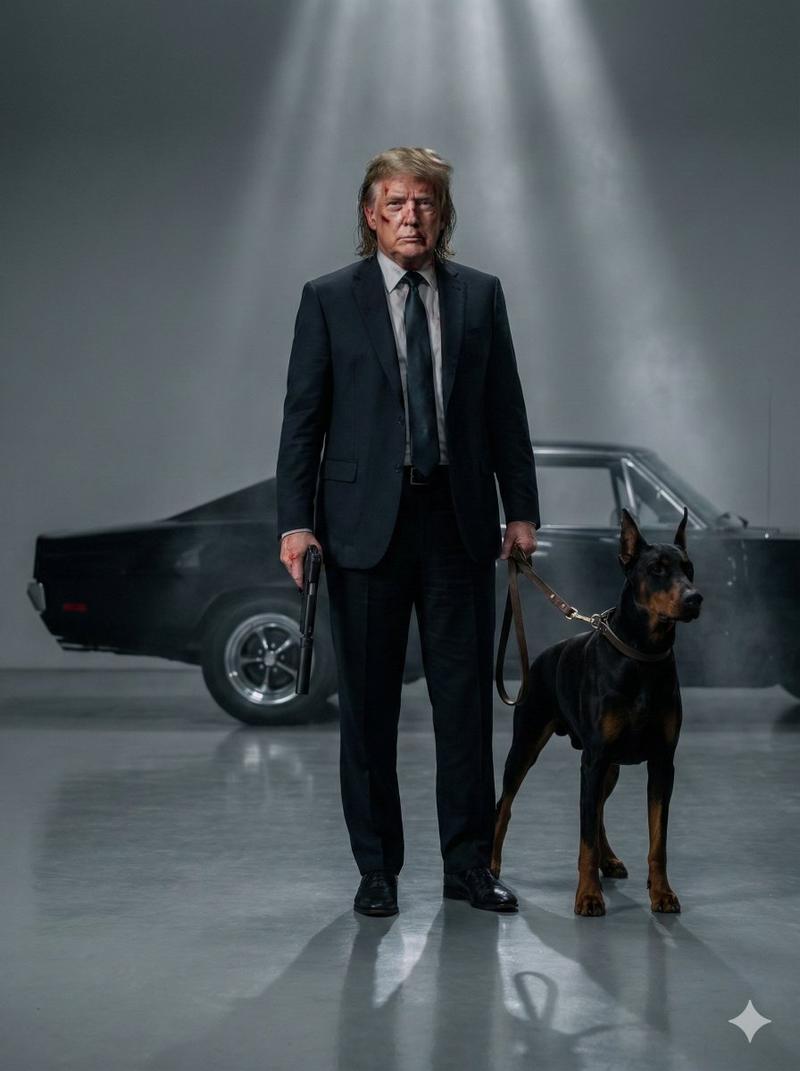
Full body cinematic shot of the person in the uploaded image as a hitman in a tailored black suit and tie standing in an empty studio space beside a muscular Doberman dog on a leash. The man has a bruised face with blood marks, messy shoulder-length hair, and a calm but intense expression. He is holding a pistol in one hand. Behind them is a vintage black muscle car with chrome rims partially visible in soft shadow. Minimalist grey background, dramatic studio lighting from above creating soft reflections on the glossy floor. Ultra realistic skin texture, cinematic depth of field, sharp focus, subtle fog in the background, moody atmosphere, 85mm lens look, volumetric light, film still from a neo-noir action movie, high dynamic range, photorealistic, 8k, symmetrical composition. 3:4 aspect ratio.
Category
Photography & Realism
Model
Nano Banana Pro
Creator
@rovvmut_
Views76
Source ID
12637
Published
Apr 14, 2026

Guide

About "极致暗黑:西装杀手与恶犬电影定格"

What is this prompt for?

"极致暗黑:西装杀手与恶犬电影定格" AI image prompt for Nano Banana Pro (Photography & Realism). 上传图片中人物的全身电影镜头,他身穿定制的黑色西装和领带,扮演一名杀手,站在一个空荡荡的摄影棚里,旁边有一只系着皮带的肌肉发达的杜宾犬。这名男子脸上带着瘀伤和…

The full copyable prompt and example visuals above are ready for AI image generation or one-click recreate in Picva.

How to use this prompt

  1. Step 1

    Open the prompt detail

    Review the example visuals, category, and full prompt text for "极致暗黑:西装杀手与恶犬电影定格".

  2. Step 2

    Copy the prompt

    Copy the prompt body from this page, or load it directly in Studio.

  3. Step 3

    Pick a model (Nano Banana Pro)

    Prefer Nano Banana Pro. If you switch models, keep subject and composition and tweak style terms.

  4. Step 4

    Generate and export

    Recreate the look in Picva, or export into your workflow for editing and publishing.

FAQ

What is the "极致暗黑:西装杀手与恶犬电影定格" prompt?
It is an AI image-generation prompt for Nano Banana Pro in the Photography & Realism category. This page includes the full prompt text, example visuals, and a one-click recreate path in Picva.
How do I use this prompt to generate an image?
Copy the prompt from this page, or use Generate / Studio. Paste it into a compatible image model, or recreate the look in Picva with optional reference images.
Which model is this prompt for?
This page lists Nano Banana Pro. Most descriptive prompts also transfer to nearby image models such as GPT Image, Flux, or Midjourney with light style tweaks.
Can I use the result commercially?
You can usually copy the prompt for creation, but commercial use of the final image depends on the model terms, reference-image rights, and the generated content. Follow the source author and platform rules.