16

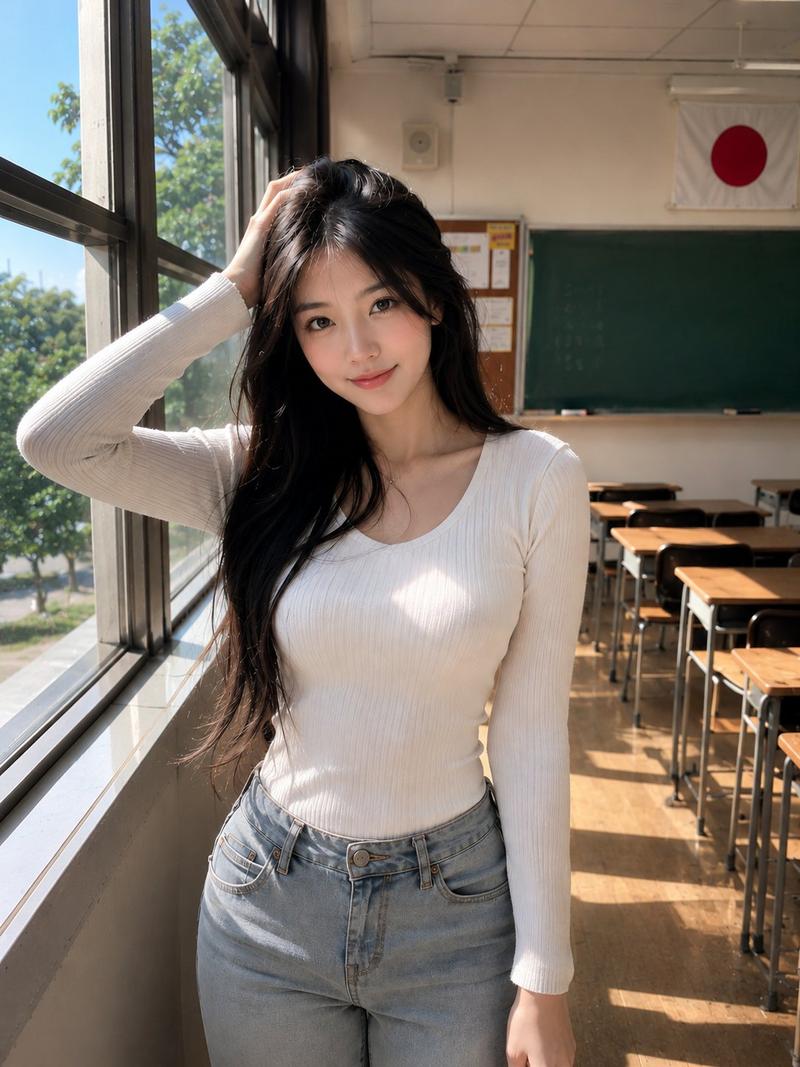
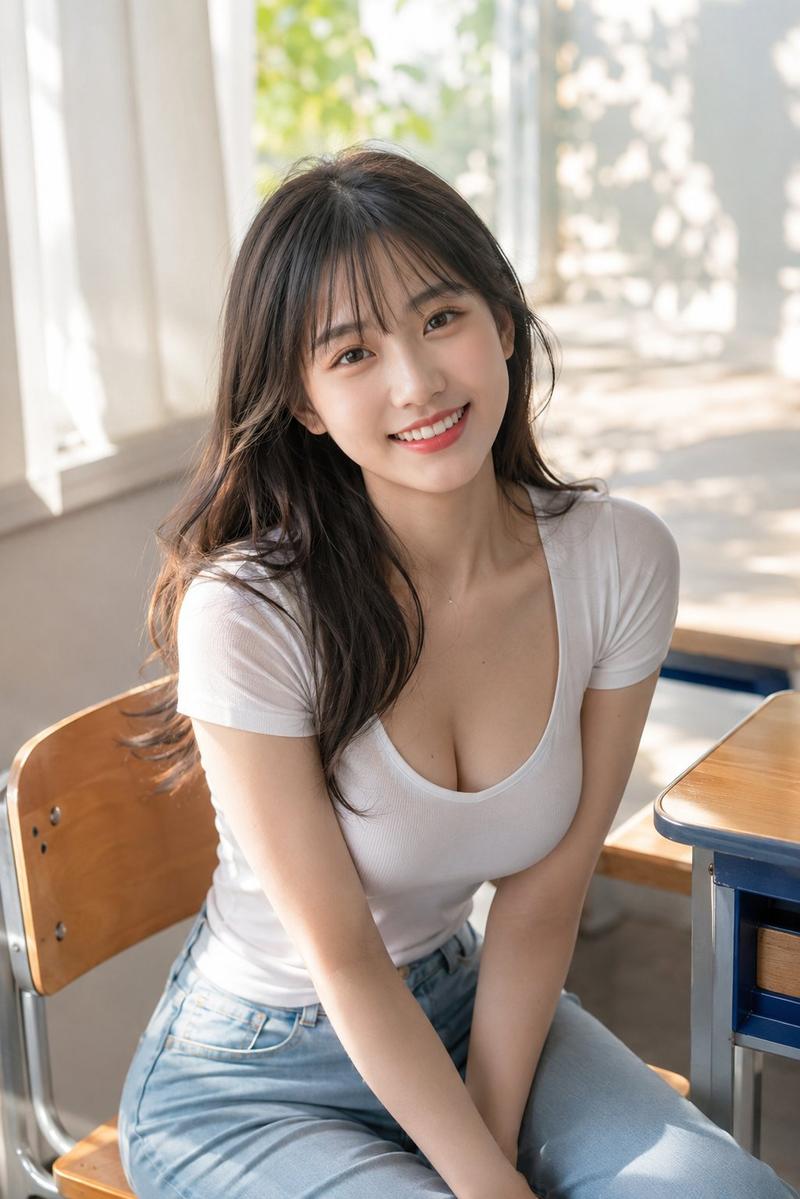
韩国教室窗边年轻女子超写实肖像
Enlarge

Example images

韩国教室窗边年轻女子超写实肖像

Prompt
Ultra-realistic portrait of a beautiful young Korean woman standing beside large classroom windows in an empty Korean classroom during daytime, posing naturally while looking directly at the camera with a soft gentle smile. One hand resting casually in her hair, relaxed confident posture, modern Korean fashion aesthetic. Wearing a fitted black ribbed long-sleeve scoop-neck top and light gray skinny jeans, minimal elegant styling. Long straight black hair with soft natural volume, flawless fair skin, subtle makeup, delicate necklace. Warm sunlight streaming through the tall windows, cinematic natural lighting, soft shadows, clean academic atmosphere, green chalkboard and South Korean flag visible in the background, shallow depth of field, highly detailed, realistic skin texture, DSLR quality, ultra sharp focus, cozy youthful mood, vertical composition, 3:4 aspect ratio.
Category
Architecture & Spaces
Model
ChatGPT
Creator
@jzaib4269
Views137
Source ID
14886
Published
May 23, 2026

Guide

About "韩国教室窗边年轻女子超写实肖像"

What is this prompt for?

"韩国教室窗边年轻女子超写实肖像" AI image prompt for ChatGPT (Architecture & Spaces). 白天,一位美丽的年轻韩国女性站在空旷的韩国教室里的大教室窗边,超写实的肖像,自然地摆姿势,同时带着柔和温和的微笑直视镜头。一只手随意地放在头发里,放松自信的姿态,现代韩国时尚美…

The full copyable prompt and example visuals above are ready for AI image generation or one-click recreate in Picva.

How to use this prompt

  1. Step 1

    Open the prompt detail

    Review the example visuals, category, and full prompt text for "韩国教室窗边年轻女子超写实肖像".

  2. Step 2

    Copy the prompt

    Copy the prompt body from this page, or load it directly in Studio.

  3. Step 3

    Pick a model (ChatGPT)

    Prefer ChatGPT. If you switch models, keep subject and composition and tweak style terms.

  4. Step 4

    Generate and export

    Recreate the look in Picva, or export into your workflow for editing and publishing.

FAQ

What is the "韩国教室窗边年轻女子超写实肖像" prompt?
It is an AI image-generation prompt for ChatGPT in the Architecture & Spaces category. This page includes the full prompt text, example visuals, and a one-click recreate path in Picva.
How do I use this prompt to generate an image?
Copy the prompt from this page, or use Generate / Studio. Paste it into a compatible image model, or recreate the look in Picva with optional reference images.
Which model is this prompt for?
This page lists ChatGPT. Most descriptive prompts also transfer to nearby image models such as GPT Image, Flux, or Midjourney with light style tweaks.
Can I use the result commercially?
You can usually copy the prompt for creation, but commercial use of the final image depends on the model terms, reference-image rights, and the generated content. Follow the source author and platform rules.