19

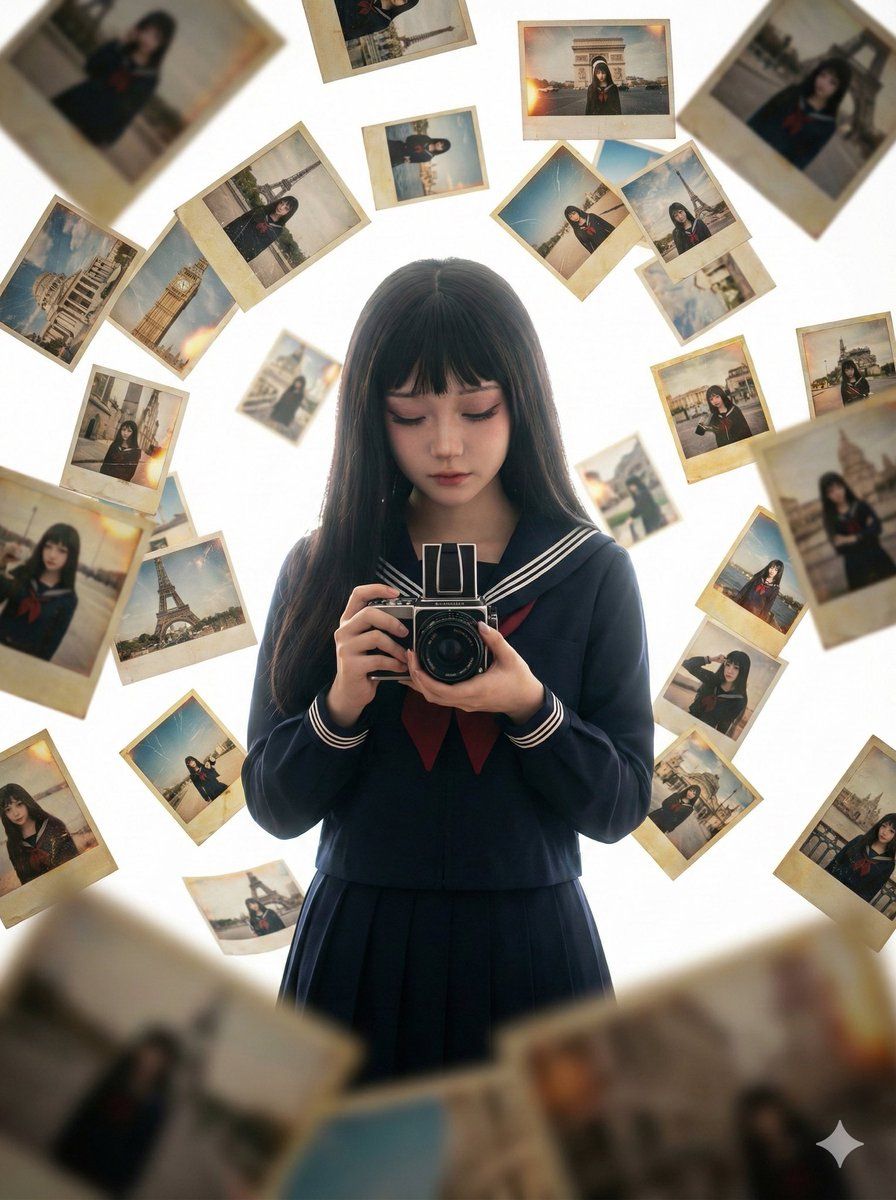
零重力下的自拍梦境:被漂浮照片包围的胶片少女
Enlarge

零重力下的自拍梦境:被漂浮照片包围的胶片少女

Prompt
{ "prompt": "highest quality, masterpiece, ultra high resolution, photorealistic photography style, 8k, cinematic lighting, film-grade light and shadow, aspect ratio 3:4, 1girl, solo, young beautiful Asian girl, attractive female, upper body, holding a vintage film camera, intently looking at her own camera viewfinder, a large number of her own photos floating and swirling in the air around her — all various self-portraits of herself, photos taken at famous landmarks in different cities around the world, photos look like Polaroid old film prints, slightly yellowed edges or faint burnt/charred feeling, photographs suspended in mid-air, zero gravity dreamy effect, chaotic yet extremely artistic tension and self-obsessed composition, layers upon layers of photos surrounding and enveloping her, pure white background, strong depth of field, foreground soft bokeh blur, mysterious atmosphere with slightly eerie and surreal aesthetic beauty" }
Category
Photography & Realism
Model
Nano Banana Pro
Views66
Source ID
9584
Published
May 14, 2026

Guide

About "零重力下的自拍梦境:被漂浮照片包围的胶片少女"

What is this prompt for?

"零重力下的自拍梦境:被漂浮照片包围的胶片少女" AI image prompt for Nano Banana Pro (Photography & Realism). { "prompt": "highest quality, masterpiece, ultra high resolution, photore…

The full copyable prompt and example visuals above are ready for AI image generation or one-click recreate in Picva.

How to use this prompt

  1. Step 1

    Open the prompt detail

    Review the example visuals, category, and full prompt text for "零重力下的自拍梦境:被漂浮照片包围的胶片少女".

  2. Step 2

    Copy the prompt

    Copy the prompt body from this page, or load it directly in Studio.

  3. Step 3

    Pick a model (Nano Banana Pro)

    Prefer Nano Banana Pro. If you switch models, keep subject and composition and tweak style terms.

  4. Step 4

    Generate and export

    Recreate the look in Picva, or export into your workflow for editing and publishing.

FAQ

What is the "零重力下的自拍梦境:被漂浮照片包围的胶片少女" prompt?
It is an AI image-generation prompt for Nano Banana Pro in the Photography & Realism category. This page includes the full prompt text, example visuals, and a one-click recreate path in Picva.
How do I use this prompt to generate an image?
Copy the prompt from this page, or use Generate / Studio. Paste it into a compatible image model, or recreate the look in Picva with optional reference images.
Which model is this prompt for?
This page lists Nano Banana Pro. Most descriptive prompts also transfer to nearby image models such as GPT Image, Flux, or Midjourney with light style tweaks.
Can I use the result commercially?
You can usually copy the prompt for creation, but commercial use of the final image depends on the model terms, reference-image rights, and the generated content. Follow the source author and platform rules.