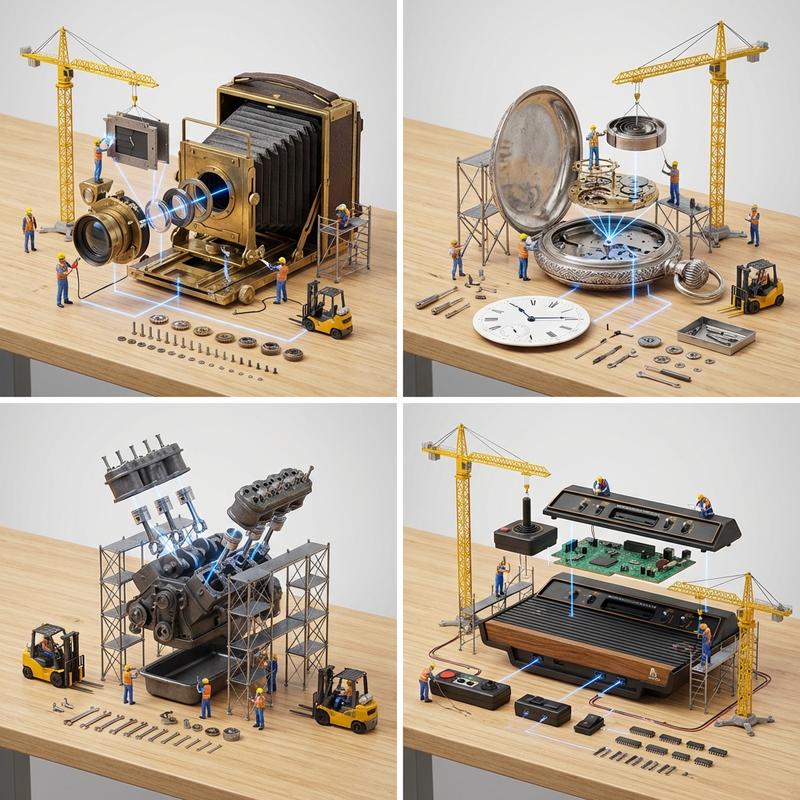
Working on a new prompt that breaks down gadgets in detail. My friends here have
提示词
Working on a new prompt that breaks down gadgets in detail. My friends here have done a bunch of these but here is my attempt.

Prompt:
<instructions>
Input Variable: [gadget]
System Rules:
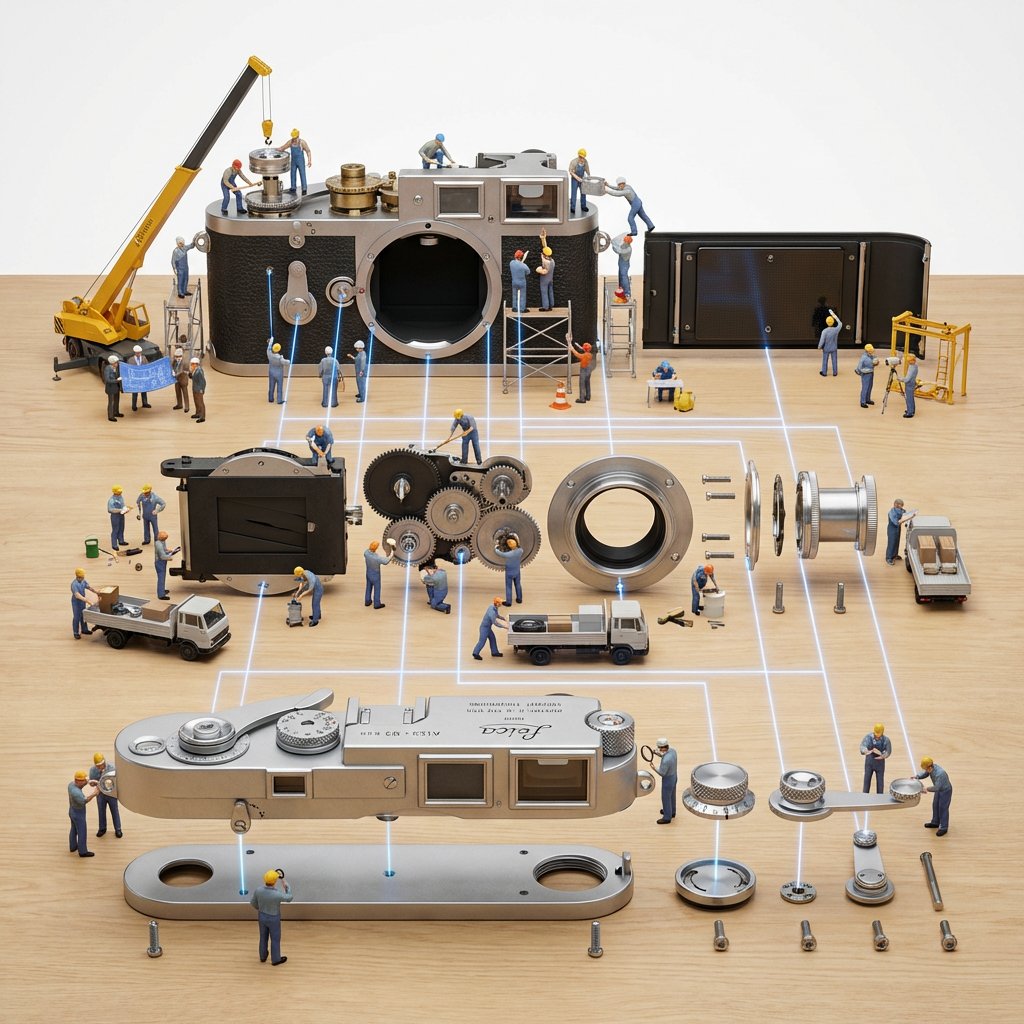
Generate a hyper-realistic, macro 3D diorama of an "Exploded View Assembly Line."
Concept: A complex machine is deconstructed into its component parts, with tiny construction workers actively assembling it.
1. Mechanical Deconstruction:
Analyze the Input: Identify the object and its primary components.
Bill of Materials: Deconstruct the object into 10-15 key parts.
(e.g., If Watch -> Gears, Springs, Casing, Dial, Hands).
(e.g., If Engine -> Pistons, Crankshaft, Cylinder Head, Spark Plugs).
The Materiality: Determine the object's primary materials (e.g., Brushed Steel, Brass, Black Plastic, Leather).
2.  Container:
Surface: A clean, light-grained Oak or Maple Wood Tabletop.
Layout: The scene is an Exploded View Diagram brought to life.
Chassis: The main body of the object sits at the top of the frame.
Components: The smaller parts are arranged neatly below it, floating in mid-air or resting on the wood, organized by assembly order.
3. The Diorama
The Figures: The scene is populated by dozens of tiny 1:87 Scale Construction Workers (in hard hats and blue/orange uniforms).
The Labor (CRITICAL): The figures are not static. They are actively working:
Welding a joint.
Polishing a metal surface.
Consulting a miniature blueprint.
Operating machinery.
The Equipment: The scene includes miniature construction vehicles.
Cranes lift the heavy casing parts.
Flatbed Trucks transport screws and gears.
Scaffolding surrounds the main chassis.
4. Digital Overlay (The AR Blueprint):
Grid: Thin, Glowing Blue Lines form a digital grid on the wooden table, creating a "schematic" that the parts are laid out on.
Connection: These glowing lines connect the individual parts to their final assembly points on the main chassis, showing how the machine fits together.
5. Visual :
Lighting: Bright, clean, even "Product Photography" studio lighting. No dramatic shadows.
Camera: High-angle isometric view to capture the entire layout.
Focus: Deep Depth of Field. The main chassis and the foreground parts are all in sharp focus.
Output: ONE image, 1:1 Aspect Ratio, Octane Render, "Knolling" Aesthetic, High Fidelity Textures.
- 分类
- 创意图片
- 模型
- Nano Banana Pro
- 来源作者
- @Gdgtify
- 来源 ID
- ef2be0e1-7f42-4d2c-8a8b-c93a468f25ad
- 发布时间
- 2026年1月30日
浏览量5