20

在冰冷的光芒与水滴之中,仿佛释放呼吸般静静闭上双眼。 #AIart #AI写真 #濡れ髪 【GPT Image2 提示词】 主题: 青夜的湿发...
Enlarge

在冰冷的光芒与水滴之中,仿佛释放呼吸般静静闭上双眼。 #AIart #AI写真 #濡れ髪 【GPT Image2 提示词】 主题: 青夜的湿发...

Prompt
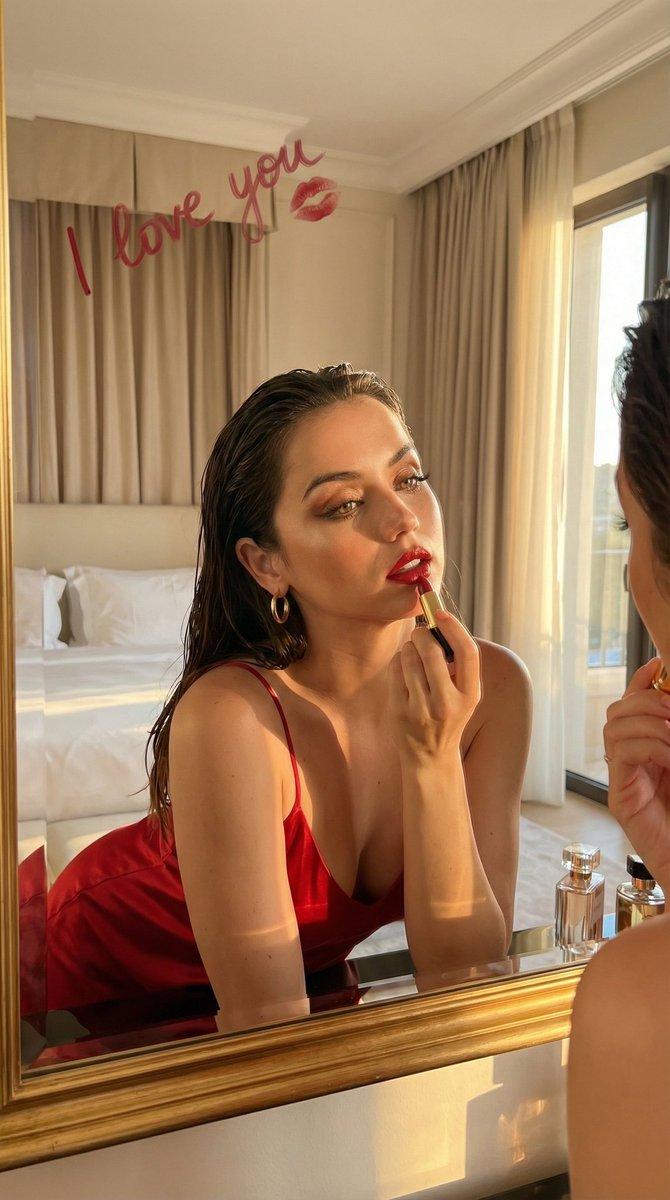
在冰冷的光芒与水滴之中,仿佛释放呼吸般静静闭上双眼。 #AIart #AI写真 #濡れ髪 【GPT Image2 提示词】 主题: 青夜的湿发 主体: 在黑暗背景的画面中央,大幅捕捉一名女性脸部和脖子的纵向极近距离照片。湿润的头发和肌肤上的水滴为主角,肩膀仅略微进入下端。 人物・表情: 脸部向上仰起,双目闭合,略微张开光泽的嘴唇,呈现陶醉而宁静的表情。略显长形的椭圆脸型和纤细的下巴,沿长睫毛的细长眼睛,自然粗细的松散眉毛,挺直的鼻梁和圆润的鼻尖。上唇较薄,下唇丰满,呈淡粉色并带有湿润的光泽。薄妆的明亮肌肤上水滴滑落,湿润的深棕色头发从略偏中央的随意分缝,以细束贴附在脸颊和额头。 服装・姿势: 仅可见画面右下肩膀上的极细淡灰色肩带上衣。脖颈伸长,头部向后倾斜,双臂和躯干位于画面外。 背景・光线: 背景为无图案的深靛黑色。从画面左上方的主光源投射出坚硬的青白色光芒,勾勒湿发的轮廓,脸部正面环绕柔和的冷色光线,照亮鼻尖、嘴唇、下巴和脖颈的水分。 构图・镜头: 3:4 的纵长比例,从下方仰视的仰角视角,进行极端的脸部特写。脸部占据画面中央偏右的大部分区域,头顶和肩膀在边缘被裁切,鼻子和嘴唇向手前突出强调。脸部以浅景深对焦,背景完全虚化。 质感・风格: 照片级真实写实照片。高精細描绘湿润的发束、透明水滴、光滑肌肤和嘴唇的湿润质感,以低饱和度的蓝色电影照明完成。 负面: 不睁开闭着的眼睛;不让头发干燥
Category
创意图片
Model
GPT Image 2
Views1
Source ID
2086760971138412563
Published
Aug 11, 2026

Guide

About "在冰冷的光芒与水滴之中,仿佛释放呼吸般静静闭上双眼。 #AIart #AI写真 #濡れ髪 【GPT Image2 提示词】 主题: 青夜的湿发..."

What is this prompt for?

"在冰冷的光芒与水滴之中,仿佛释放呼吸般静静闭上双眼。 #AIart #AI写真 #濡れ髪 【GPT Image2 提示词】 主题: 青夜的湿发..." AI image prompt for GPT Image 2 (创意图片). Saved from X post by @CyberTotal2026. 在冰冷的…

The full copyable prompt and example visuals above are ready for AI image generation or one-click recreate in Picva.

How to use this prompt

  1. Step 1

    Open the prompt detail

    Review the example visuals, category, and full prompt text for "在冰冷的光芒与水滴之中,仿佛释放呼吸般静静闭上双眼。 #AIart #AI写真 #濡れ髪 【GPT Image2 提示词】 主题: 青夜的湿发...".

  2. Step 2

    Copy the prompt

    Copy the prompt body from this page, or load it directly in Studio.

  3. Step 3

    Pick a model (GPT Image 2)

    Prefer GPT Image 2. If you switch models, keep subject and composition and tweak style terms.

  4. Step 4

    Generate and export

    Recreate the look in Picva, or export into your workflow for editing and publishing.

FAQ

What is the "在冰冷的光芒与水滴之中,仿佛释放呼吸般静静闭上双眼。 #AIart #AI写真 #濡れ髪 【GPT Image2 提示词】 主题: 青夜的湿发..." prompt?
It is an AI image-generation prompt for GPT Image 2 in the 创意图片 category. This page includes the full prompt text, example visuals, and a one-click recreate path in Picva.
How do I use this prompt to generate an image?
Copy the prompt from this page, or use Generate / Studio. Paste it into a compatible image model, or recreate the look in Picva with optional reference images.
Which model is this prompt for?
This page lists GPT Image 2. Most descriptive prompts also transfer to nearby image models such as GPT Image, Flux, or Midjourney with light style tweaks.
Can I use the result commercially?
You can usually copy the prompt for creation, but commercial use of the final image depends on the model terms, reference-image rights, and the generated content. Follow the source author and platform rules.