14

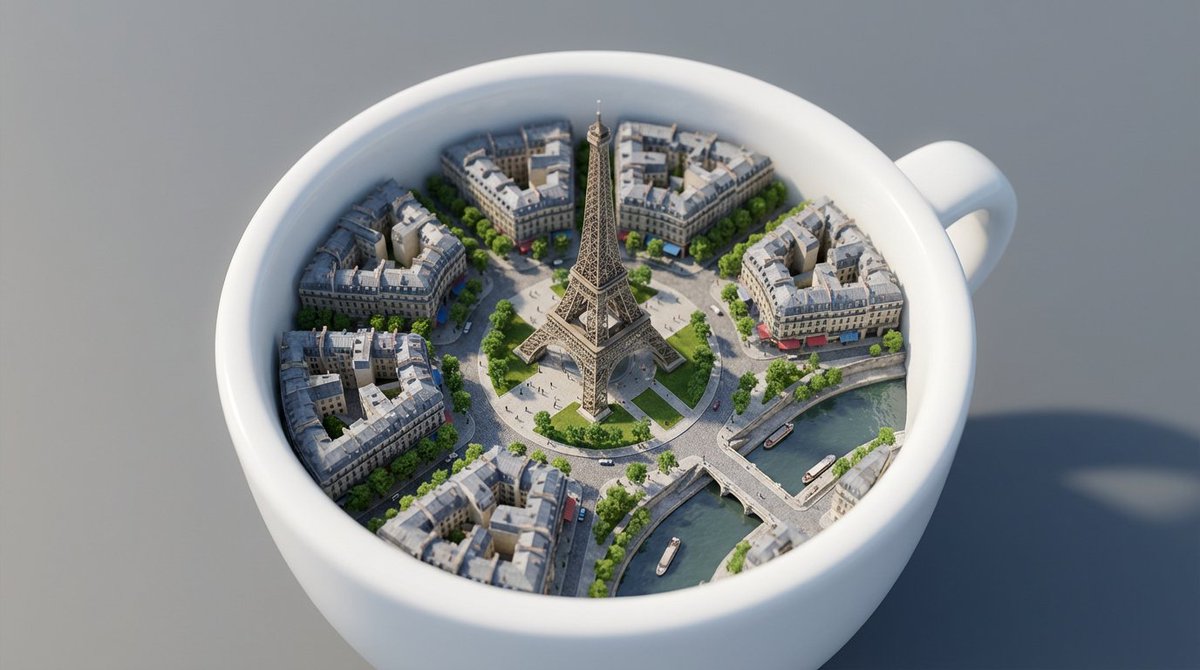
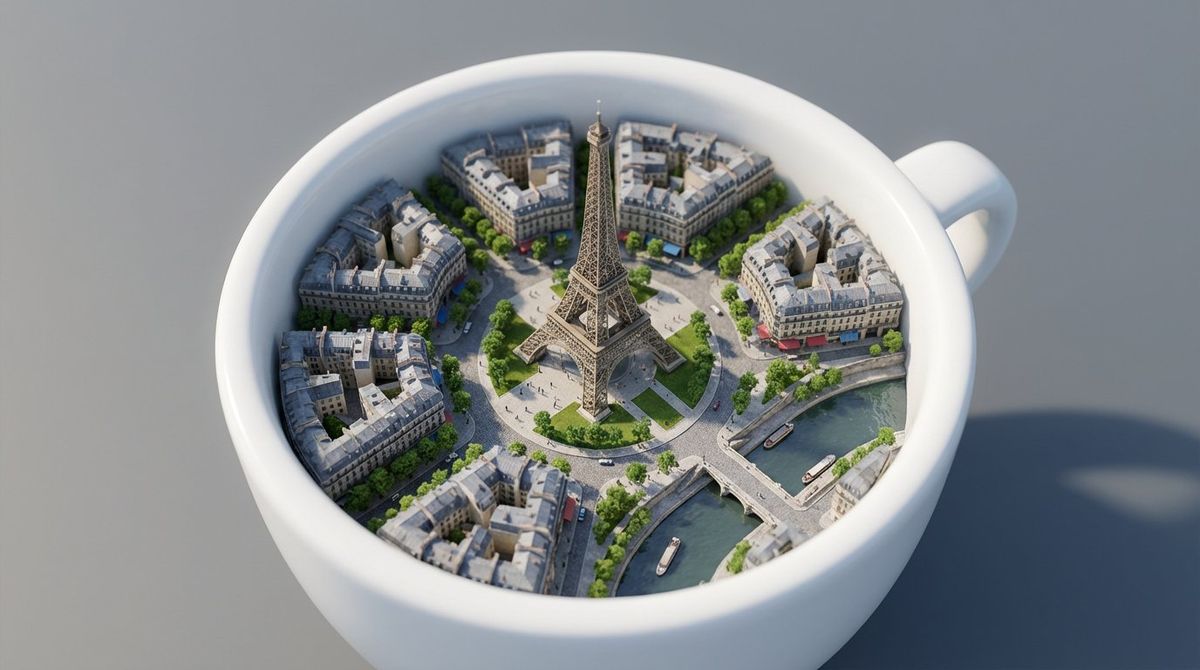
迷你巴黎咖啡杯
Enlarge

迷你巴黎咖啡杯

Prompt
Prompt on Nano Banana Pro : White ceramic coffee cup rests on a smooth gray surface, its interior transformed into a miniature version of Paris. Instead of liquid, the cup contains tiny detailed streets, Haussmann-style buildings with gray rooftops, tree-lined boulevards, and small cafés with awnings. At the center rises a perfectly scaled Eiffel Tower, made of intricate metallic latticework, towering over a circular plaza and grassy park with tiny walking figures. Bridges span across a tiny river resembling the Seine that curves through the cup, with miniature boats floating beneath. The perspective is top-down, with gentle depth-of-field blur at the cup’s edges, focusing sharply on the Eiffel Tower as the focal point. Soft daylight casts realistic shadows, and the city textures—cobblestone streets, glass windows, and greenery—appear ultra-detailed, giving the illusion of a living Paris contained within a cup.
Made on Adobe Firefly.
Category
UI & Interfaces
Model
Nano Banana Pro
Creator
Umesh
Views3
Source ID
nano-banana-pro-mini-paris-in-a-coffee-cup

Guide

About "迷你巴黎咖啡杯"

What is this prompt for?

"迷你巴黎咖啡杯" AI image prompt for Nano Banana Pro (UI & Interfaces). Prompt on Nano Banana Pro : White ceramic coffee cup rests on a smooth gray surface, its inter…

The full copyable prompt and example visuals above are ready for AI image generation or one-click recreate in Picva.

How to use this prompt

  1. Step 1

    Open the prompt detail

    Review the example visuals, category, and full prompt text for "迷你巴黎咖啡杯".

  2. Step 2

    Copy the prompt

    Copy the prompt body from this page, or load it directly in Studio.

  3. Step 3

    Pick a model (Nano Banana Pro)

    Prefer Nano Banana Pro. If you switch models, keep subject and composition and tweak style terms.

  4. Step 4

    Generate and export

    Recreate the look in Picva, or export into your workflow for editing and publishing.

FAQ

What is the "迷你巴黎咖啡杯" prompt?
It is an AI image-generation prompt for Nano Banana Pro in the UI & Interfaces category. This page includes the full prompt text, example visuals, and a one-click recreate path in Picva.
How do I use this prompt to generate an image?
Copy the prompt from this page, or use Generate / Studio. Paste it into a compatible image model, or recreate the look in Picva with optional reference images.
Which model is this prompt for?
This page lists Nano Banana Pro. Most descriptive prompts also transfer to nearby image models such as GPT Image, Flux, or Midjourney with light style tweaks.
Can I use the result commercially?
You can usually copy the prompt for creation, but commercial use of the final image depends on the model terms, reference-image rights, and the generated content. Follow the source author and platform rules.