17

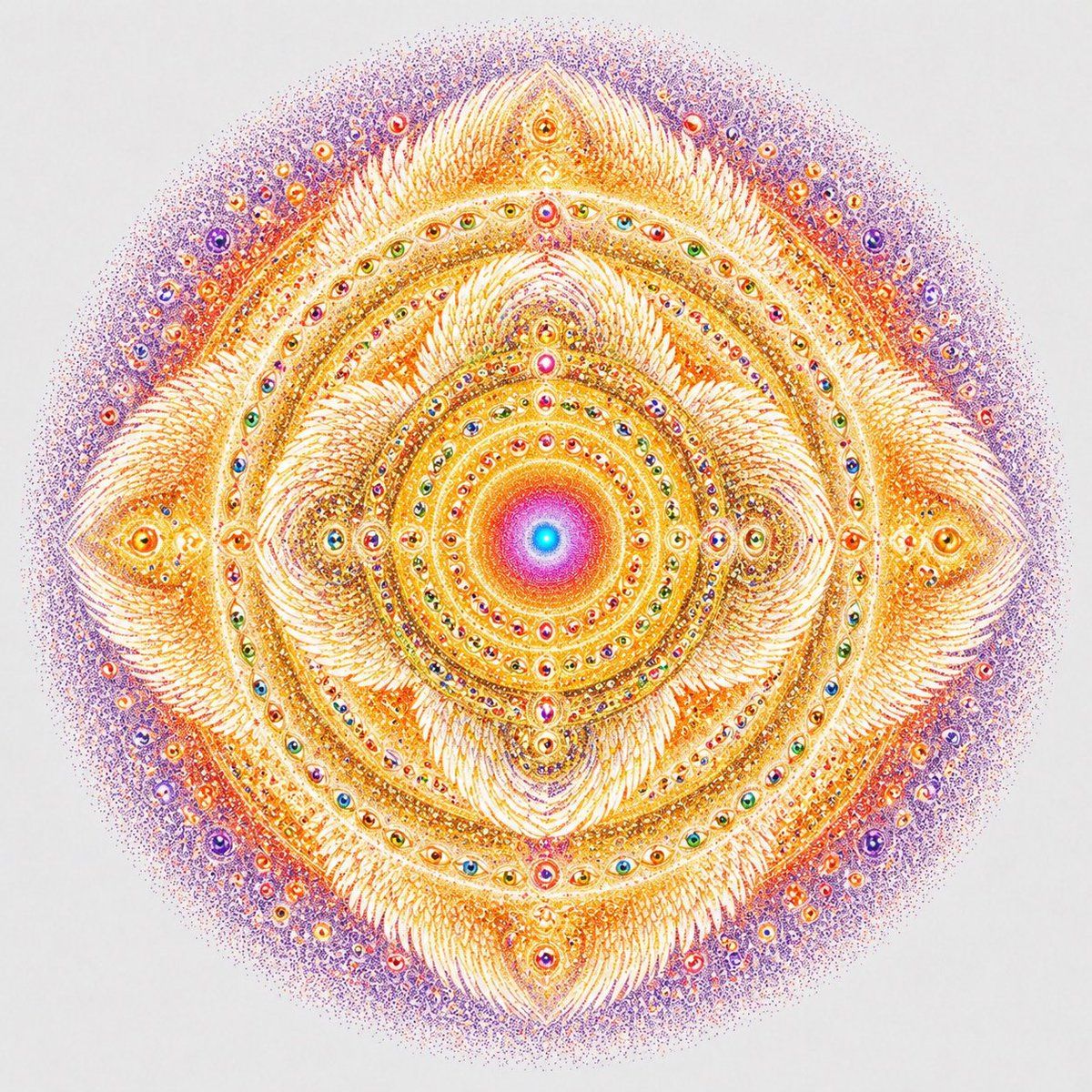
幻象之眼曼陀罗
Enlarge

幻象之眼曼陀罗

Prompt
A perfectly centered sacred-geometry mandala on a clean white background, rendered as an ultra-detailed visionary ink-and-pointillism illustration. The composition is radially symmetrical and circular overall, glowing with warm gold, saffron, orange, coral, magenta, violet, and hints of cyan at the core. In the exact center, place a radiant circular nucleus with a bright cyan-blue dot surrounded by concentric rings of pink, magenta, orange, and gold, like a luminous spiritual sun. Around it, build many densely packed concentric bands of tiny jewel-like eyes, bead forms, dots, and filigree, all arranged with precise rotational symmetry. Form a four-point diamond structure around the center, with 4 large petal-like flame clusters pointing up, down, left, and right, and 4 smaller curled spiral clusters in the diagonal quadrants. At the outer cardinal points, include 4 larger almond-shaped eye motifs embedded in feathery golden forms. Across the mandala, include dozens of miniature multicolored eyes set into rings, suggesting omniscient awareness. Use extremely fine stippling, micro-linework, ornate feathered textures, and shimmering decorative detail, with the inner structure predominantly luminous gold and ivory, transitioning to a diffuse halo of violet and lavender stippled particles at the outer edge. The image should feel mystical, transcendent, intricate, balanced, and meditative, like a celestial mandala or visionary sacred emblem, with crisp high-detail line art and soft radiant color blending.
Category
Posters & Typography
Model
GPT Image 2
Creator
nic
Views6
Source ID
16706
Published
Apr 27, 2026

Guide

About "幻象之眼曼陀罗"

What is this prompt for?

"幻象之眼曼陀罗" AI image prompt for GPT Image 2 (Posters & Typography). 此提示词可生成高度对称的神圣几何曼陀罗,画面充满眼睛元素与光芒四射的点彩装饰,非常适合用于神秘艺术印刷品或冥想主题的视觉设计。 Copy it on Picva and recreate…

The full copyable prompt and example visuals above are ready for AI image generation or one-click recreate in Picva.

How to use this prompt

  1. Step 1

    Open the prompt detail

    Review the example visuals, category, and full prompt text for "幻象之眼曼陀罗".

  2. Step 2

    Copy the prompt

    Copy the prompt body from this page, or load it directly in Studio.

  3. Step 3

    Pick a model (GPT Image 2)

    Prefer GPT Image 2. If you switch models, keep subject and composition and tweak style terms.

  4. Step 4

    Generate and export

    Recreate the look in Picva, or export into your workflow for editing and publishing.

FAQ

What is the "幻象之眼曼陀罗" prompt?
It is an AI image-generation prompt for GPT Image 2 in the Posters & Typography category. This page includes the full prompt text, example visuals, and a one-click recreate path in Picva.
How do I use this prompt to generate an image?
Copy the prompt from this page, or use Generate / Studio. Paste it into a compatible image model, or recreate the look in Picva with optional reference images.
Which model is this prompt for?
This page lists GPT Image 2. Most descriptive prompts also transfer to nearby image models such as GPT Image, Flux, or Midjourney with light style tweaks.
Can I use the result commercially?
You can usually copy the prompt for creation, but commercial use of the final image depends on the model terms, reference-image rights, and the generated content. Follow the source author and platform rules.