13

史诗级动漫海盗海报设计
Enlarge

Example images

史诗级动漫海盗海报设计

Prompt
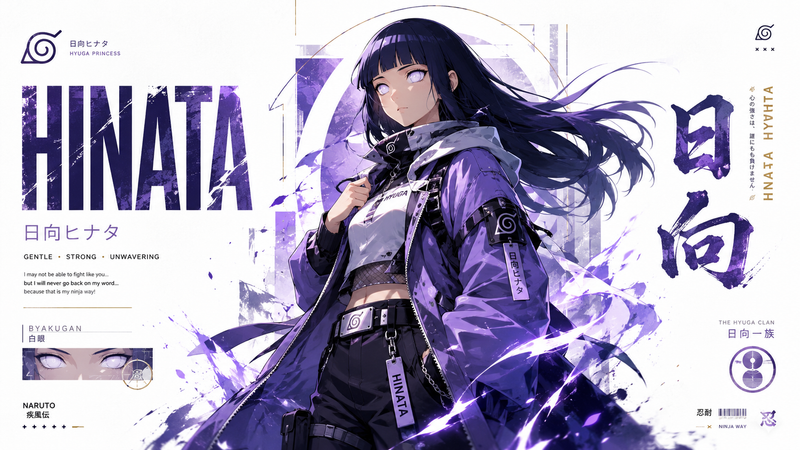
Epic anime character poster design inspired by classic manga cover layouts, featuring a {argument name="character" default="powerful pirate warrior"} in dynamic pose, highly detailed ink-style illustration, bold typography with large character name, Japanese vertical text elements, monochrome textured shading with {argument name="color theme" default="strong accent color theme (red, blue, or orange)"}, layered collage composition with close-up portrait, action pose, small cinematic panels, pirate crew symbols and emblems, distressed paper texture, gritty manga aesthetic, dramatic lighting, sharp line art, intense facial expression, dynamic energy effects like flames, smoke, haki aura or water splashes, collectible anime poster style, editorial graphic layout, high contrast black-and-white tones with selective color highlights, ultra detailed, masterpiece quality, vertical poster composition, modern manga art style, vintage print grain, anime promotional artwork.
Category
Charts & Infographics
Model
GPT Image 2
Creator
Taaruk
Views4
Source ID
19862
Published
May 12, 2026

Guide

About "史诗级动漫海盗海报设计"

What is this prompt for?

"史诗级动漫海盗海报设计" AI image prompt for GPT Image 2 (Charts & Infographics). 一份详细的提示词,用于创作受经典漫画封面启发、具有复古风格的动漫角色海报,包含水墨风格插画和戏剧性的光影效果。 Copy it on Picva and recreate th…

The full copyable prompt and example visuals above are ready for AI image generation or one-click recreate in Picva.

How to use this prompt

  1. Step 1

    Open the prompt detail

    Review the example visuals, category, and full prompt text for "史诗级动漫海盗海报设计".

  2. Step 2

    Copy the prompt

    Copy the prompt body from this page, or load it directly in Studio.

  3. Step 3

    Pick a model (GPT Image 2)

    Prefer GPT Image 2. If you switch models, keep subject and composition and tweak style terms.

  4. Step 4

    Generate and export

    Recreate the look in Picva, or export into your workflow for editing and publishing.

FAQ

What is the "史诗级动漫海盗海报设计" prompt?
It is an AI image-generation prompt for GPT Image 2 in the Charts & Infographics category. This page includes the full prompt text, example visuals, and a one-click recreate path in Picva.
How do I use this prompt to generate an image?
Copy the prompt from this page, or use Generate / Studio. Paste it into a compatible image model, or recreate the look in Picva with optional reference images.
Which model is this prompt for?
This page lists GPT Image 2. Most descriptive prompts also transfer to nearby image models such as GPT Image, Flux, or Midjourney with light style tweaks.
Can I use the result commercially?
You can usually copy the prompt for creation, but commercial use of the final image depends on the model terms, reference-image rights, and the generated content. Follow the source author and platform rules.