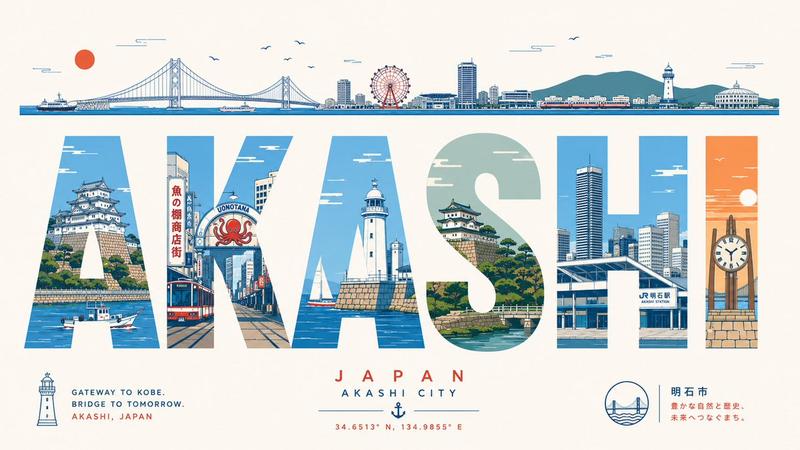
复古尼崎市旅游海报
Prompt
Goal: Create a stylish retro travel poster for {argument name="city name" default="AMAGASAKI"}, celebrating {argument name="region text" default="HYOGO, JAPAN"} with a refined Japanese tourism aesthetic.

Canvas: Wide horizontal poster, 16:9 aspect ratio, warm off-white paper background with subtle vintage texture, muted pastel palette of sage green, pale teal, beige, peach, soft gray, and dark slate outlines.

Layout: At the top, draw one thin panoramic skyline strip spanning almost the full width. It should include exactly 12 visible landmark groups from left to right: a Japanese castle on stone walls with pine trees, low city buildings, modern high-rises, factory smokestacks, a commuter train, a long bridge deck, a cable-stayed bridge tower and cables, orange port cranes, a small industrial tower, more harbor buildings, a large peach-colored sun, and distant city towers. Add a few tiny birds and simple line clouds above the skyline.

Main typography: The center of the poster is dominated by the enormous word {argument name="city name" default="AMAGASAKI"} in bold condensed block capital letters, very wide and tall, with narrow spacing. The letters act as cutout windows filled with detailed city illustrations. Use exactly 9 letters: A, M, A, G, A, S, A, K, I. Inside the letters, show Amagasaki-inspired scenes including a castle moat and stone wall, shopping street signage, pedestrians at a crosswalk, urban buildings, a train line and station, a tower, a statue and plaza, a river or canal, bridge trusses, factories and chimneys, harbor cranes, riverside trees, a tall apartment tower, and cherry blossoms. Keep the letter interiors cleanly masked so the word remains readable.

Subtitle area: Beneath the giant city name, center the text {argument name="region text" default="HYOGO, JAPAN"} in small widely spaced uppercase sans-serif letters, flanked by thin horizontal lines. Under it, add the tagline {argument name="tagline" default="HISTORY. CULTURE. COMMUNITY."} in even smaller spaced uppercase text.

Bottom icons: Along the bottom center, include exactly 6 small pictogram icons separated by thin vertical divider lines: 1 castle, 2 shopping bag, 3 train, 4 bridge, 5 factory, 6 tree. Use the same muted colors and simple line-art style.

Visual style: Elegant mid-century travel poster meets Japanese architectural illustration, precise thin ink outlines, flat colors, lightly weathered print texture, balanced negative space, calm composition, no photorealism, no 3D rendering, no heavy shadows, no watermark.- Category
- Charts & Infographics
- Model
- GPT Image 2
- Creator
- てりたま|公認会計士の新しい生き方を見つける
- Source ID
- 22913
- Published
- May 27, 2026
Views2


![Create a charming editorial travel illustration of [Iran] in a simple hand-drawn](https://i.pixshop.app/storage/v1/render/image/public/prompt-source-media/promptsref/work-40122/image-1-b132285a9ee18635.png?width=800&quality=75&resize=contain)