18

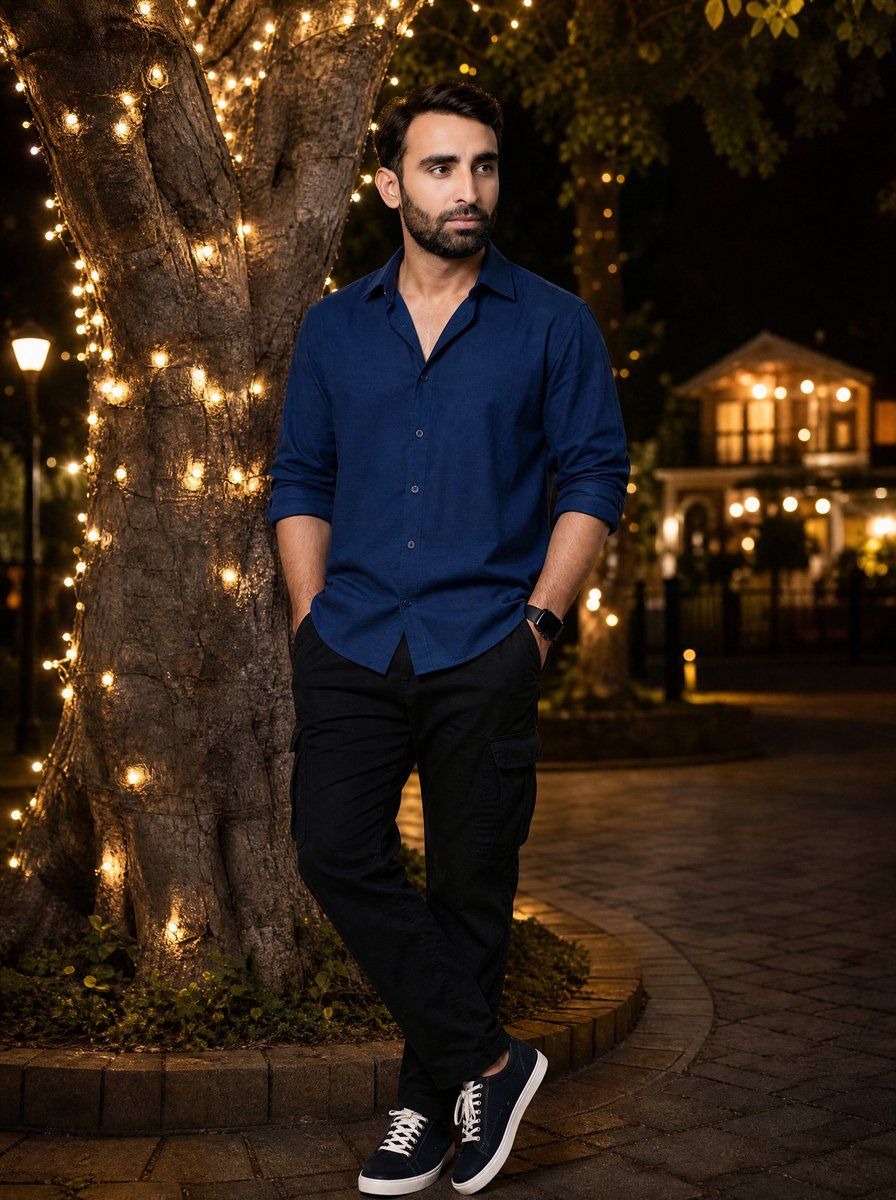
仙女灯树下的夜间人像
Enlarge

仙女灯树下的夜间人像

Prompt
Create an ultra-realistic full-body nighttime portrait of {argument name="subject" default="a handsome well-groomed young man with stylish dark wavy hair"} standing casually beside a large mature tree wrapped in warm golden fairy lights. The man is positioned slightly right of center, leaning near the trunk with both hands in his pockets, one leg crossed casually in front of the other, looking slightly to the side with a calm confident pose. He wears a deep {argument name="shirt color" default="navy blue"} long-sleeve button-up shirt with the sleeves rolled to the forearms, black cargo-style pants, a black smartwatch, and dark low-top sneakers with white laces and white soles. The tree trunk fills the left side of the frame, its bark texture clearly visible, with many small warm lights spiraling around it and glowing softly. The base of the tree is neatly organized inside a circular raised concrete or brick planter with small greenery around the roots. The background is an elegant outdoor park or courtyard at night with paved stone ground, soft bokeh lights, leafy branches above, a distant warmly lit building or gazebo, and a faint streetlamp, all blurred with shallow depth of field. Use cinematic warm lighting, realistic skin and fabric texture, natural shadows, professional portrait photography, 50mm lens look, full-body vertical composition, high detail, no text, no watermark.
Category
Charts & Infographics
Model
GPT Image 2
Creator
Mr. Tariq
Views4
Source ID
23866
Published
Jun 2, 2026

Guide

About "仙女灯树下的夜间人像"

What is this prompt for?

"仙女灯树下的夜间人像" AI image prompt for GPT Image 2 (Charts & Infographics). 一幅超写实的全身男性人像场景,背景是优雅的夜间庭院,身旁有一棵温暖明亮的树。 Copy it on Picva and recreate the look in one clic…

The full copyable prompt and example visuals above are ready for AI image generation or one-click recreate in Picva.

How to use this prompt

  1. Step 1

    Open the prompt detail

    Review the example visuals, category, and full prompt text for "仙女灯树下的夜间人像".

  2. Step 2

    Copy the prompt

    Copy the prompt body from this page, or load it directly in Studio.

  3. Step 3

    Pick a model (GPT Image 2)

    Prefer GPT Image 2. If you switch models, keep subject and composition and tweak style terms.

  4. Step 4

    Generate and export

    Recreate the look in Picva, or export into your workflow for editing and publishing.

FAQ

What is the "仙女灯树下的夜间人像" prompt?
It is an AI image-generation prompt for GPT Image 2 in the Charts & Infographics category. This page includes the full prompt text, example visuals, and a one-click recreate path in Picva.
How do I use this prompt to generate an image?
Copy the prompt from this page, or use Generate / Studio. Paste it into a compatible image model, or recreate the look in Picva with optional reference images.
Which model is this prompt for?
This page lists GPT Image 2. Most descriptive prompts also transfer to nearby image models such as GPT Image, Flux, or Midjourney with light style tweaks.
Can I use the result commercially?
You can usually copy the prompt for creation, but commercial use of the final image depends on the model terms, reference-image rights, and the generated content. Follow the source author and platform rules.