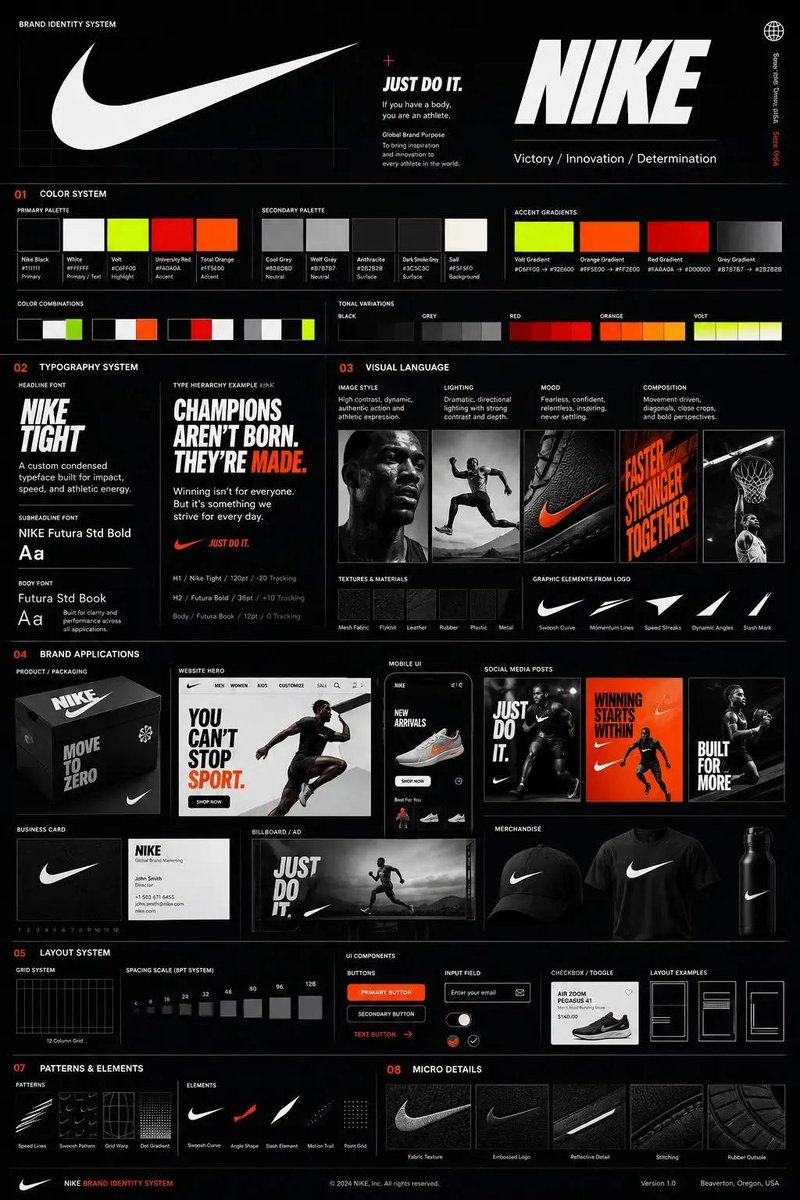
Brand Identity Guideline Board
提示词
Using the uploaded logo for (Brand name) generate a high-end, agency-grade brand identity system poster. ---  OBJECTIVE Create a complete, presentation-ready brand guideline board that looks like it was designed by a top branding studio.

The result must feel commercial, realistic, and client-deliverable, not conceptual. ---  INTELLIGENCE RULE (THIS IS WHAT YOU WERE MISSING) Before designing, analyze the logo and infer:3 identity traits (based on analysis) ---  COLOR SYSTEM (SMART GENERATION) Extract palette from logo automatically Include: Primary colors (3–5) Secondary colors (3–5) Accent colors Each must show: HEX codes labeled usage (primary / UI / highlight / background) Also generate: gradients color combinations tonal

variations ---  TYPOGRAPHY SYSTEM (MATCH PERSONALITY) Select typography style based on brand: luxury → elegant serif tech → geometric sans street → bold condensed
- 分类
- UI 与界面
- 模型
- GPT Image 2
- 来源作者
- Ciri_ai
- 来源 ID
- evolink-ciri_ai-2060938931588472932
- 发布时间
- 2026年5月31日
浏览量2