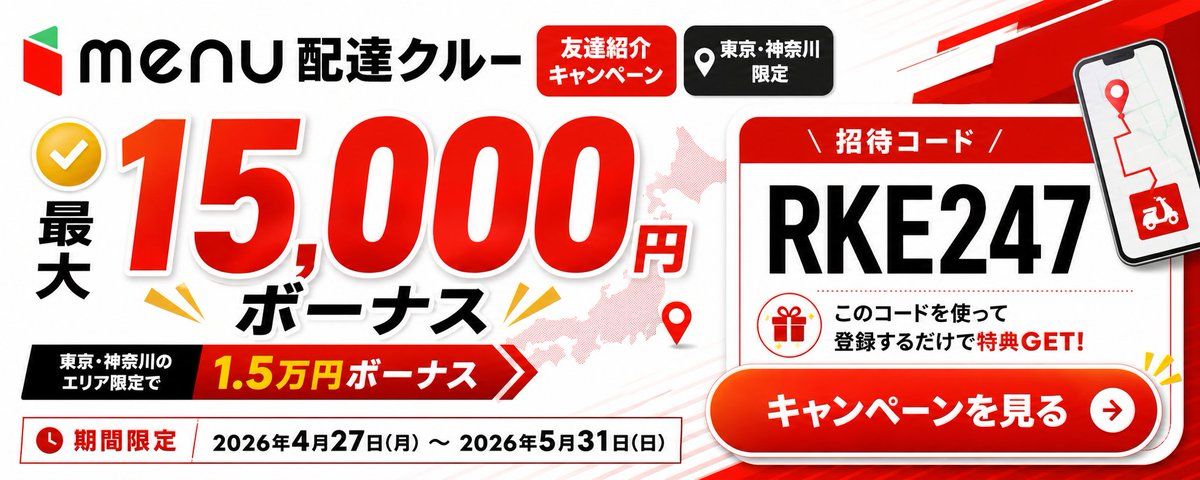
Menu Delivery Bonus Campaign Banner
提示词
{"type":"wide Japanese promotional web banner advertisement","aspect_ratio":"2.4:1 landscape","style":"clean high-contrast commercial graphic design, bold red black white palette, glossy gradients, drop shadows, thick outlined typography, energetic delivery-service campaign look","brand":{"position":"top left","logo":"red and green geometric menu logo followed by black 'menu' wordmark","headline":"{argument name=\"service title\" default=\"配達クルー\"}"},"main_offer":{"position":"left and center","count":4,"elements":["yellow circular checkmark icon at far left","vertical black text '最大'","huge red number '15,000' with white outline and shadow","small red '円' and bold black 'ボーナス' below"],"primary_amount":"{argument name=\"bonus amount\" default=\"15,000円\"}","supporting_ribbon":{"position":"lower left-center","text":"東京・神奈川のエリア限定で 1.5万円ボーナス","colors":"black label block connected to red arrow ribbon with yellow amount text"}},"top_badges":{"position":"top center","count":2,"labels":["友達紹介キャンペーン","東京・神奈川限定"],"appearance":["red rounded rectangle with white text","black rounded rectangle with white location-pin icon and white text"]},"background":{"base":"white with faint diagonal speed lines","map":"pale pink silhouette map behind the main number and card","decorations_count":4,"decorations":["red map pin near lower center","yellow burst marks around the bonus text","red angular speed stripe in upper right","subtle gray/red line accents"]},"invitation_card":{"position":"right side","appearance":"large white rounded rectangle card with red header and red border, slight shadow","header":"招待コード","code":"{argument name=\"invitation code\" default=\"RKE247\"}","code_style":"very large bold black uppercase characters","message":"このコードを使って登録するだけで特典 GET!","icon":"red outline gift icon inside a circle"},"phone_mockup":{"position":"upper right overlapping card","screen":"map route with red pin and red delivery scooter icon","appearance":"tilted smartphone with black bezel and shadow"},"call_to_action":{"position":"bottom right overlapping invitation card","text":"{argument name=\"call to action text\" default=\"キャンペーンを見る\"}","appearance":"large glossy red-orange pill button with white bold text, white border, drop shadow, circular white arrow icon on the right"},"date_bar":{"position":"bottom left full width under offer","count":3,"elements":["red clock icon","red label '期間限定'","date range '{argument name=\"campaign dates\" default=\"2026年4月27日(月) ~ 2026年5月31日(日)\"}' in black inside a white outlined rectangle"]},"composition":"place the main bonus amount as the dominant focal point on the left, the invitation-code card and CTA as the dominant action area on the right, keep all Japanese text crisp and readable, use strong shadows and red accents for urgency"}- 分类
- 图表信息图
- 模型
- GPT Image 2
- 来源作者
- うばいつ|ubaitsu.com
- 来源 ID
- 18150
- 发布时间
- 2026年5月3日
浏览量2