Royal blue qipao cosplay portrait: GPT Image 2 prompt
Prompt
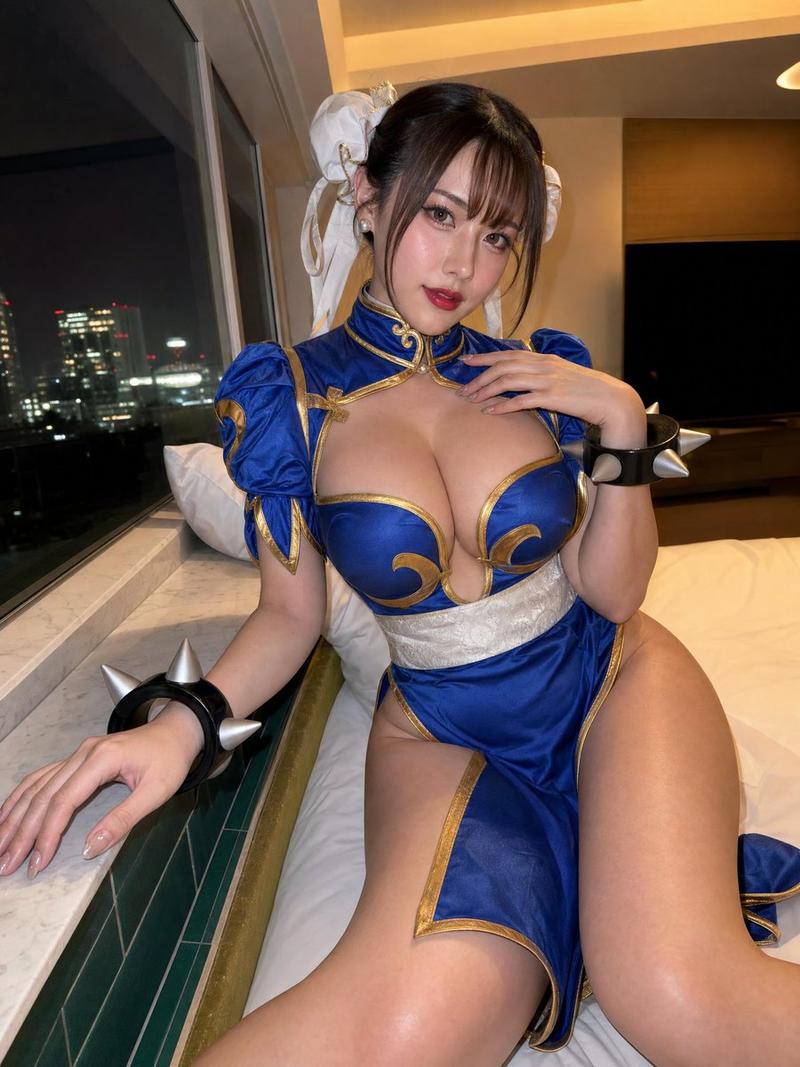
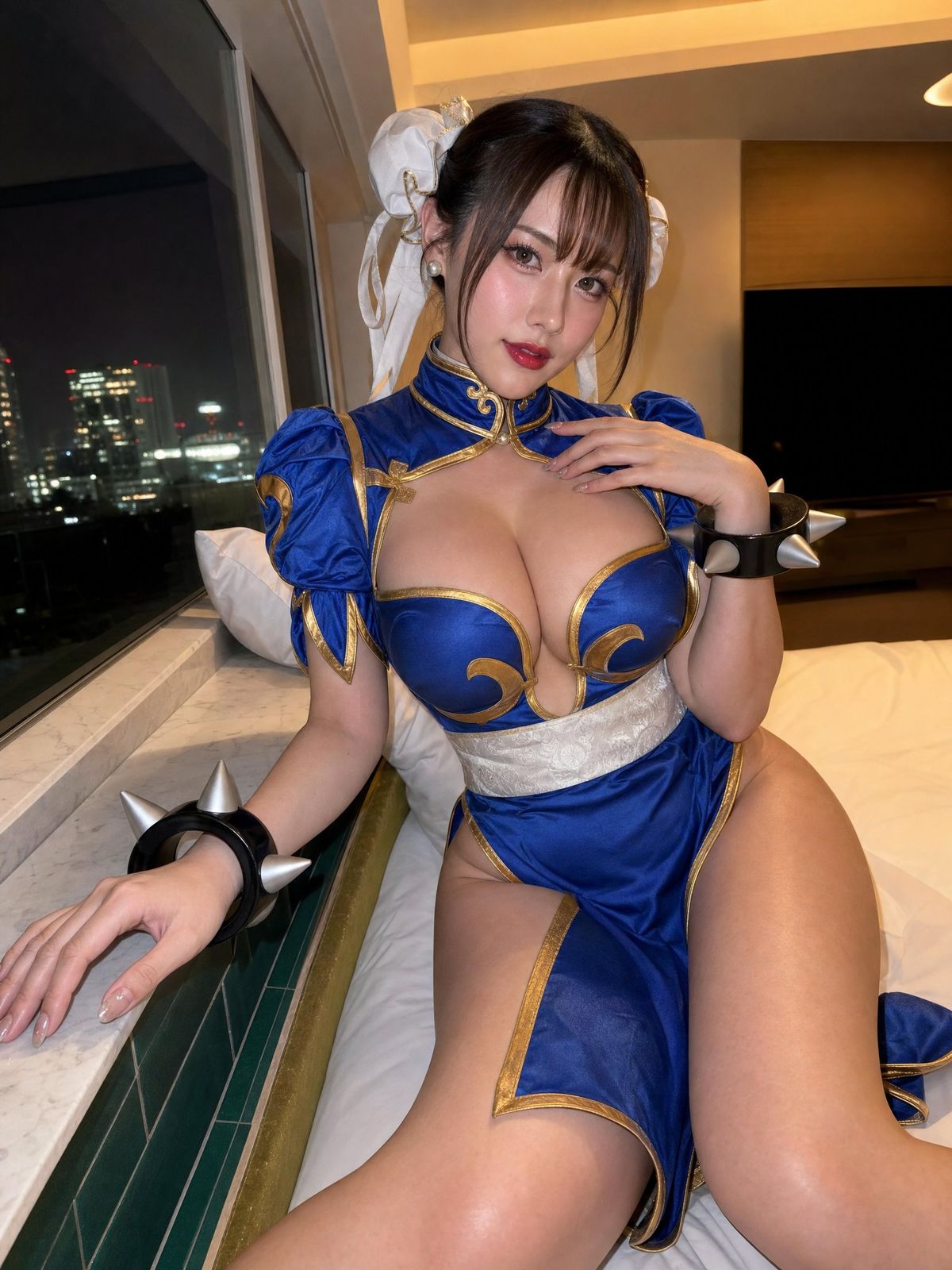
Create a realistic vertical handheld indoor cosplay portrait of a young adult woman seated beside a large nighttime hotel-room window. She wears a vivid royal-blue and metallic-gold Chinese-inspired fighting game costume: a fitted qipao-style bodice with puff sleeves, ornate gold trim, curved structured chest panels, a high collar with gold frog closures, a wide white embroidered waist sash, and a matching high-slit blue skirt with gold edging. Add large white fabric hair buns and ribbon-like side pieces with small gold accents, pearl-like earrings, and oversized glossy black wrist cuffs with silver cone spikes.

Her face should keep an East Asian idol-inspired cosplay beauty style: fair porcelain skin with a warm pink undertone, large glossy eyes, precise black winged eyeliner, warm brown eyeshadow, softly flushed cheeks, luminous nose and cheek highlights, and vivid glossy red lips slightly parted. Her dark brown-black hair is pulled into twin side buns with soft bangs and face-framing strands. She looks directly into the camera with a calm, confident, lightly flirtatious expression.

The visible skin includes the face, neck, upper chest, cleavage, partial shoulders near the sleeves, forearms, hands, upper thighs, outer hips, and knees. The skin should look smooth, fair, and softly satin-like to the touch, with subtle natural tonal variation rather than plastic perfection. Strong frontal camera flash creates crisp white highlights across the face, chest, hands, and thighs, while warm hotel ceiling lights leave soft amber shadows.

Pose her seated on a bed or low lounge surface near the window ledge. One arm is extended and braced against the marble ledge, the other hand rests near the collarbone. Her torso angles slightly toward the camera, her head tilts gently, and one leg comes forward through the high slit. Keep the pose asymmetrical and naturally staged, like a real social-media cosplay photo taken after dressing up, not a perfect commercial studio shot.

Use a close vertical composition, medium close framing from upper thighs to head, with a slight handheld tilt. The camera feels like a phone or compact digital camera using direct flash, around a 24-28mm equivalent lens, with moderate depth of field. The subject is sharp, while the dark city view through the window remains slightly softer, showing scattered lit building windows. Include a modern hotel-room background: large floor-to-ceiling glass, white pillow on a window bench, white marble or stone ledge, green tile edge, white bedding, dark neutral walls, warm recessed ceiling lighting, and a dark rectangular TV-like shape in the background.

Preserve the late-night private hotel-room atmosphere: polished cosplay glamour mixed with casual snapshot realism. Keep mild digital noise in the dark areas, natural fabric creases in the shiny blue satin costume, direct flash realism, slight framing imbalance, and the feeling that she had just paused by the window after dark while the city lights remained behind her.

Negative prompt: childlike face, underage, plastic skin, over-retouched, extra fingers, deformed hands, distorted anatomy, warped costume, wrong costume color, missing wrist cuffs, missing hair accessories, studio backdrop, flat lighting, overly perfect composition, AI doll face, blurred face, low-resolution artifacts.
- Category
- Photography & Realism
- Model
- GPT Image 2
- Creator
- underwood
- Source ID
- 2050839245074399282
- Published
- May 3, 2026
Views1