18

Summer wheat field portrait: GPT Image 2 prompt
Enlarge

Example images

Summer wheat field portrait: GPT Image 2 prompt

Prompt
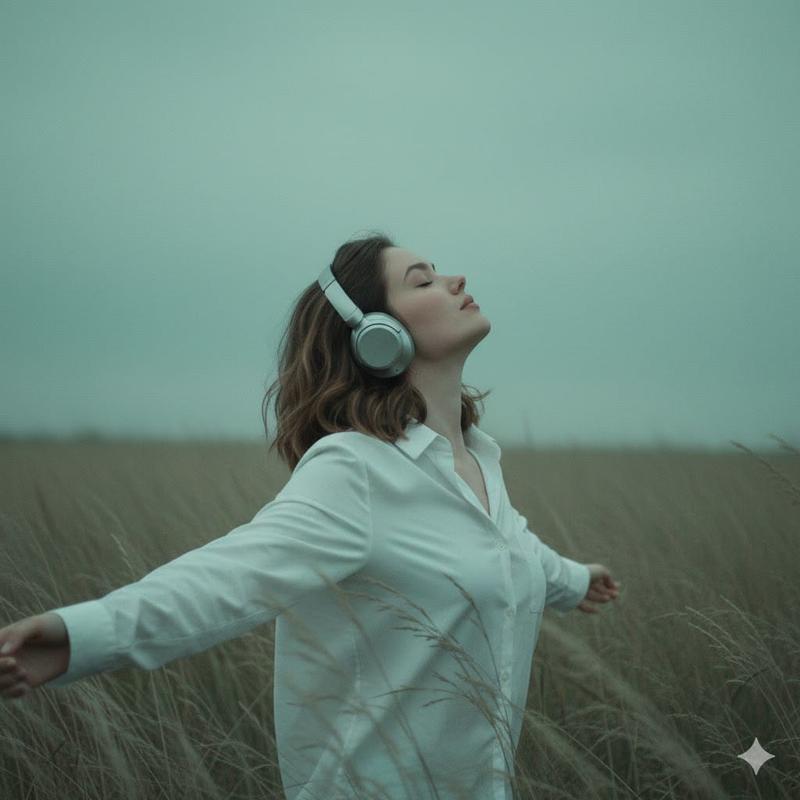
Cinematic summer environmental portrait, vertical composition. Clear blue sky with luminous layered white clouds over an endless green wheat field swaying in a warm breeze. A young woman, ~20, fresh and unguarded, wears a white tee and a simple straight leg jeans. She walks forward along a narrow raised path through the wheat, not looking at the camera, hair lifted by wind. Low angle side view, 32mm lens, subject naturally centered, vast wheat field and sky surrounding her. Late morning sunlight - bright but soft, slight lens flare and highlight bloom; foreground wheat softly out of focus for depth. airy blue shadows, subtle 35mm grain, slight edge softness. No commercial pose, no excessive retouching, no obvious AI look. --ar 4:5 --raw --profile glu65pn 8ybnjf3 --stylize 150 --hd
Category
Photography & Realism
Model
GPT Image 2
Views3
Source ID
2078163965906145642
Published
Jul 17, 2026

Guide

About "Summer wheat field portrait: GPT Image 2 prompt"

What is this prompt for?

"Summer wheat field portrait: GPT Image 2 prompt" AI image prompt for GPT Image 2 (Photography & Realism). Cinematic summer environmental portrait, vertical co…

The full copyable prompt and example visuals above are ready for AI image generation or one-click recreate in Picva.

How to use this prompt

  1. Step 1

    Open the prompt detail

    Review the example visuals, category, and full prompt text for "Summer wheat field portrait: GPT Image 2 prompt".

  2. Step 2

    Copy the prompt

    Copy the prompt body from this page, or load it directly in Studio.

  3. Step 3

    Pick a model (GPT Image 2)

    Prefer GPT Image 2. If you switch models, keep subject and composition and tweak style terms.

  4. Step 4

    Generate and export

    Recreate the look in Picva, or export into your workflow for editing and publishing.

FAQ

What is the "Summer wheat field portrait: GPT Image 2 prompt" prompt?
It is an AI image-generation prompt for GPT Image 2 in the Photography & Realism category. This page includes the full prompt text, example visuals, and a one-click recreate path in Picva.
How do I use this prompt to generate an image?
Copy the prompt from this page, or use Generate / Studio. Paste it into a compatible image model, or recreate the look in Picva with optional reference images.
Which model is this prompt for?
This page lists GPT Image 2. Most descriptive prompts also transfer to nearby image models such as GPT Image, Flux, or Midjourney with light style tweaks.
Can I use the result commercially?
You can usually copy the prompt for creation, but commercial use of the final image depends on the model terms, reference-image rights, and the generated content. Follow the source author and platform rules.