15

Cinematic lighting portrait: GPT Image 2 prompt
Enlarge

Cinematic lighting portrait: GPT Image 2 prompt

Prompt
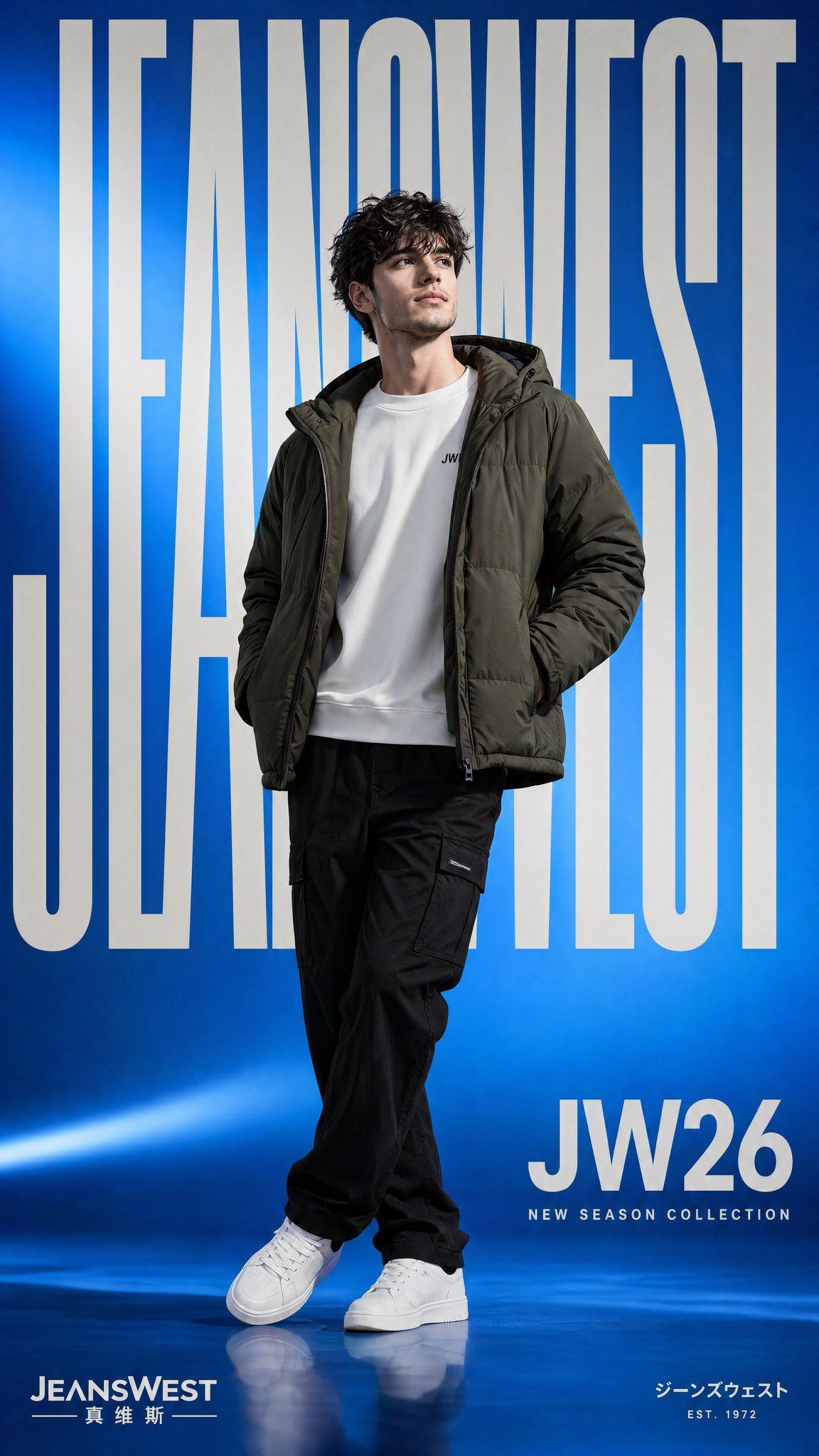
Create a premium streetwear fashion campaign poster inspired by modern Asian apparel advertising. Full body portrait of a stylish young male model standing confidently with legs crossed at the ankles, hands inside jacket pockets, head turned slightly upward and sideways with a calm thoughtful expression. Curly tousled medium length hair with soft volume. Slim athletic build.

Outfit includes a dark olive green padded hooded jacket worn open, clean white crewneck sweatshirt underneath with a tiny chest logo, relaxed black cargo style trousers, and minimal white sneakers. Styling is clean, youthful, and contemporary.

Background is a vibrant electric blue seamless studio backdrop with subtle gradient lighting, soft glow streaks, and glossy floor reflection. Lighting is soft studio light with gentle shadows and polished commercial finish.

Graphic poster layout with giant bold condensed sans serif text reading “JEANSWEST” vertically stretched across the background behind the model in light gray white. Add large text on lower right reading “JW26”. 

Composition should feel premium, trendy, clean, commercial, youthful, modern fashion ad campaign. Sharp focus, ultra realistic fabric texture, cinematic lighting, balanced negative space, sleek branding design, high resolution, vertical poster ratio.
Category
Brand & Logos
Model
GPT Image 2
Creator
harboriis
Views1
Source ID
awesome-poster-71
Published
Apr 29, 2026

Guide

About "Cinematic lighting portrait: GPT Image 2 prompt"

What is this prompt for?

"Cinematic lighting portrait: GPT Image 2 prompt" AI image prompt for GPT Image 2 (Brand & Logos). Create a premium streetwear fashion campaign poster inspired…

The full copyable prompt and example visuals above are ready for AI image generation or one-click recreate in Picva.

How to use this prompt

  1. Step 1

    Open the prompt detail

    Review the example visuals, category, and full prompt text for "Cinematic lighting portrait: GPT Image 2 prompt".

  2. Step 2

    Copy the prompt

    Copy the prompt body from this page, or load it directly in Studio.

  3. Step 3

    Pick a model (GPT Image 2)

    Prefer GPT Image 2. If you switch models, keep subject and composition and tweak style terms.

  4. Step 4

    Generate and export

    Recreate the look in Picva, or export into your workflow for editing and publishing.

FAQ

What is the "Cinematic lighting portrait: GPT Image 2 prompt" prompt?
It is an AI image-generation prompt for GPT Image 2 in the Brand & Logos category. This page includes the full prompt text, example visuals, and a one-click recreate path in Picva.
How do I use this prompt to generate an image?
Copy the prompt from this page, or use Generate / Studio. Paste it into a compatible image model, or recreate the look in Picva with optional reference images.
Which model is this prompt for?
This page lists GPT Image 2. Most descriptive prompts also transfer to nearby image models such as GPT Image, Flux, or Midjourney with light style tweaks.
Can I use the result commercially?
You can usually copy the prompt for creation, but commercial use of the final image depends on the model terms, reference-image rights, and the generated content. Follow the source author and platform rules.