主题海报版式设计
Prompt
{
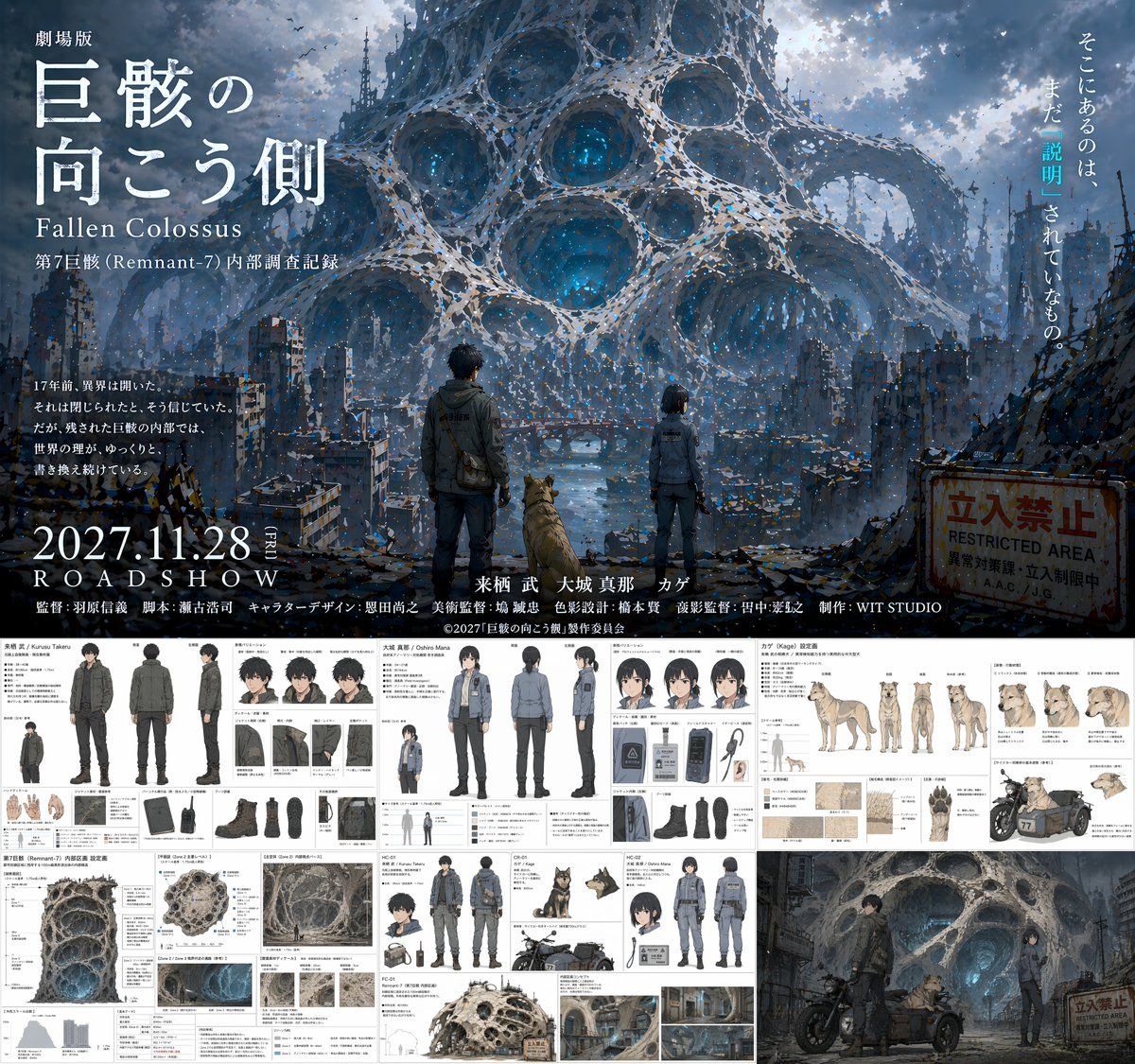
  "type": "anime movie production pitch document",
  "overall_layout": "split layout with a large cinematic movie poster on the top half and a grid of 5 detailed reference sheets on the bottom half",
  "top_section": {
    "type": "movie poster",
    "visual": "A man, a woman, and a dog standing on a ruined city street, facing away from the viewer, looking towards a colossal, porous, web-like alien structure dominating the sky. A rusty 'RESTRICTED AREA' sign is on the right.",
    "typography": {
      "title": "{argument name=\"movie title\" default=\"劇場版 巨骸の向こう側 Fallen Colossus\"}",
      "release_date": "{argument name=\"release date\" default=\"2027.11.28 ROADSHOW\"}",
      "tagline": "そこにあるのは、まだ「説明」されていないもの。",
      "credits_studio": "{argument name=\"studio name\" default=\"WIT STUDIO\"}"
    }
  },
  "bottom_sections": [
    {
      "title": "{argument name=\"male character name\" default=\"来栖 武 / Kurusu Takeru\"}",
      "type": "character reference sheet",
      "elements": {
        "full_body_poses": 3,
        "expressions": 3,
        "detail_shots": 8,
        "description": "Male protagonist in dark tactical jacket and cargo pants. Includes front, back, and side full-body views, headshots, and detailed callouts for gloves, boots, backpack, and radio."
      }
    },
    {
      "title": "{argument name=\"female character name\" default=\"大城 真那 / Oshiro Mana\"}",
      "type": "character reference sheet",
      "elements": {
        "full_body_poses": 3,
        "expressions": 3,
        "detail_shots": 6,
        "description": "Female protagonist in grey tactical uniform. Includes front, back, and side full-body views, headshots, and detailed callouts for jacket, boots, ID badge, and pouch."
      }
    },
    {
      "title": "カゲ (Kage) 設定画",
      "type": "animal character reference sheet",
      "elements": {
        "full_body_poses": 4,
        "expressions": 4,
        "detail_shots": 5,
        "description": "Dog companion. Includes side, front, back, and angled full-body views, headshots, and detailed callouts for fur texture, paws, and a motorcycle sidecar."
      }
    },
    {
      "title": "第7巨骸 (Remnant-7) 内部区画 設定画",
      "type": "environment and vehicle reference sheet",
      "elements": {
        "large_diagrams": 1,
        "environment_thumbnails": 4,
        "vehicle_designs": 1,
        "description": "Cross-section of the porous alien structure, smaller environment thumbnails, and a motorcycle design featuring the characters."
      }
    },
    {
      "title": "Concept Art",
      "type": "scene illustration",
      "elements": {
        "characters": 3,
        "vehicles": 1,
        "description": "The male character, female character, and dog with a motorcycle sidecar parked in front of the glowing, porous alien structure."
      }
    }
  ]
}- Category
- Documents & Publishing
- Model
- GPT Image 2
- Creator
- freestylefly
- Source ID
- 119
Views1