可颂烘焙流程 Storyboard
Prompt
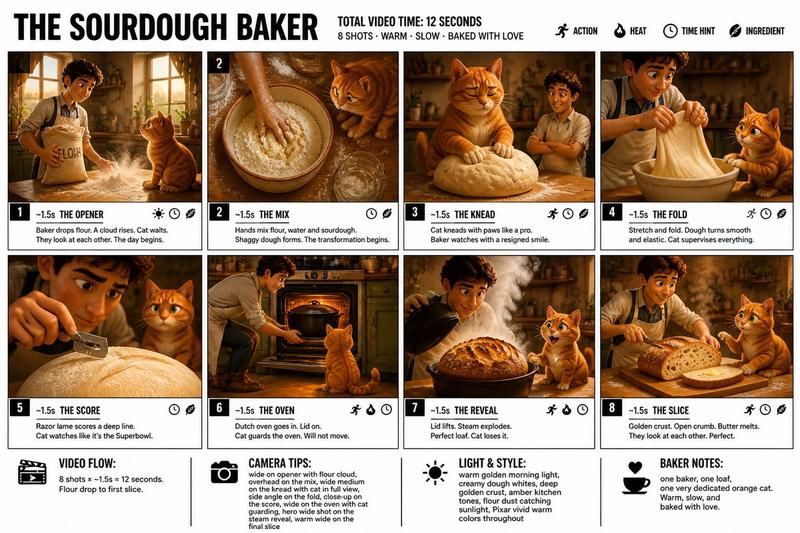
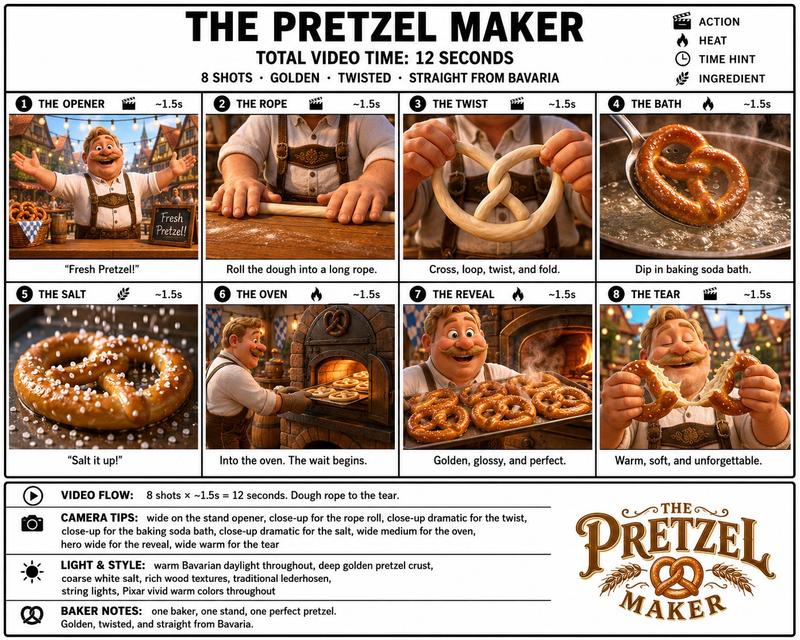
Create a crisp, clean infographic storyboard poster for THE CROISSANT BAKER. Wide 16:9 layout, white background, black borders, bold black typography, premium Pixar 3D stylized rendering, bright vivid colors — warm golden yellows, rich buttery creams, flaky browns, soft pastry whites, warm French bakery morning light.
Top header:

THE CROISSANT BAKER
TOTAL VIDEO TIME: 12 SECONDS
8 SHOTS · WARM · FLAKY · IRRESISTIBLE
Legend icons: ACTION, HEAT, TIME HINT, INGREDIENT
Thin warm golden accent line running full width beneath header

Same Pixar-style young French male baker throughout: white baker's jacket, flour-dusted hands, warm authentic French boulangerie setting, marble countertop, warm morning light streaming through windows, bread racks in background. Bright, warm, delicious. Every panel a completely different composition and color.
8 panels:

THE OPENER — Wide shot of baker arriving at the boulangerie before dawn, tying apron, switching on the warm kitchen lights, marble counter visible, bread racks behind, flour dusting the air, full world established, bright and cinematic
THE BUTTER BLOCK — Baker slams a massive cold block of European butter onto the marble counter with both hands, dramatic impact, flour cloud puffing up, close-up on hands, this is the bones moment — the start of everything
THE LAMINATION — Baker folding the dough over the butter block precisely, rolling pin pressing down hard, layers building, side angle shot showing the beautiful layering beginning, confident and skilled
THE ROLL — Dough rolled out into a large thin sheet, baker leaning into the rolling pin with full body weight, marble counter, flour dusting everywhere, wide shot showing the scale of the dough
THE SHAPE — Triangles cut from the dough, baker rolling each one from the wide end into a tight crescent, hands moving fast and confident, close-up on the shaping, beautiful and precise
THE EGG WASH — Baker brushing golden egg wash over each shaped croissant with a pastry brush, each one glistening beautifully, close-up overhead angle, warm golden color, stunning composition
THE OVEN — Croissants slid into the blazing hot oven on a tray, oven door closed, through the oven glass croissants visibly puffing and turning deep golden, layers separating dramatically, warm orange glow
THE TEAR — Baker pulls a perfect golden croissant from the rack, holds it up, tears it open slowly revealing hundreds of impossibly flaky buttery layers inside, steam escaping, butter glistening — this is the cheese pull moment, the hero shot of the entire video

Footer:

VIDEO FLOW: 8 shots × 1.5s = 12 seconds. Butter block to the tear.
CAMERA TIPS: wide on opener, close-up on butter slam and shaping, side angle on lamination, overhead on egg wash, oven glass for panel 7, extreme close-up on the tear reveal
LIGHT & STYLE: warm golden French bakery morning light, buttery cream tones, flour dust in the air, bright vivid Pixar colors, shallow depth of field on close-ups
BAKER NOTES: one baker, one perfect croissant, one irresistible tear. The lamination layers and the final tear are everything — make them stunning.
- Category
- Scenes & Storytelling
- Model
- GPT Image 2
- Creator
- freestylefly
- Source ID
- 419
Views2