11

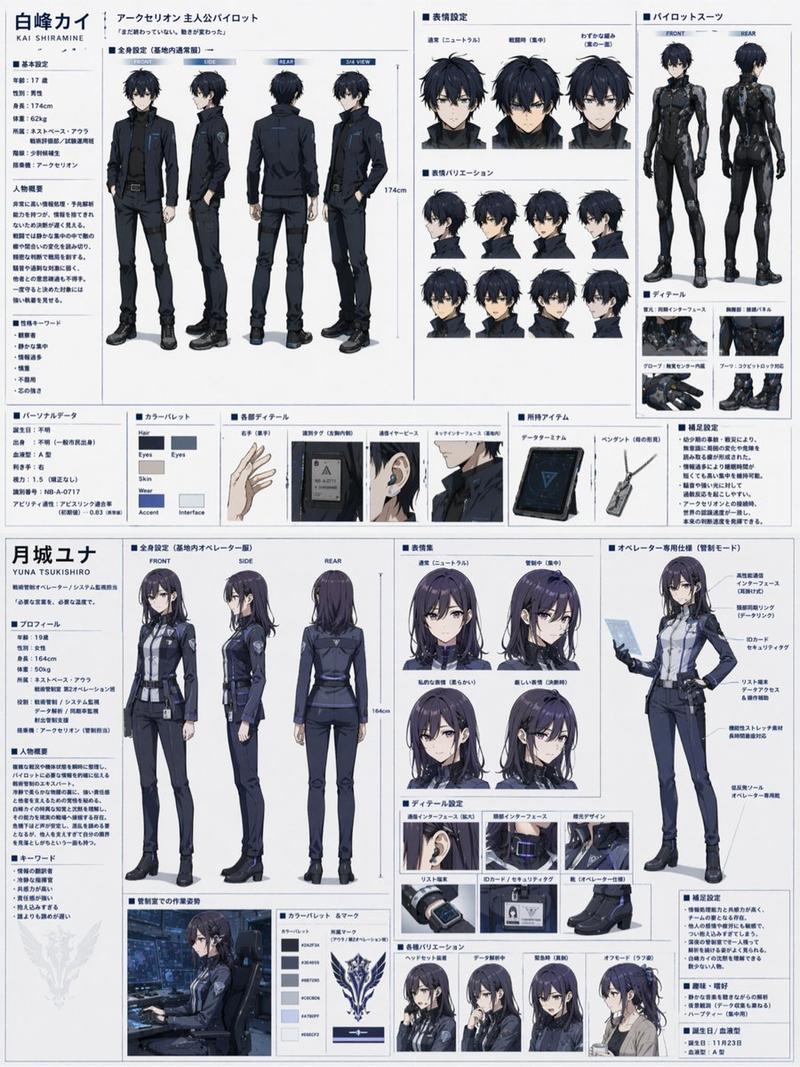
赛博黑客角色设定表
Enlarge

赛博黑客角色设定表

Prompt
Ultra-detailed cyberpunk anime character design sheet of a teenage genius hacker girl named “NEO // RIN”, full body turnaround (front, side, back) plus close-up portrait and accessory callouts. Short silver-white bob haircut with neon cyan and magenta gradient streaks, glowing translucent cyber visor over one eye, pale skin, sharp violet eyes, calm confident expression. Oversized techwear jacket with black tactical cargo pants, belts, straps, dangling utility tags, cropped top, futuristic sneakers, holographic accessories, barcode decals, warning symbols, “BYTE//NULL” typography, hacker aesthetic.
Color palette: matte black, dark gray, white, neon cyan, neon pink.
Style inspired by high-end Japanese concept art, futuristic streetwear, cyberpunk fashion, Akira + Ghost in the Shell + modern anime key visual aesthetics.
Include clean character reference sheet layout with labeled details, logo designs, UI graphics, gadget closeups, and color palette on white background.
Highly polished cel shading, crisp lineart, soft glow effects, intricate clothing folds, layered accessories, dynamic fashion silhouette, professional game concept art quality, 4k, ultra detailed.
Category
Characters & People
Model
GPT Image 2
Views4
Source ID
439

Guide

About "赛博黑客角色设定表"

What is this prompt for?

"赛博黑客角色设定表" AI image prompt for GPT Image 2 (Characters & People). Ultra-detailed cyberpunk anime character design sheet of a teenage genius hacker girl named…

The full copyable prompt and example visuals above are ready for AI image generation or one-click recreate in Picva.

How to use this prompt

  1. Step 1

    Open the prompt detail

    Review the example visuals, category, and full prompt text for "赛博黑客角色设定表".

  2. Step 2

    Copy the prompt

    Copy the prompt body from this page, or load it directly in Studio.

  3. Step 3

    Pick a model (GPT Image 2)

    Prefer GPT Image 2. If you switch models, keep subject and composition and tweak style terms.

  4. Step 4

    Generate and export

    Recreate the look in Picva, or export into your workflow for editing and publishing.

FAQ

What is the "赛博黑客角色设定表" prompt?
It is an AI image-generation prompt for GPT Image 2 in the Characters & People category. This page includes the full prompt text, example visuals, and a one-click recreate path in Picva.
How do I use this prompt to generate an image?
Copy the prompt from this page, or use Generate / Studio. Paste it into a compatible image model, or recreate the look in Picva with optional reference images.
Which model is this prompt for?
This page lists GPT Image 2. Most descriptive prompts also transfer to nearby image models such as GPT Image, Flux, or Midjourney with light style tweaks.
Can I use the result commercially?
You can usually copy the prompt for creation, but commercial use of the final image depends on the model terms, reference-image rights, and the generated content. Follow the source author and platform rules.