19

Science Encyclopedia Infographic
Enlarge

Science Encyclopedia Infographic

Prompt
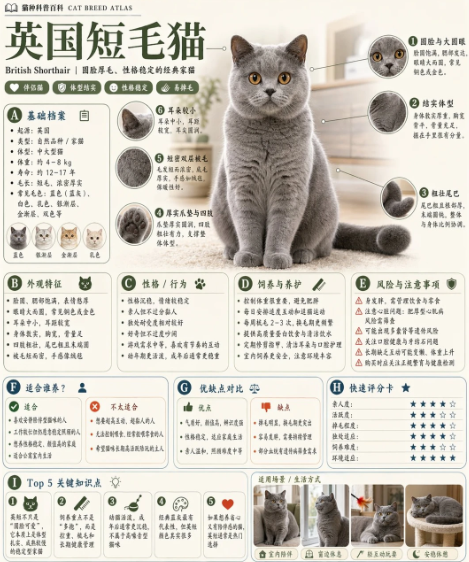
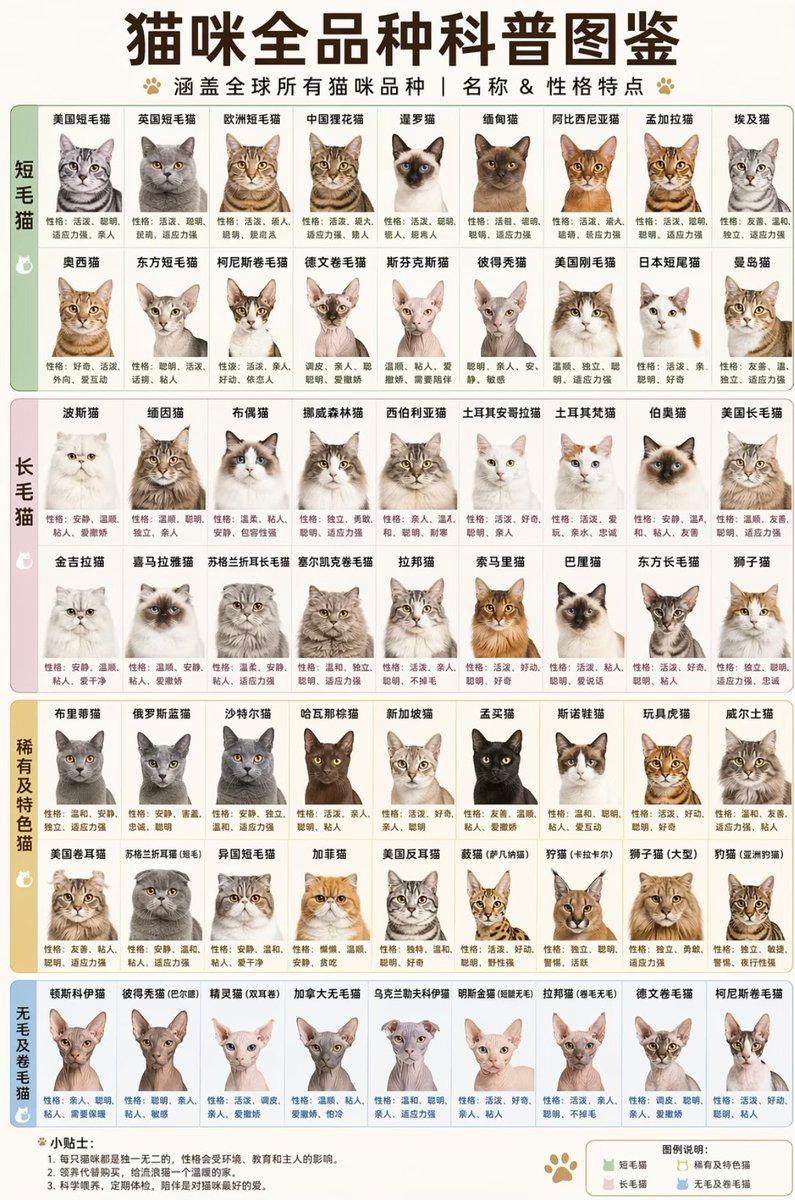
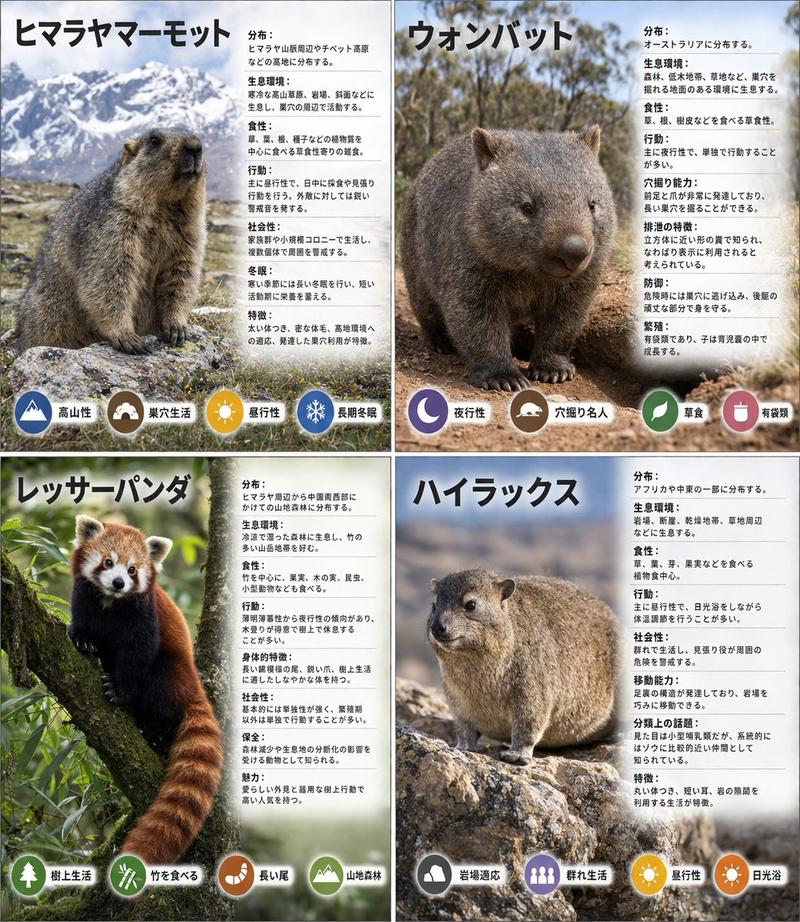
请根据【主题】生成一张高质量竖版「科普百科图」。 

这张图不是普通海报,也不是单纯插画,而是一张兼具“图鉴感、百科感、信息结构感、收藏感”的模块化科普信息图。整体风格参考高级博物图鉴、现代百科书页、生活方式知识卡和社交媒体高传播信息图的结合。

请让画面包含:
- 一个清晰漂亮的主题主视觉
- 若干局部特征放大细节
- 多个圆角模块化信息分区
- 清楚的标题层级与重点标签
- 简洁但丰富的百科内容
- 可视化评分、要点总结或Top 5模块

内容栏目请根据主题自动适配,优先从这些方向中选择并合理组合:
基础档案、分类信息、外观特征、习性/生态、形成机制/结构组成、生长或使用条件、养护或维护建议、风险与注意事项、适合人群或适用场景、优缺点对比、快速评分卡。

视觉要求:
浅色干净背景,柔和配色,轻阴影,精致小图标,圆角信息框,整洁排版,信息密度高但不拥挤,阅读体验好。整体必须像真正可以发布、阅读、收藏、系列化生产的科普百科卡,而不是广告图。

请不要做成普通商业宣传海报。要突出“知识整理 + 模块信息 + 图鉴式展示”的特征。
Category
Posters & Typography
Model
GPT Image 2
Creator
EvoLinkAI
Views2
Source ID
poster-39

Guide

About "Science Encyclopedia Infographic"

What is this prompt for?

"Science Encyclopedia Infographic" AI image prompt for GPT Image 2 (Posters & Typography). 请根据【主题】生成一张高质量竖版「科普百科图」。 这张图不是普通海报,也不是单纯插画,而是一张兼具“图鉴感、百科感、信息结构感、收藏感”…

The full copyable prompt and example visuals above are ready for AI image generation or one-click recreate in Picva.

How to use this prompt

  1. Step 1

    Open the prompt detail

    Review the example visuals, category, and full prompt text for "Science Encyclopedia Infographic".

  2. Step 2

    Copy the prompt

    Copy the prompt body from this page, or load it directly in Studio.

  3. Step 3

    Pick a model (GPT Image 2)

    Prefer GPT Image 2. If you switch models, keep subject and composition and tweak style terms.

  4. Step 4

    Generate and export

    Recreate the look in Picva, or export into your workflow for editing and publishing.

FAQ

What is the "Science Encyclopedia Infographic" prompt?
It is an AI image-generation prompt for GPT Image 2 in the Posters & Typography category. This page includes the full prompt text, example visuals, and a one-click recreate path in Picva.
How do I use this prompt to generate an image?
Copy the prompt from this page, or use Generate / Studio. Paste it into a compatible image model, or recreate the look in Picva with optional reference images.
Which model is this prompt for?
This page lists GPT Image 2. Most descriptive prompts also transfer to nearby image models such as GPT Image, Flux, or Midjourney with light style tweaks.
Can I use the result commercially?
You can usually copy the prompt for creation, but commercial use of the final image depends on the model terms, reference-image rights, and the generated content. Follow the source author and platform rules.