20

为图像添加互动手绘涂鸦
Enlarge

为图像添加互动手绘涂鸦

Prompt
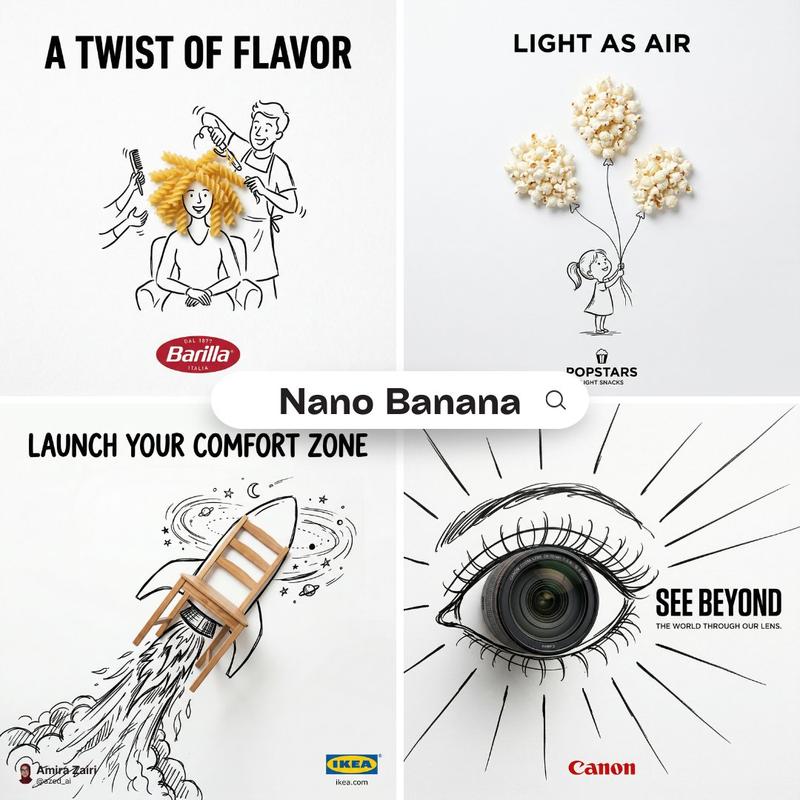
Analyze the uploaded image and preserve the original subject, composition, and lighting. Do not alter the identity or structure of the main subject. Add playful, hand-drawn doodles that interact directly with the subject in the image. The doodles should mimic, follow, or exaggerate the shapes, gestures, or motion present—such as outlining poses, extending limbs, adding motion lines, or creating imaginative elements that “respond” to the subject.(2)

Ensure the doodles feel naturally integrated into the scene, as if they were drawn on top of the photo with intention. Use a sketchy, imperfect, hand-drawn style with organic lines, slightly uneven strokes, and a casual illustrated feel. Include whimsical handwritten text elements placed around the image. The text should match the mood or implied context of the scene, with a playful and spontaneous tone.(3) 

Avoid fixed phrases—generate context-aware, creative, and humorous text that fits each unique image. Maintain a balanced composition so the doodles enhance the image without overwhelming the original subject. Keep the overall aesthetic fun, expressive, and social-media-ready. High resolution, clean overlay, vibrant yet natural color harmony.
Category
Brand & Logos
Model
ChatGPT
Views168
Source ID
13989
Published
May 5, 2026

Guide

About "为图像添加互动手绘涂鸦"

What is this prompt for?

"为图像添加互动手绘涂鸦" AI image prompt for ChatGPT (Brand & Logos). Analyze the uploaded image and preserve the original subject, composition, and lighting. Do not alte…

The full copyable prompt and example visuals above are ready for AI image generation or one-click recreate in Picva.

How to use this prompt

  1. Step 1

    Open the prompt detail

    Review the example visuals, category, and full prompt text for "为图像添加互动手绘涂鸦".

  2. Step 2

    Copy the prompt

    Copy the prompt body from this page, or load it directly in Studio.

  3. Step 3

    Pick a model (ChatGPT)

    Prefer ChatGPT. If you switch models, keep subject and composition and tweak style terms.

  4. Step 4

    Generate and export

    Recreate the look in Picva, or export into your workflow for editing and publishing.

FAQ

What is the "为图像添加互动手绘涂鸦" prompt?
It is an AI image-generation prompt for ChatGPT in the Brand & Logos category. This page includes the full prompt text, example visuals, and a one-click recreate path in Picva.
How do I use this prompt to generate an image?
Copy the prompt from this page, or use Generate / Studio. Paste it into a compatible image model, or recreate the look in Picva with optional reference images.
Which model is this prompt for?
This page lists ChatGPT. Most descriptive prompts also transfer to nearby image models such as GPT Image, Flux, or Midjourney with light style tweaks.
Can I use the result commercially?
You can usually copy the prompt for creation, but commercial use of the final image depends on the model terms, reference-image rights, and the generated content. Follow the source author and platform rules.