17

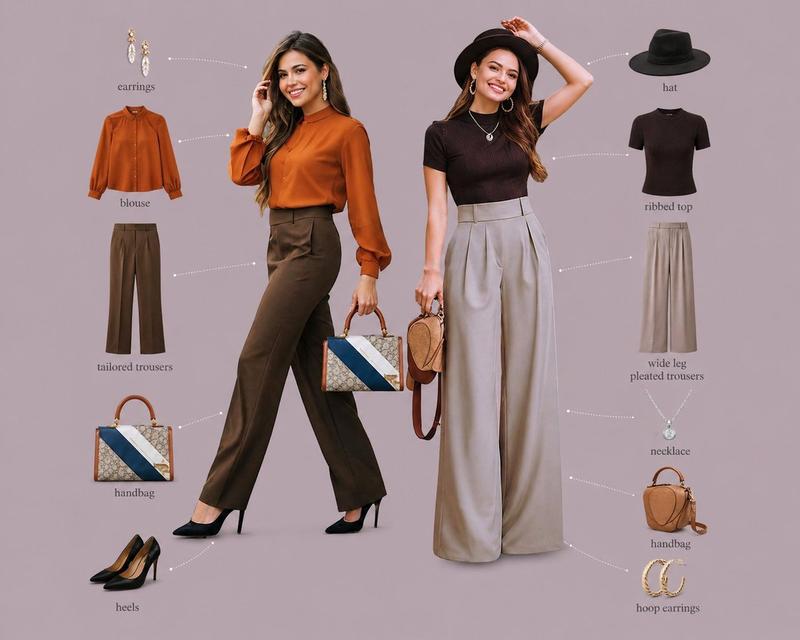
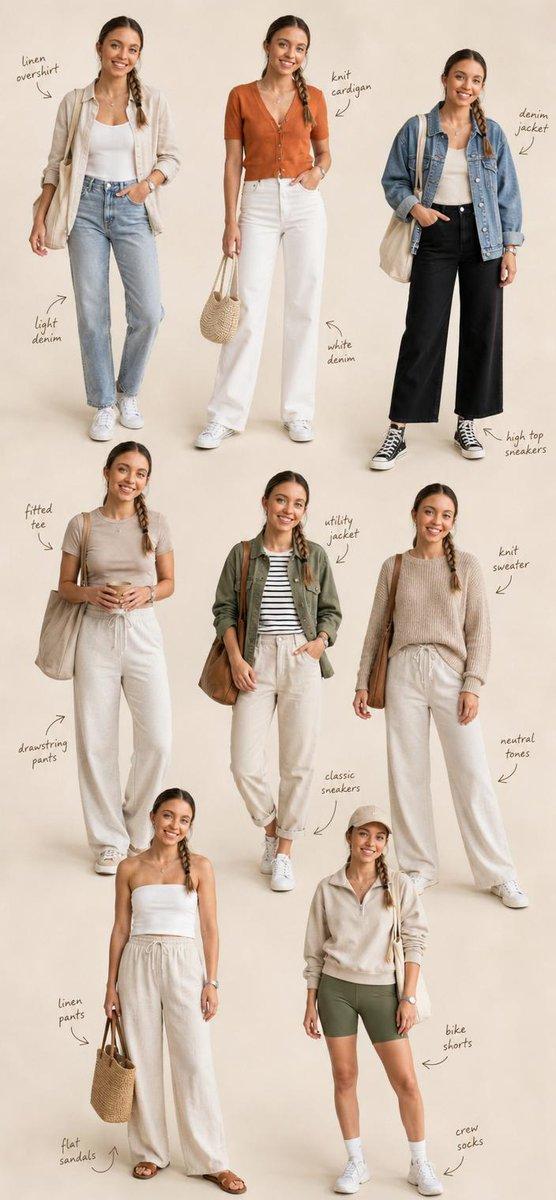
AI智能换装试穿对比海报
Enlarge

AI智能换装试穿对比海报

Prompt
创建一张横版 16:9 四格式时尚换装完整参考海报,适用于 AI 换装训练与商业展示。

📐 版面布局(从左至右):

① 左格 —— Character(角色原型) 原始参考角色肖像,正面标准站姿,面部五官清晰可辨,发型与肤色真实自然,纯净浅灰色棚拍背景,专业人像摄影光效,半身至全身构图。

② 中格 —— Outfit(穿搭平铺) 完整服装套组的精致平铺展示:上衣 / 外套 / 裤装或裙装 / 鞋履 / 包袋 / 配饰(腰带、帽子、首饰等),白色或浅米色无缝背景,商业产品级打光,每件单品边缘清晰,面料材质肌理清晰可见,按穿着逻辑从上至下有序排列。

③ 右格 —— Result(换装效果) 同一角色穿着新服装的完整上身效果图,完美匹配原始角色的体型、肤色与面部特征,服装贴合身形自然,褶皱与垂感真实,光线与左格角色原图保持完全一致,姿态自然流畅,商业大片氛围。

④ 右侧附加格 —— Pose Reference(姿势参考区) 六宫格小图排列,展示角色多角度姿态参考,具体包括:

正面半身特写(强调表情与面部细节)
背面全身站立姿势(发型与服装背部细节)
侧面 45° 斜角站姿(轮廓线与侧颜)
蹲坐姿势(双手抱膝或其他自然动作)
跪姿或低角度回头姿态(动态感与戏剧张力)
特征性标志动作(角色专属的自然习惯姿势)

🎨 整体视觉规格:

画面比例:16:9 横版超宽构图
画质标准:4K Ultra HD,锐度极高,无噪点
背景风格:各格独立简洁棚拍背景,整体色调统一协调
光线处理:三段式专业影棚布光,四格之间光线方向与色温高度统一
摄影风格:高级时尚大片美学,Vogue / Elle 商业广告级质感
材质表现:面料纹理、皮革光泽、金属配件反光均须真实还原
字体标注:各格底部居中标注英文标签,细线无衬线字体,低调优雅

🎯 核心生成要求: 角色面部一致性 ≥ 95%|服装上身贴合度真实自然|四格视觉风格高度统一|直出可用商业级图像
Category
Posters & Typography
Model
ChatGPT
Creator
@GeekCatX
Views124
Source ID
14056
Published
May 8, 2026

Guide

About "AI智能换装试穿对比海报"

What is this prompt for?

"AI智能换装试穿对比海报" AI image prompt for ChatGPT (Posters & Typography). 创建一张横版 16:9 四格式时尚换装完整参考海报,适用于 AI 换装训练与商业展示。 📐 版面布局(从左至右): ① 左格 —— Character(角色原型) 原始参考角色肖像,…

The full copyable prompt and example visuals above are ready for AI image generation or one-click recreate in Picva.

How to use this prompt

  1. Step 1

    Open the prompt detail

    Review the example visuals, category, and full prompt text for "AI智能换装试穿对比海报".

  2. Step 2

    Copy the prompt

    Copy the prompt body from this page, or load it directly in Studio.

  3. Step 3

    Pick a model (ChatGPT)

    Prefer ChatGPT. If you switch models, keep subject and composition and tweak style terms.

  4. Step 4

    Generate and export

    Recreate the look in Picva, or export into your workflow for editing and publishing.

FAQ

What is the "AI智能换装试穿对比海报" prompt?
It is an AI image-generation prompt for ChatGPT in the Posters & Typography category. This page includes the full prompt text, example visuals, and a one-click recreate path in Picva.
How do I use this prompt to generate an image?
Copy the prompt from this page, or use Generate / Studio. Paste it into a compatible image model, or recreate the look in Picva with optional reference images.
Which model is this prompt for?
This page lists ChatGPT. Most descriptive prompts also transfer to nearby image models such as GPT Image, Flux, or Midjourney with light style tweaks.
Can I use the result commercially?
You can usually copy the prompt for creation, but commercial use of the final image depends on the model terms, reference-image rights, and the generated content. Follow the source author and platform rules.