17

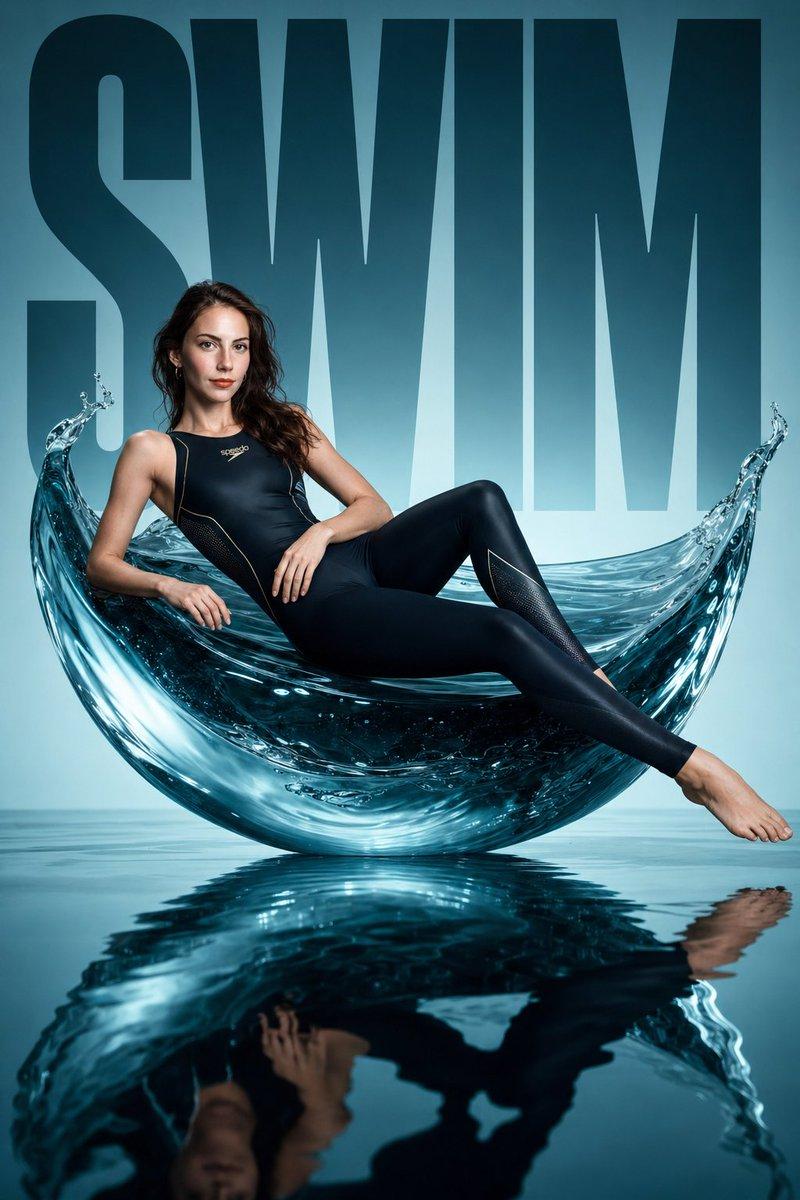
前卫蓝调雕塑泳装大片
Enlarge

前卫蓝调雕塑泳装大片

Prompt
Avant-garde sports fashion editorial, a monumental sculptural water form (fluid wave / suspended splash structure) placed in a minimalist blue studio, a female swimmer reclining across the curved liquid-like surface like a sculptural furniture piece, wearing a high-fashion performance swim outfit (sleek full-body competitive swimsuit or modern tech swimwear, hydrodynamic fit, subtle reflective details, premium materials), fully streamlined silhouette, face and body identical to the uploaded reference image, ultra-clean composition, bold oversized typography "SWIM" in the background, glossy mirrored wet floor reflecting the subject, cinematic studio lighting with sharp highlights and water reflections, luxurious campaign aesthetic, high contrast, editorial fashion photography, minimal color palette (aqua, deep green, black accents), hyper-realistic, 8k, studio perfection
Category
Posters & Typography
Model
ChatGPT
Creator
@miilesus
Views138
Source ID
13901
Published
Apr 30, 2026

Guide

About "前卫蓝调雕塑泳装大片"

What is this prompt for?

"前卫蓝调雕塑泳装大片" AI image prompt for ChatGPT (Posters & Typography). 前卫运动时尚大片,一个巨大的雕塑感水体形态(流体波浪/悬浮飞溅结构)放置在极简蓝色工作室中,一名女性游泳者斜倚在弯曲的液态表面,像一件雕塑家具,穿着高级时装性能泳装(流线型全身竞技泳衣或现…

The full copyable prompt and example visuals above are ready for AI image generation or one-click recreate in Picva.

How to use this prompt

  1. Step 1

    Open the prompt detail

    Review the example visuals, category, and full prompt text for "前卫蓝调雕塑泳装大片".

  2. Step 2

    Copy the prompt

    Copy the prompt body from this page, or load it directly in Studio.

  3. Step 3

    Pick a model (ChatGPT)

    Prefer ChatGPT. If you switch models, keep subject and composition and tweak style terms.

  4. Step 4

    Generate and export

    Recreate the look in Picva, or export into your workflow for editing and publishing.

FAQ

What is the "前卫蓝调雕塑泳装大片" prompt?
It is an AI image-generation prompt for ChatGPT in the Posters & Typography category. This page includes the full prompt text, example visuals, and a one-click recreate path in Picva.
How do I use this prompt to generate an image?
Copy the prompt from this page, or use Generate / Studio. Paste it into a compatible image model, or recreate the look in Picva with optional reference images.
Which model is this prompt for?
This page lists ChatGPT. Most descriptive prompts also transfer to nearby image models such as GPT Image, Flux, or Midjourney with light style tweaks.
Can I use the result commercially?
You can usually copy the prompt for creation, but commercial use of the final image depends on the model terms, reference-image rights, and the generated content. Follow the source author and platform rules.