20

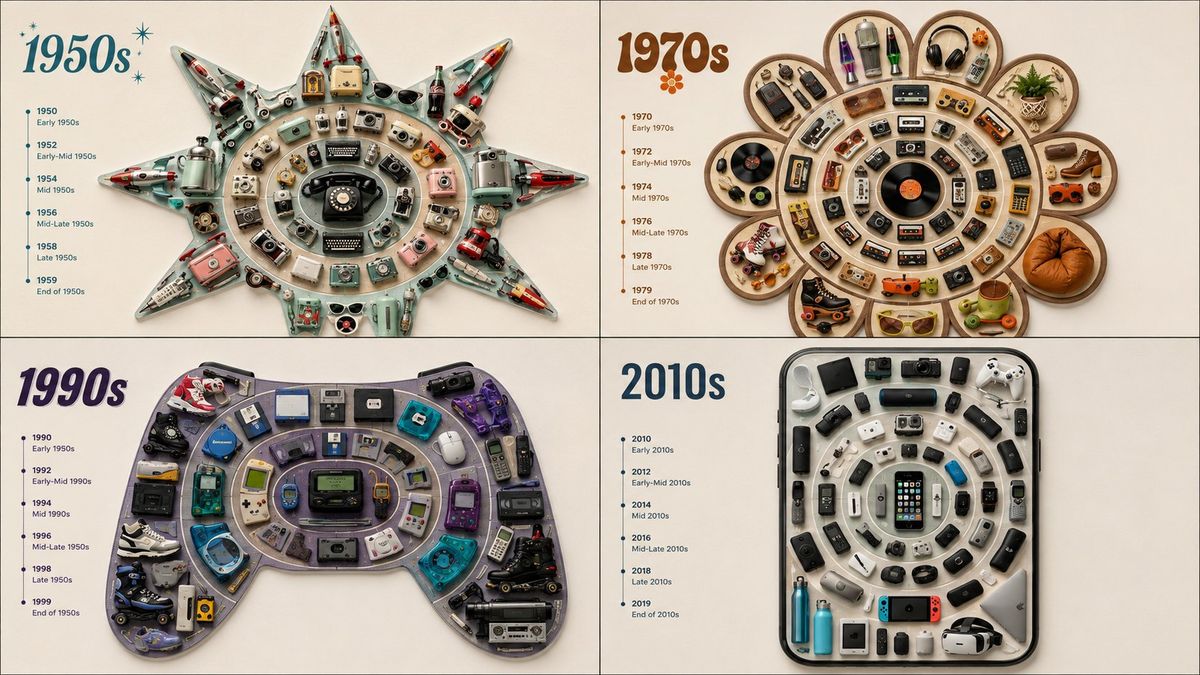
同心圆径向生长排列平铺摄影
Enlarge

同心圆径向生长排列平铺摄影

Prompt
A top-down concentric arrangement where [THEME] objects radiate outward in rings from a single core, the origin/oldest at the dead center and the newest/outermost at the edge, the full radial growth forming the silhouette of [SHAPE] ::5 Ring Logic: AI_INFER 30–40 themed objects ordered from source to latest, laid into concentric rings like tree-growth bands — each ring one stage outward, the progression reading clearly from center to rim ::5 Composition: Concentric radial rings, even ring spacing, clean silhouette edge, generous margin ::3 Material Physics: Real themed objects, era-accurate materials and wear per ring, consistent matte finish, soft shadows ::2 Illumination: Flat overhead softbox, no glare ::2 Typography: Tiny ring labels along one radius ::2 Render Stack: Concentric-ring flat-lay, tree-ring timeline, radial-growth collection, 8k ::1 Negative: [scrambled rings, broken center, broken silhouette, overlap, tilt, 3d perspective, hands] ::-1
Category
Charts & Infographics
Model
ChatGPT
Creator
@Gdgtify
Views16
Source ID
17259
Published
Jul 1, 2026

Guide

About "同心圆径向生长排列平铺摄影"

What is this prompt for?

"同心圆径向生长排列平铺摄影" AI image prompt for ChatGPT (Charts & Infographics). 一种自上而下的同心排列,其中 [THEME] 物体从单个核心向外成环状辐射,最初/最旧的位于正中心,最新/最外层的位于边缘,完整的径向生长形成了 [SHAPE] 的轮廓 ::5 环…

The full copyable prompt and example visuals above are ready for AI image generation or one-click recreate in Picva.

How to use this prompt

  1. Step 1

    Open the prompt detail

    Review the example visuals, category, and full prompt text for "同心圆径向生长排列平铺摄影".

  2. Step 2

    Copy the prompt

    Copy the prompt body from this page, or load it directly in Studio.

  3. Step 3

    Pick a model (ChatGPT)

    Prefer ChatGPT. If you switch models, keep subject and composition and tweak style terms.

  4. Step 4

    Generate and export

    Recreate the look in Picva, or export into your workflow for editing and publishing.

FAQ

What is the "同心圆径向生长排列平铺摄影" prompt?
It is an AI image-generation prompt for ChatGPT in the Charts & Infographics category. This page includes the full prompt text, example visuals, and a one-click recreate path in Picva.
How do I use this prompt to generate an image?
Copy the prompt from this page, or use Generate / Studio. Paste it into a compatible image model, or recreate the look in Picva with optional reference images.
Which model is this prompt for?
This page lists ChatGPT. Most descriptive prompts also transfer to nearby image models such as GPT Image, Flux, or Midjourney with light style tweaks.
Can I use the result commercially?
You can usually copy the prompt for creation, but commercial use of the final image depends on the model terms, reference-image rights, and the generated content. Follow the source author and platform rules.