19

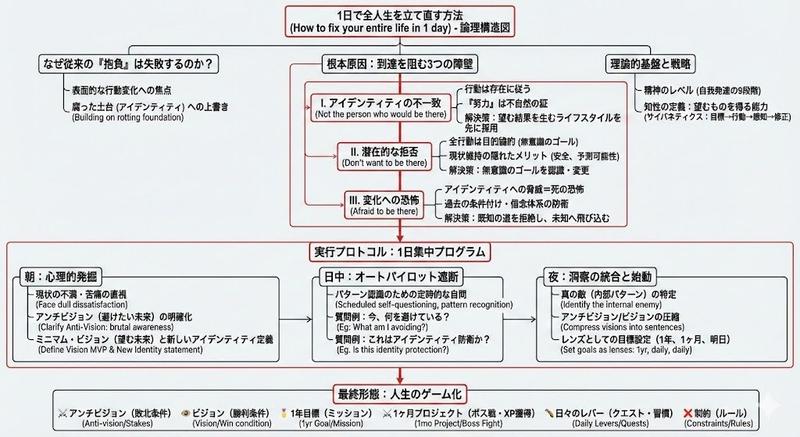
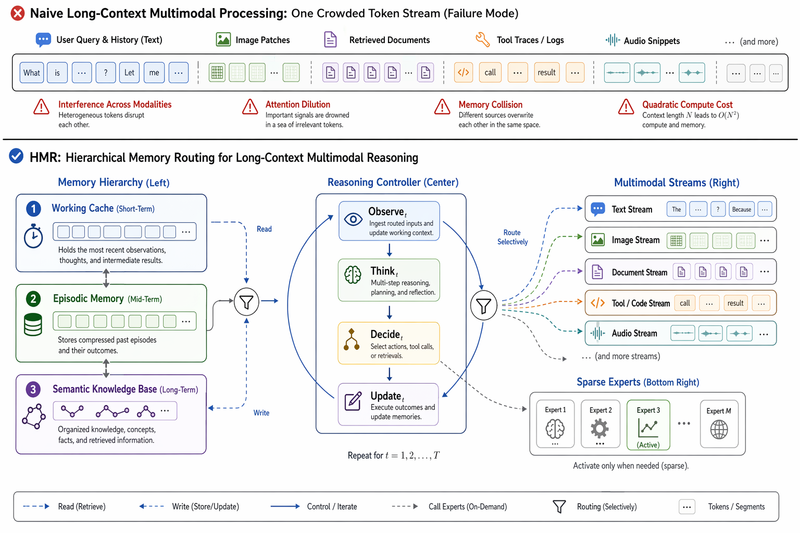
白纸上密集而广阔的日式逻辑树图表
Enlarge

白纸上密集而广阔的日式逻辑树图表

Prompt
Illustrate this article (Paste the article text you want to illustrate) This is how to illustrate it A dense and expansive Japanese logic tree diagram drawn on a clean white page. The image is packed with structured information: neat hierarchical boxes, lists of bullet points, and precise connecting lines drawn with a fine-point pen. There is no messiness; the "chaos" comes from the sheer overwhelming volume of organized data and Japanese text. It looks like a complex master plan or algorithm design. Important nodes are boxed in red. The handwriting is small, neat, and rapid. Style: Technical diagram, neat handwriting, information visualization, minimalist background. Quality: High definition, distinct Japanese text.
Category
Charts & Infographics
Model
Nano Banana Pro
Creator
@loglogrog
Views27
Source ID
10008
Published
May 8, 2026

Guide

About "白纸上密集而广阔的日式逻辑树图表"

What is this prompt for?

"白纸上密集而广阔的日式逻辑树图表" AI image prompt for Nano Banana Pro (Charts & Infographics). 插图说明 (粘贴您要插图的文章文本) 插图说明如下: 一张画在干净白纸上的密集而广阔的日式逻辑树图。图像中充满了结构化的信息:整齐的分层方框、项目符号列表以及…

The full copyable prompt and example visuals above are ready for AI image generation or one-click recreate in Picva.

How to use this prompt

  1. Step 1

    Open the prompt detail

    Review the example visuals, category, and full prompt text for "白纸上密集而广阔的日式逻辑树图表".

  2. Step 2

    Copy the prompt

    Copy the prompt body from this page, or load it directly in Studio.

  3. Step 3

    Pick a model (Nano Banana Pro)

    Prefer Nano Banana Pro. If you switch models, keep subject and composition and tweak style terms.

  4. Step 4

    Generate and export

    Recreate the look in Picva, or export into your workflow for editing and publishing.

FAQ

What is the "白纸上密集而广阔的日式逻辑树图表" prompt?
It is an AI image-generation prompt for Nano Banana Pro in the Charts & Infographics category. This page includes the full prompt text, example visuals, and a one-click recreate path in Picva.
How do I use this prompt to generate an image?
Copy the prompt from this page, or use Generate / Studio. Paste it into a compatible image model, or recreate the look in Picva with optional reference images.
Which model is this prompt for?
This page lists Nano Banana Pro. Most descriptive prompts also transfer to nearby image models such as GPT Image, Flux, or Midjourney with light style tweaks.
Can I use the result commercially?
You can usually copy the prompt for creation, but commercial use of the final image depends on the model terms, reference-image rights, and the generated content. Follow the source author and platform rules.