17

充满活力的花海户外时尚写真
Enlarge

充满活力的花海户外时尚写真

Prompt
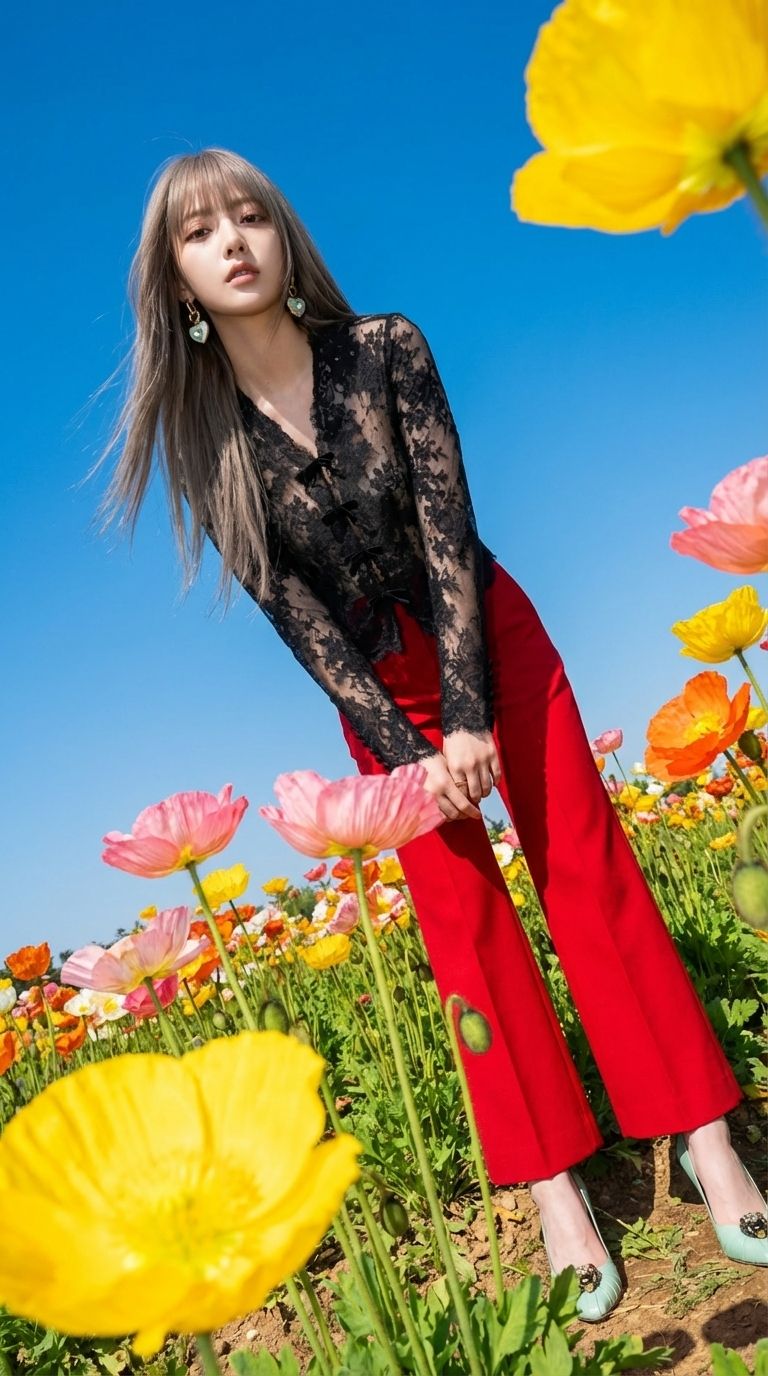
Use this photo attached to create a striking outdoor fashion portrait set in a vibrant flower field during daylight, captured with a digital camera using a harsh flash. The camera angle is low and slightly tilted upward, intensifying the scene's energy and drama. Surrounding the subject are large, colorful poppies in yellow, pink, and orange, some in the foreground and others in the background, creating an immersive field-of-flowers effect. The sky is clear and blue, providing a crisp, contrasting backdrop. The mood is bold, editorial, and whimsical, making the vibrant colors of the outfit and flowers pop starkly against the serene sky. The overall composition should evoke a playful yet high-fashion atmosphere with a hint of surrealism, emphasizing texture and color through the use of direct flash photography.
Category
Photography & Realism
Model
Nano Banana Pro
Creator
@sidona
Views312
Source ID
1908
Published
Jan 8, 2026

Guide

About "充满活力的花海户外时尚写真"

What is this prompt for?

"充满活力的花海户外时尚写真" AI image prompt for Nano Banana Pro (Photography & Realism). 使用附图,在阳光明媚的户外,以繁花似锦的花田为背景,拍摄一张引人注目的时尚人像。照片采用数码相机拍摄,并使用强光闪光灯。相机角度较低并略微向上倾斜,增强了画面的活力…

The full copyable prompt and example visuals above are ready for AI image generation or one-click recreate in Picva.

How to use this prompt

  1. Step 1

    Open the prompt detail

    Review the example visuals, category, and full prompt text for "充满活力的花海户外时尚写真".

  2. Step 2

    Copy the prompt

    Copy the prompt body from this page, or load it directly in Studio.

  3. Step 3

    Pick a model (Nano Banana Pro)

    Prefer Nano Banana Pro. If you switch models, keep subject and composition and tweak style terms.

  4. Step 4

    Generate and export

    Recreate the look in Picva, or export into your workflow for editing and publishing.

FAQ

What is the "充满活力的花海户外时尚写真" prompt?
It is an AI image-generation prompt for Nano Banana Pro in the Photography & Realism category. This page includes the full prompt text, example visuals, and a one-click recreate path in Picva.
How do I use this prompt to generate an image?
Copy the prompt from this page, or use Generate / Studio. Paste it into a compatible image model, or recreate the look in Picva with optional reference images.
Which model is this prompt for?
This page lists Nano Banana Pro. Most descriptive prompts also transfer to nearby image models such as GPT Image, Flux, or Midjourney with light style tweaks.
Can I use the result commercially?
You can usually copy the prompt for creation, but commercial use of the final image depends on the model terms, reference-image rights, and the generated content. Follow the source author and platform rules.