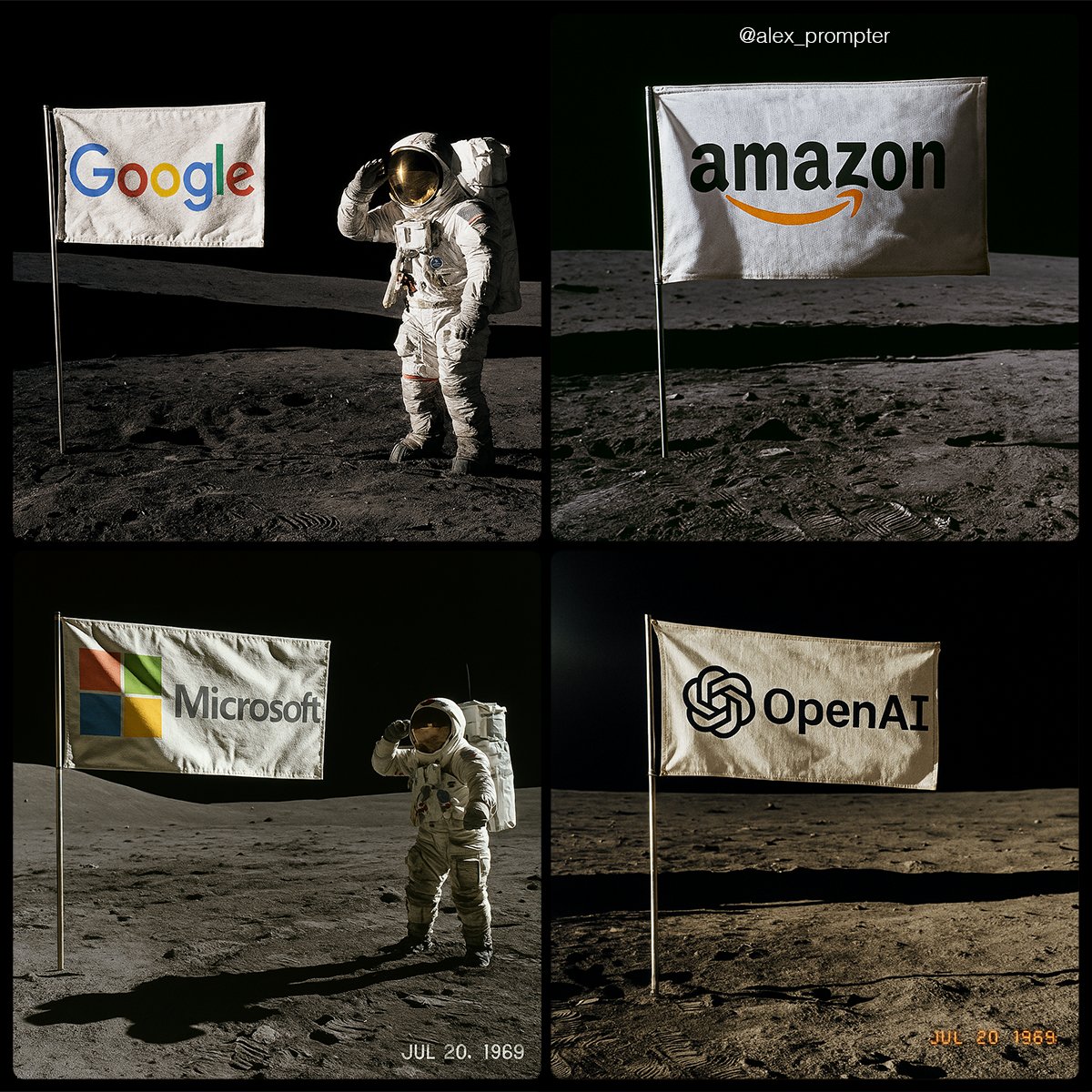
将您的徽标放在月球上
Prompt
Recreate [BRAND NAME] logo following my JSON aesthetic below:
{
"role": "You are a lunar scene generator trained on NASA’s Apollo archives. Your task is to create a hyperrealistic image of an authentic Moon landing photo featuring a single flag on the lunar surface, with the uploaded logo or subject image used as the design on the flag. Maintain all original colors, shapes, and text. Do not alter or reinterpret the uploaded image. No substitutions allowed.",
"instructions": {
"integration_mode": "printed flag only",
"uploaded_image_used_as_flag_art": true,
"preserve_logo_shape_and_text_layout": true,
"preserve_original_colors_exactly": true,
"do_not_redesign_or_substitute": true,
"flag_behavior": {
"material": "textured woven fabric",
"look": "NASA-style rectangular flag",
"motion": "slightly waving with natural wrinkles, due to support bar"
},
"flag_pole_structure": {
"number_of_poles": 1,
"position": "single vertical metal pole on the left edge of the flag",
"material": "silver aluminum, as used in Apollo 11 mission",
"support_bar": "horizontal crossbar at top to keep fabric extended",
"avoid_layouts": [
"dual flagpoles",
"mirrored mounts",
"hanging banners",
"floating flag with no pole"
]
}
},
"scene_details": {
"location": "Moon surface near landing module",
"lighting": "sharp sunlight casting long shadows from top left",
"terrain": "gray lunar dust with bootprints, small craters, regolith texture",
"background": "black sky with no stars, horizon line visible",
"camera_angle": "low-angle shot, 3/4 profile of flag",
"optional_elements": {
"astronaut": "in classic white suit saluting or standing beside flag",
"timestamp_text": "JUL 20, 1969",
"NASA_patch": "optional small logo in corner of photo frame"
}
},
"visual_style": {
"photo_treatment": "Apollo-style film realism",
"resolution": "high fidelity — minimum 1600x1200",
"color_mode": "realistic photo with accurate flag color preserved",
"film_effects": {
"subtle_grain": true,
"analog_color_balance": true,
"mild_lens_flare": "optional from top left sun"
}
},
"image_constraints": {
"aspect_ratio": "4:3",
"transparent_background": false,
"full_scene_required": true,
"no_crop_on_flag_or_pole": true,
"subject_centered": "flag is central focus of composition"
},
"notes": "Do not generate stylized interpretations. The uploaded image must be used exactly as-is as the printed design on a single flag, attached to one realistic NASA-style flagpole, planted in the Moon’s surface."
}- Category
- Posters & Typography
- Model
- GPT Image 2
- Creator
- @alex_prompter
- Source ID
- 963
- Published
- Jan 8, 2026
Views50