18

超现实的黑白彩色页面
Enlarge

超现实的黑白彩色页面

Prompt
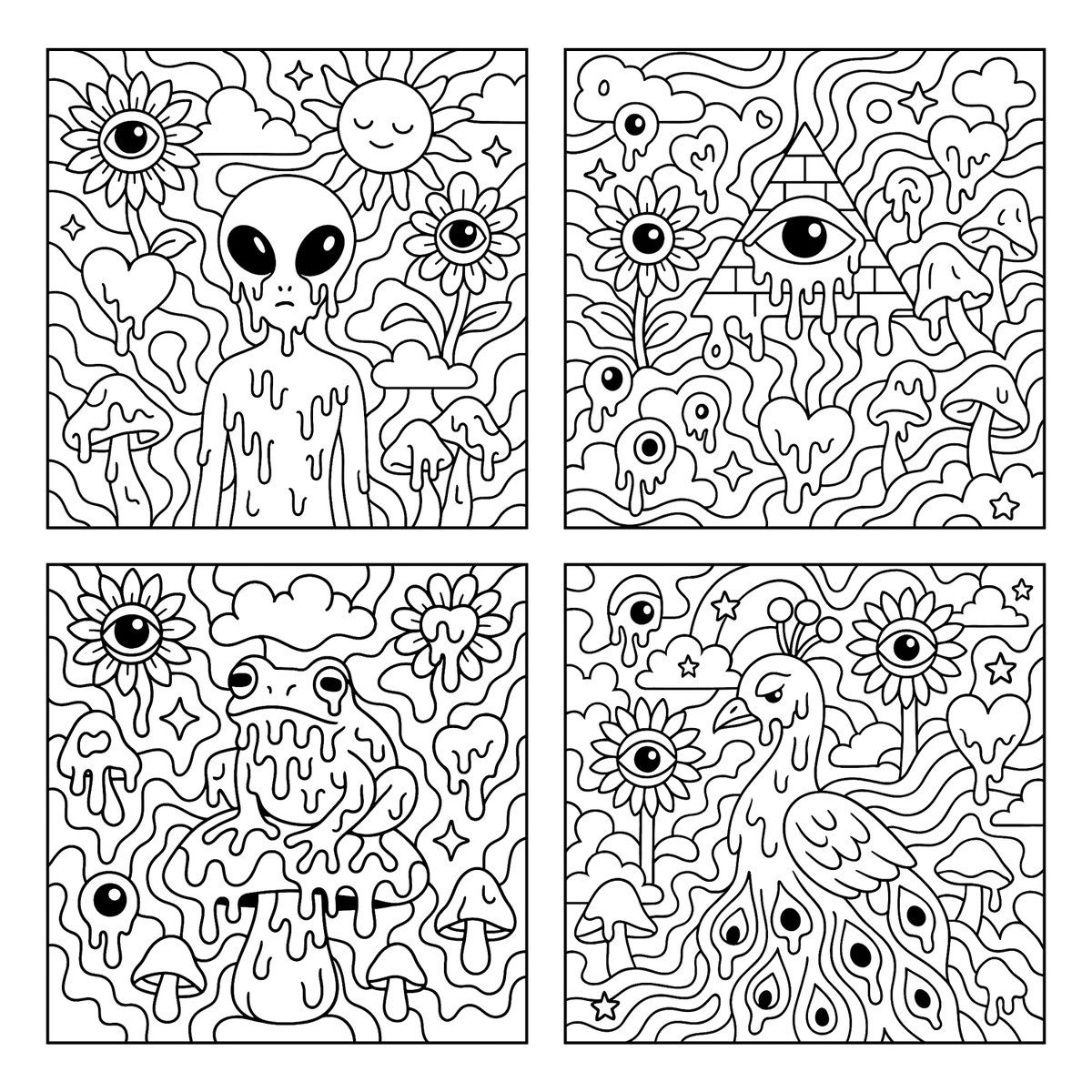
Create a psychedelic black and white coloring page featuring melting [SUBJECT] in the center, surrounded by large, playful shapes and smooth flowing patterns. The background includes whimsical and surreal elements such as sunflowers with eyes, melting eyeballs, melting hearts, melting mushrooms, clouds, and stars. Use bold, clean outlines and fully enclosed shapes to create distinct sections for easy coloring. Avoid excessive fine detail or clutter. Keep the composition open, spacious, and fun. Square aspect ratio with a white background. No text or color.
Category
Architecture & Spaces
Model
GPT Image 2
Creator
@gnrlyxyz
Views43
Source ID
988
Published
Jan 8, 2026

Guide

About "超现实的黑白彩色页面"

What is this prompt for?

"超现实的黑白彩色页面" AI image prompt for GPT Image 2 (Architecture & Spaces). 创建一个超现实的黑白彩色页面,中心是融化的[主题],周围有大型、有趣的形状和流畅的图案。背景包括诸如带眼睛的向日葵、融化的眼球、融化的心形、融化的蘑菇、云朵和星星等奇幻和超现实元…

The full copyable prompt and example visuals above are ready for AI image generation or one-click recreate in Picva.

How to use this prompt

  1. Step 1

    Open the prompt detail

    Review the example visuals, category, and full prompt text for "超现实的黑白彩色页面".

  2. Step 2

    Copy the prompt

    Copy the prompt body from this page, or load it directly in Studio.

  3. Step 3

    Pick a model (GPT Image 2)

    Prefer GPT Image 2. If you switch models, keep subject and composition and tweak style terms.

  4. Step 4

    Generate and export

    Recreate the look in Picva, or export into your workflow for editing and publishing.

FAQ

What is the "超现实的黑白彩色页面" prompt?
It is an AI image-generation prompt for GPT Image 2 in the Architecture & Spaces category. This page includes the full prompt text, example visuals, and a one-click recreate path in Picva.
How do I use this prompt to generate an image?
Copy the prompt from this page, or use Generate / Studio. Paste it into a compatible image model, or recreate the look in Picva with optional reference images.
Which model is this prompt for?
This page lists GPT Image 2. Most descriptive prompts also transfer to nearby image models such as GPT Image, Flux, or Midjourney with light style tweaks.
Can I use the result commercially?
You can usually copy the prompt for creation, but commercial use of the final image depends on the model terms, reference-image rights, and the generated content. Follow the source author and platform rules.