18

舒适的周末从这里开始
Enlarge

Example images

舒适的周末从这里开始

Prompt
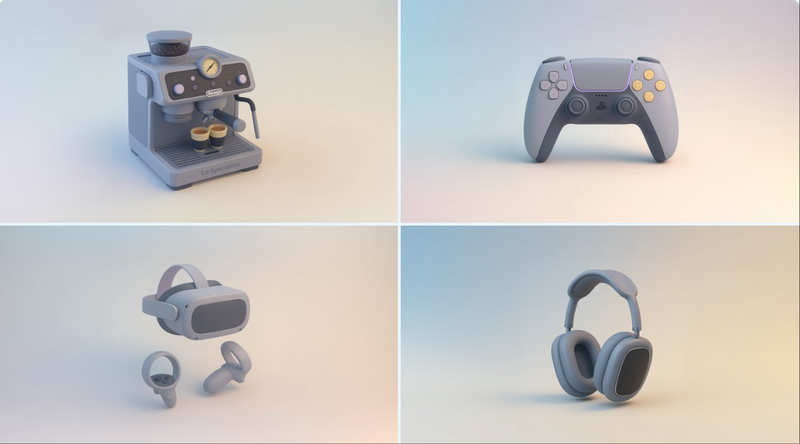
retexture the image attached based on the json below:
{
  "style_name": "Soft Minimal 3D Plastic",
  "retexture_mode": "shape_lock",
  "object_analysis": {
    "preserve_silhouette": true,
    "geometry_sensitive_mapping": true,
    "detail_retention": "flatten complex details into simplified geometry blocks"
  },
  "material_properties": {
    "base_material": [
      "smooth matte plastic",
      "metallic edge trim with satin finish",
      "semi-reflective black screen surface"
    ],
    "surface_details": [
      "subtle color gradient",
      "rounded bevels and corners",
      "soft transition between surfaces"
    ]
  },
  "lighting": {
    "type": "soft gradient ambient light",
    "shadows": "minimal, soft-edged shadows",
    "highlights": "diffused, low-intensity reflections"
  },
  "background": {
    "color": "pastel gradient (blue to cream)",
    "texture": "smooth and untextured",
    "elements": "clean background with no added geometry"
  },
  "rendering": {
    "style": "isometric 3D render",
    "resolution": "high, with slight bloom",
    "focus": "central object, no depth blur"
  },
  "color_palette": {
    "primary": ["cool grey", "steel blue", "soft charcoal"],
    "accents": ["light lavender", "pastel yellow"]
  }
}
Category
Posters & Typography
Model
GPT Image 2
Views32
Source ID
994
Published
Jan 8, 2026

Guide

About "舒适的周末从这里开始"

What is this prompt for?

"舒适的周末从这里开始" AI image prompt for GPT Image 2 (Posters & Typography). 根据以下 JSON 重新纹理附加的图像: { "style_name": "柔和极简 3D 塑料风格", "retexture_mode": "形状锁定", "object_ana…

The full copyable prompt and example visuals above are ready for AI image generation or one-click recreate in Picva.

How to use this prompt

  1. Step 1

    Open the prompt detail

    Review the example visuals, category, and full prompt text for "舒适的周末从这里开始".

  2. Step 2

    Copy the prompt

    Copy the prompt body from this page, or load it directly in Studio.

  3. Step 3

    Pick a model (GPT Image 2)

    Prefer GPT Image 2. If you switch models, keep subject and composition and tweak style terms.

  4. Step 4

    Generate and export

    Recreate the look in Picva, or export into your workflow for editing and publishing.

FAQ

What is the "舒适的周末从这里开始" prompt?
It is an AI image-generation prompt for GPT Image 2 in the Posters & Typography category. This page includes the full prompt text, example visuals, and a one-click recreate path in Picva.
How do I use this prompt to generate an image?
Copy the prompt from this page, or use Generate / Studio. Paste it into a compatible image model, or recreate the look in Picva with optional reference images.
Which model is this prompt for?
This page lists GPT Image 2. Most descriptive prompts also transfer to nearby image models such as GPT Image, Flux, or Midjourney with light style tweaks.
Can I use the result commercially?
You can usually copy the prompt for creation, but commercial use of the final image depends on the model terms, reference-image rights, and the generated content. Follow the source author and platform rules.