10

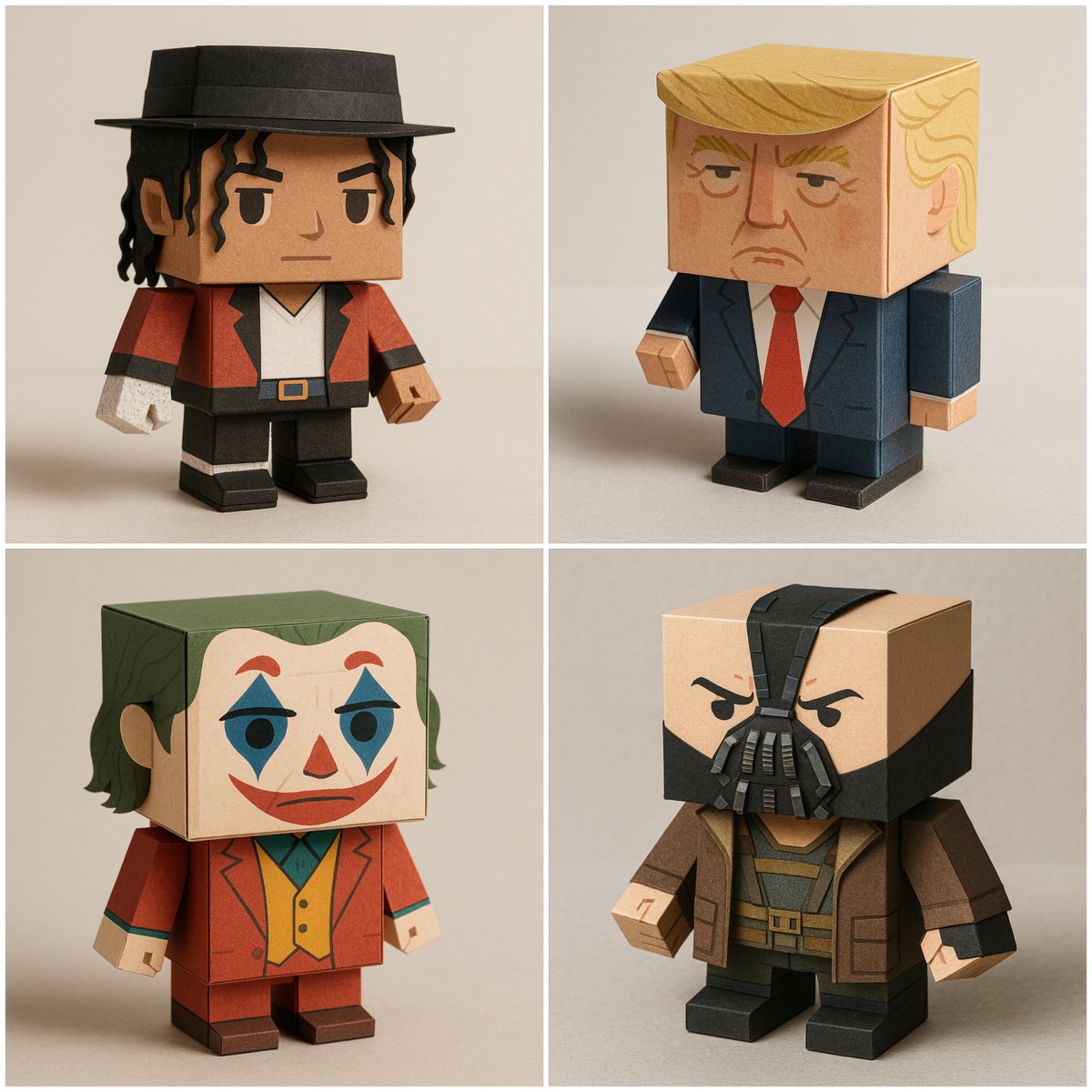
超细节盒状纸艺玩具
Enlarge

Example images

超细节盒状纸艺玩具

Prompt
1×1 square, ultra-detailed render of a box-shaped papertoy version of [CHARACTER NAME]. Made from folded and cut matte cardstock with visible paper texture, crisp edges, and clean folds. Cubic head and body, blocky limbs, simplified facial features, flat printed colors, and subtle shading for depth. Clothing and accessories faithfully mimic [CHARACTER NAME]’s iconic look in a minimal geometric papercraft style, keeping proportions compact and chibi-like. Neutral studio lighting, soft shadows, plain background, photorealistic product photography, 4K, no text or logos.
Category
Posters & Typography
Model
GPT Image 2
Creator
@Arminn_Ai
Views55
Source ID
1021
Published
Jan 8, 2026

Guide

About "超细节盒状纸艺玩具"

What is this prompt for?

"超细节盒状纸艺玩具" AI image prompt for GPT Image 2 (Posters & Typography). 1×1大小的正方形,超细节渲染的[角色名称]盒状纸艺玩具版本。由折叠和裁剪的哑光卡纸制成,具有可见的纸张纹理、清晰的边缘和整齐的折痕。立方体头部和身体,块状四肢,简化的面部特征,平印…

The full copyable prompt and example visuals above are ready for AI image generation or one-click recreate in Picva.

How to use this prompt

  1. Step 1

    Open the prompt detail

    Review the example visuals, category, and full prompt text for "超细节盒状纸艺玩具".

  2. Step 2

    Copy the prompt

    Copy the prompt body from this page, or load it directly in Studio.

  3. Step 3

    Pick a model (GPT Image 2)

    Prefer GPT Image 2. If you switch models, keep subject and composition and tweak style terms.

  4. Step 4

    Generate and export

    Recreate the look in Picva, or export into your workflow for editing and publishing.

FAQ

What is the "超细节盒状纸艺玩具" prompt?
It is an AI image-generation prompt for GPT Image 2 in the Posters & Typography category. This page includes the full prompt text, example visuals, and a one-click recreate path in Picva.
How do I use this prompt to generate an image?
Copy the prompt from this page, or use Generate / Studio. Paste it into a compatible image model, or recreate the look in Picva with optional reference images.
Which model is this prompt for?
This page lists GPT Image 2. Most descriptive prompts also transfer to nearby image models such as GPT Image, Flux, or Midjourney with light style tweaks.
Can I use the result commercially?
You can usually copy the prompt for creation, but commercial use of the final image depends on the model terms, reference-image rights, and the generated content. Follow the source author and platform rules.