18

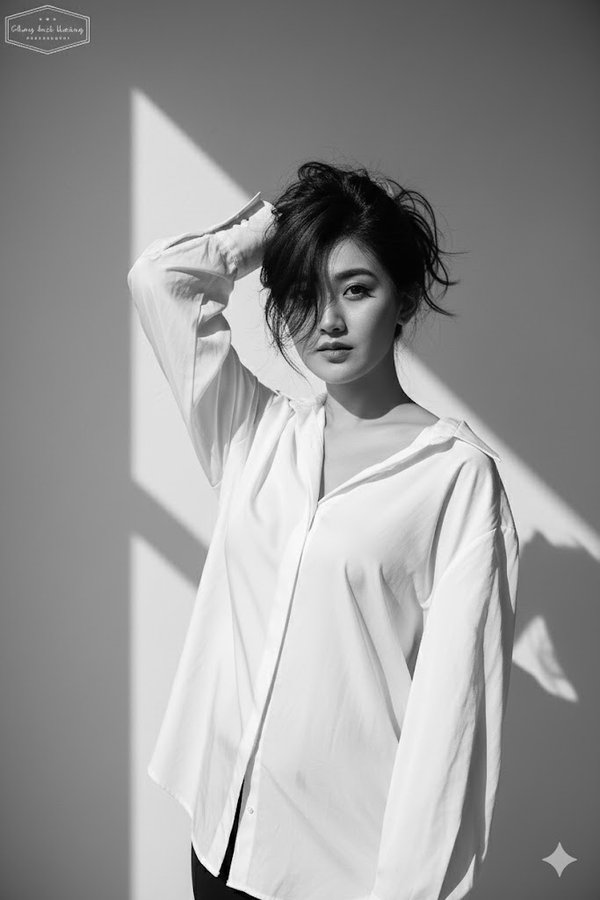
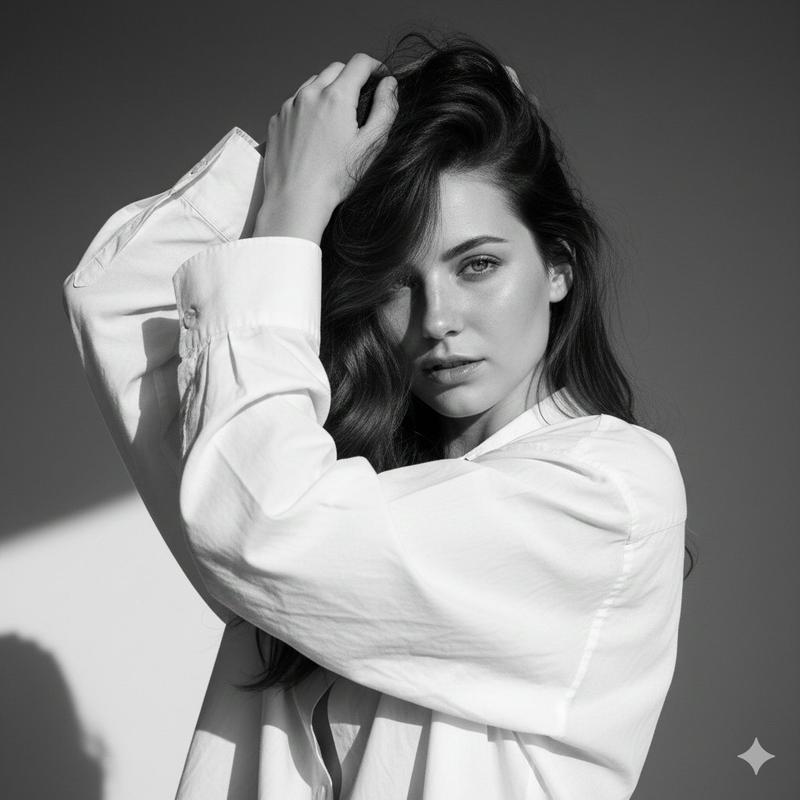
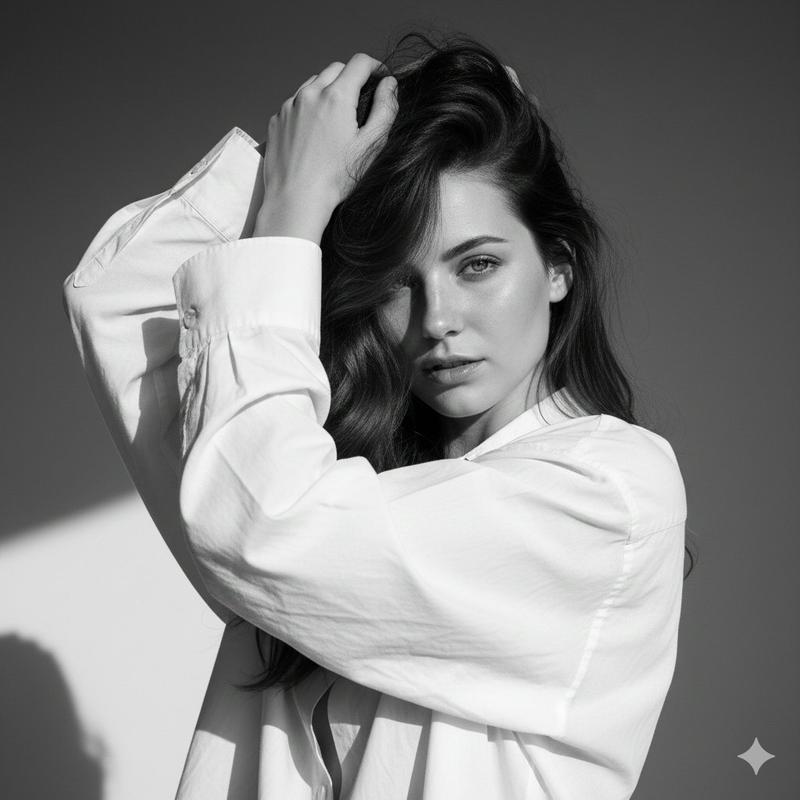
身穿一件宽松的白色衬衫肖像照
Enlarge

身穿一件宽松的白色衬衫肖像照

Prompt
Create a black and white high-fashion editorial portrait of me, keeping my real face exactly as in the reference photo (no edits, same features, no retouching). I am wearing a loose white blouse. My pose is bold and expressive, with one arm raised to hold my hair up, partially covering my face. My gaze is intense and directed at the camera, creating a strong and enigmatic aura. The background is a plain minimalist wall with sharp natural daylight casting defined shadows, adding depth and contrast.
Lighting is harsh and high-contrast, highlighting my facial contours, sharp cheekbones, and the texture of the hair and fabric. The style should feel raw, dramatic, and artistic.
The overall image is high-fashion editorial in monochrome, cinematic, and striking.
Category
Posters & Typography
Model
GPT Image 2
Views60
Source ID
1143
Published
Jan 8, 2026

Guide

About "身穿一件宽松的白色衬衫肖像照"

What is this prompt for?

"身穿一件宽松的白色衬衫肖像照" AI image prompt for GPT Image 2 (Posters & Typography). 为我创作一幅黑白高级时尚编辑肖像,保留我的真实面容,与参考照片完全一致(未进行任何编辑,五官相同,未进行任何修饰)。我身穿一件宽松的白色衬衫。我的姿势大胆而富有表现力,一只…

The full copyable prompt and example visuals above are ready for AI image generation or one-click recreate in Picva.

How to use this prompt

  1. Step 1

    Open the prompt detail

    Review the example visuals, category, and full prompt text for "身穿一件宽松的白色衬衫肖像照".

  2. Step 2

    Copy the prompt

    Copy the prompt body from this page, or load it directly in Studio.

  3. Step 3

    Pick a model (GPT Image 2)

    Prefer GPT Image 2. If you switch models, keep subject and composition and tweak style terms.

  4. Step 4

    Generate and export

    Recreate the look in Picva, or export into your workflow for editing and publishing.

FAQ

What is the "身穿一件宽松的白色衬衫肖像照" prompt?
It is an AI image-generation prompt for GPT Image 2 in the Posters & Typography category. This page includes the full prompt text, example visuals, and a one-click recreate path in Picva.
How do I use this prompt to generate an image?
Copy the prompt from this page, or use Generate / Studio. Paste it into a compatible image model, or recreate the look in Picva with optional reference images.
Which model is this prompt for?
This page lists GPT Image 2. Most descriptive prompts also transfer to nearby image models such as GPT Image, Flux, or Midjourney with light style tweaks.
Can I use the result commercially?
You can usually copy the prompt for creation, but commercial use of the final image depends on the model terms, reference-image rights, and the generated content. Follow the source author and platform rules.