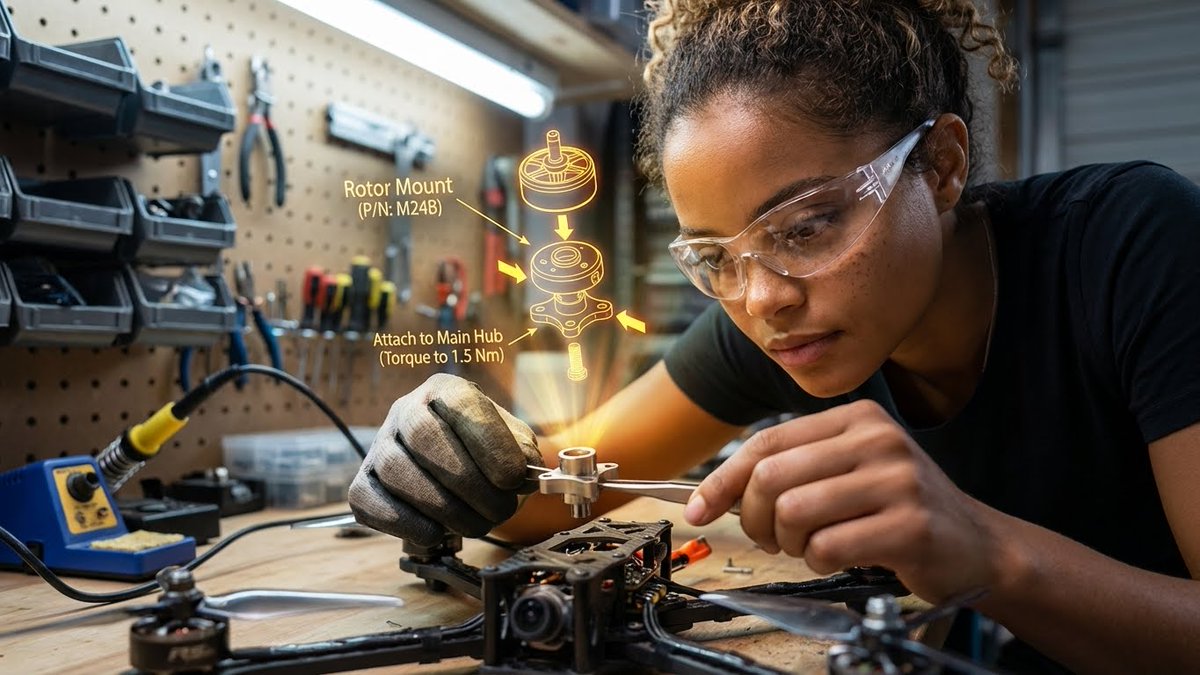
漂浮在空中的3D爆炸装配图
Prompt
{
 "promptDetails": {
 "description": "A garage/workshop environment with the subject assembling a complex mechanical device, viewing a 3D exploded assembly diagram floating in space.",
 "styleTags": [
 "Industrial",
 "High Detail",
 "Technical",
 "Action Shot"
 ]
 },
 "scene": {
 "background": {
 "setting": "A cluttered but organized home workshop/garage bench",
 "details": "Pegboard tool wall in the background, organized small parts containers, a soldering iron station, wood grain of the workbench, metal shavings (subtly)."
 },
 "subject": {
 "description": "The person defined by `[UPLOADED IMAGE]`, wearing safety glasses or a work glove, deeply concentrated.",
 "pose": "Leaning over the bench, holding a small component (e.g., a rotor or circuit board) with tweezers or a small screwdriver.",
 "focus": "Hands, component, and the diagram are the sharpest elements."
 }
 },
 "overlayObject": {
 "type": "3D Exploded View Assembly Hologram",
 "relationshipToEnvironment": "Hovering directly above the disassembled drone parts on the workbench.",
 "transform": "A fully rendered, rotating 3D model of the device, clearly showing where the held component fits.",
 "surfaceInteraction": "Bright, high-contrast yellow/orange vector lines with directional arrows and part numbering. It must look spatially correct.",
 "components": {
 "partID": "Rotor Mount (P/N: M24B)",
 "instruction": "Attach to Main Hub (Torque to 1.5 Nm)",
 "position": "Floating central to the workspace."
 }
 },
 "technicalStyle": {
 "aspectRatio": "16:9",
 "photographyStyle": "Product/Technical, High Contrast",
 "camera": {
 "shotType": "Close-Up",
 "angle": "Slightly overhead (designer/technical perspective).",
 "depthOfField": "Extremely shallow, focusing only on the hands, the component, and the projected diagram. The background should be a creamy blur (bokeh)."
 },
 "lighting": {
 "type": "Fluorescent Shop Light and Holographic Glow",
 "description": "Cool, bright, uniform white light from above, contrasted by the warm, directional glow of the yellow/orange hologram."
 },
 "color": {
 "palette": "Greys, deep reds, metallic silver, and the neon yellow of the graphic."
 }
 }
}- Category
- Charts & Infographics
- Model
- Nano Banana Pro
- Creator
- @HBCoop_
- Source ID
- 1417
- Published
- Jan 8, 2026
Views95