20

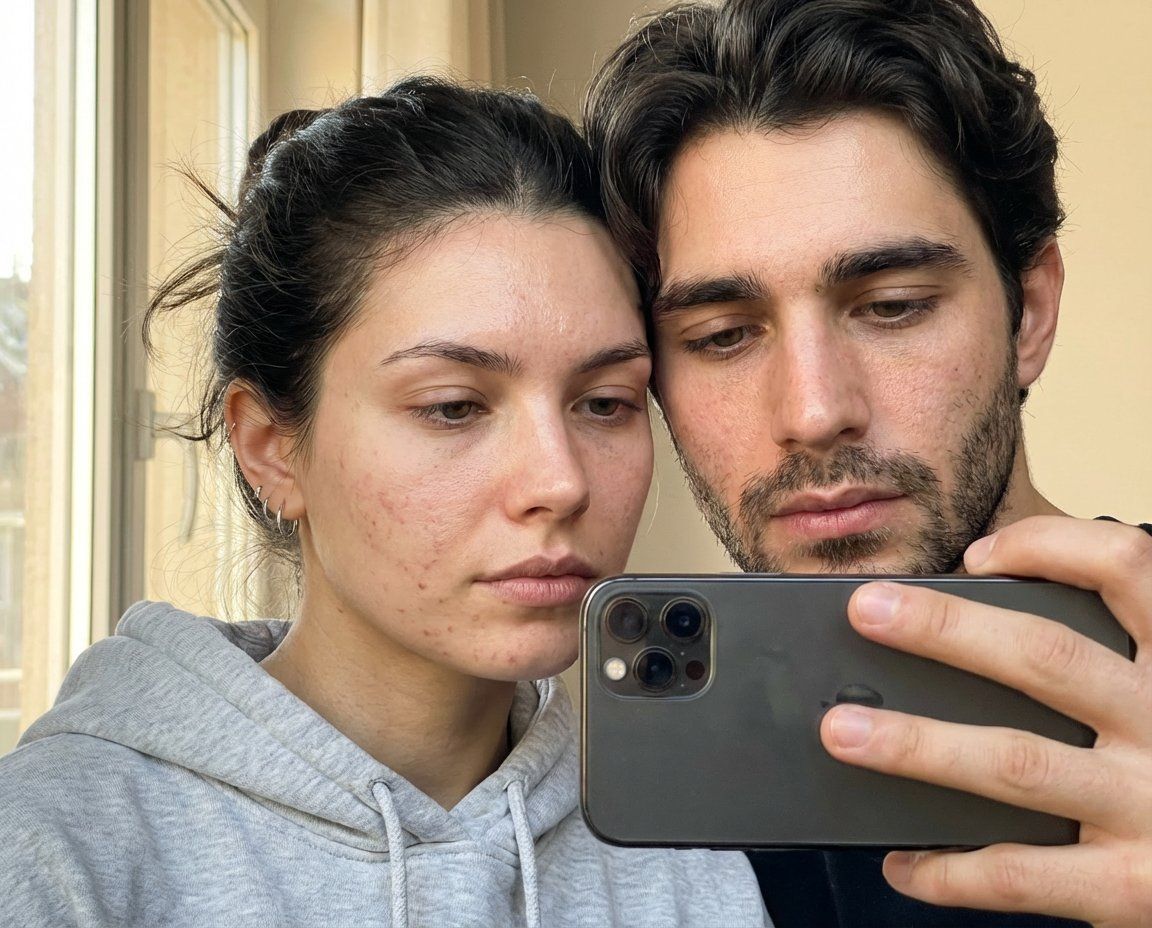
无滤镜真实微瑕疵的窗边自拍
Enlarge

无滤镜真实微瑕疵的窗边自拍

Prompt
Ultra-realistic smartphone mirror selfie of a couple late 20s–early 30s, indoor near window, daytime. Close-up framing collarbone to top of head. Phone partially covering face, slight downward gaze, calm neutral expression. Natural tied-back dark hair with flyaways, light grey cotton hoodie with clear fabric texture separation, small silver earrings. Skin realism focus: visible pores, fine micro-texture, organic acne marks (non-repeating), uneven pigmentation, subtle redness, natural oil sheen only on high points. No symmetry correction. Real daylight with slight warmth, accurate white balance, natural contrast. True-to-life colors. Phone-camera realism, subtle sensor grain, slight edge softness. No retouching, no smoothing, no beauty filters. Negatives: AI glow, plastic skin, skincare-ad look, cinematic lighting, studio light, pastel or faded colors, flat lighting, cartoon/3D style, logos or text.
Category
Posters & Typography
Model
Nano Banana Pro
Creator
@kaanakz
Views51
Source ID
10985
Published
Apr 27, 2026

Guide

About "无滤镜真实微瑕疵的窗边自拍"

What is this prompt for?

"无滤镜真实微瑕疵的窗边自拍" AI image prompt for Nano Banana Pro (Posters & Typography). 一对 20 多岁到 30 出头的情侣,在室内窗边,白天,用智能手机拍摄的超逼真镜面自拍。特写构图,从锁骨到头顶。手机部分遮挡脸部,目光略微向下,表情平静中性。自然向后…

The full copyable prompt and example visuals above are ready for AI image generation or one-click recreate in Picva.

How to use this prompt

  1. Step 1

    Open the prompt detail

    Review the example visuals, category, and full prompt text for "无滤镜真实微瑕疵的窗边自拍".

  2. Step 2

    Copy the prompt

    Copy the prompt body from this page, or load it directly in Studio.

  3. Step 3

    Pick a model (Nano Banana Pro)

    Prefer Nano Banana Pro. If you switch models, keep subject and composition and tweak style terms.

  4. Step 4

    Generate and export

    Recreate the look in Picva, or export into your workflow for editing and publishing.

FAQ

What is the "无滤镜真实微瑕疵的窗边自拍" prompt?
It is an AI image-generation prompt for Nano Banana Pro in the Posters & Typography category. This page includes the full prompt text, example visuals, and a one-click recreate path in Picva.
How do I use this prompt to generate an image?
Copy the prompt from this page, or use Generate / Studio. Paste it into a compatible image model, or recreate the look in Picva with optional reference images.
Which model is this prompt for?
This page lists Nano Banana Pro. Most descriptive prompts also transfer to nearby image models such as GPT Image, Flux, or Midjourney with light style tweaks.
Can I use the result commercially?
You can usually copy the prompt for creation, but commercial use of the final image depends on the model terms, reference-image rights, and the generated content. Follow the source author and platform rules.