18

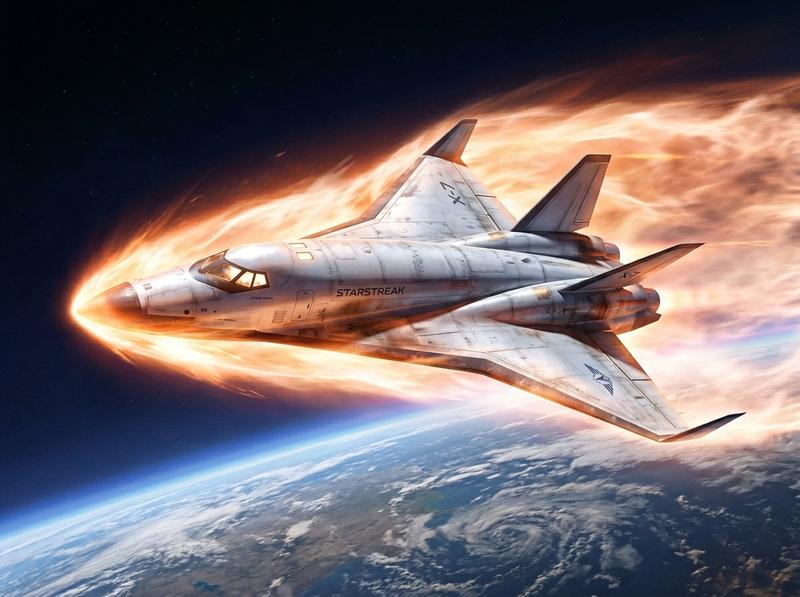
近地轨道巡航的红色星际战舰
Enlarge

近地轨道巡航的红色星际战舰

Prompt
High-definition, high-resolution 2.5D rendered illustration. An image showing a 300-meter-long super-large space battleship flying in near earth orbit space. The camera is looking at the spacecraft diagonally from the side. The space battleship is a spaceplane type with delta wings and tail, and is composed of futuristic organic curves that look like something out of a science fiction movie. Above the space battleship are the battleship's main rotating gun turret on the central axis, bridge, phased array radar, and anti-aircraft missile launchers. The nose of the spacecraft has a radome and is equipped with a leading tail wing. The fuselage is of the scramjet type, with all engines located at the rear of the fuselage. The lower half of the fuselage is painted red like a large naval vessel. Red flashing lights glow on the tips of the space battleship's wings, on top of the bridge, and on the bottom of the hull.
Category
Posters & Typography
Model
Nano Banana Pro
Creator
@satos73
Views61
Source ID
13242
Published
Apr 8, 2026

Guide

About "近地轨道巡航的红色星际战舰"

What is this prompt for?

"近地轨道巡航的红色星际战舰" AI image prompt for Nano Banana Pro (Posters & Typography). 高清、高分辨率的 2.5D 渲染插画。画面中一艘 300 米长的超大型太空战舰正在近地轨道空间飞行。镜头从侧面斜向拍摄这艘飞船。这艘太空战舰是太空飞机类型,拥有三角翼…

The full copyable prompt and example visuals above are ready for AI image generation or one-click recreate in Picva.

How to use this prompt

  1. Step 1

    Open the prompt detail

    Review the example visuals, category, and full prompt text for "近地轨道巡航的红色星际战舰".

  2. Step 2

    Copy the prompt

    Copy the prompt body from this page, or load it directly in Studio.

  3. Step 3

    Pick a model (Nano Banana Pro)

    Prefer Nano Banana Pro. If you switch models, keep subject and composition and tweak style terms.

  4. Step 4

    Generate and export

    Recreate the look in Picva, or export into your workflow for editing and publishing.

FAQ

What is the "近地轨道巡航的红色星际战舰" prompt?
It is an AI image-generation prompt for Nano Banana Pro in the Posters & Typography category. This page includes the full prompt text, example visuals, and a one-click recreate path in Picva.
How do I use this prompt to generate an image?
Copy the prompt from this page, or use Generate / Studio. Paste it into a compatible image model, or recreate the look in Picva with optional reference images.
Which model is this prompt for?
This page lists Nano Banana Pro. Most descriptive prompts also transfer to nearby image models such as GPT Image, Flux, or Midjourney with light style tweaks.
Can I use the result commercially?
You can usually copy the prompt for creation, but commercial use of the final image depends on the model terms, reference-image rights, and the generated content. Follow the source author and platform rules.