18

红影迷音:魅惑电台女主播
Enlarge

红影迷音:魅惑电台女主播

Prompt
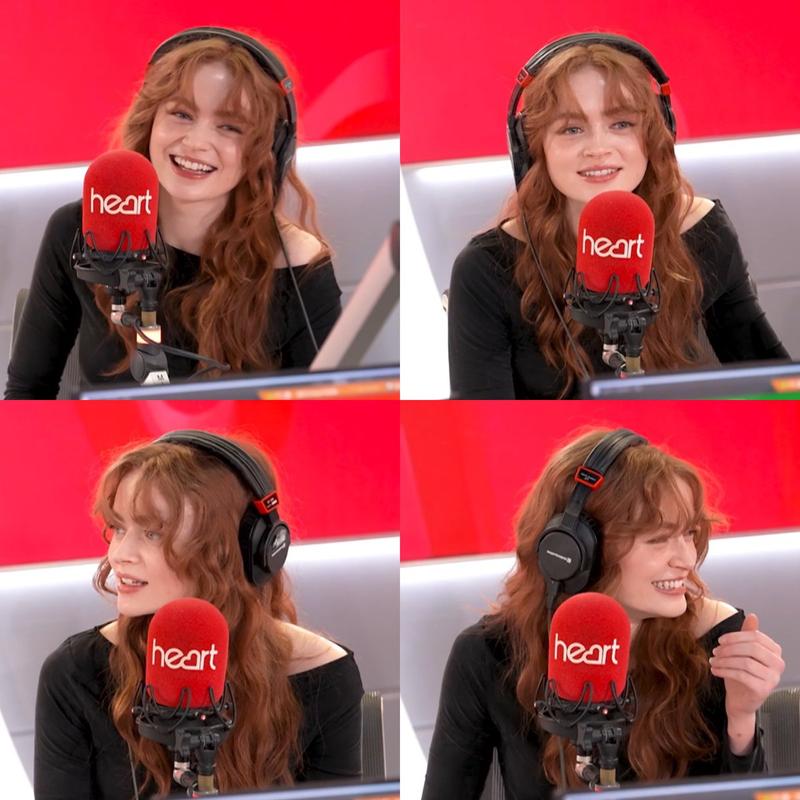
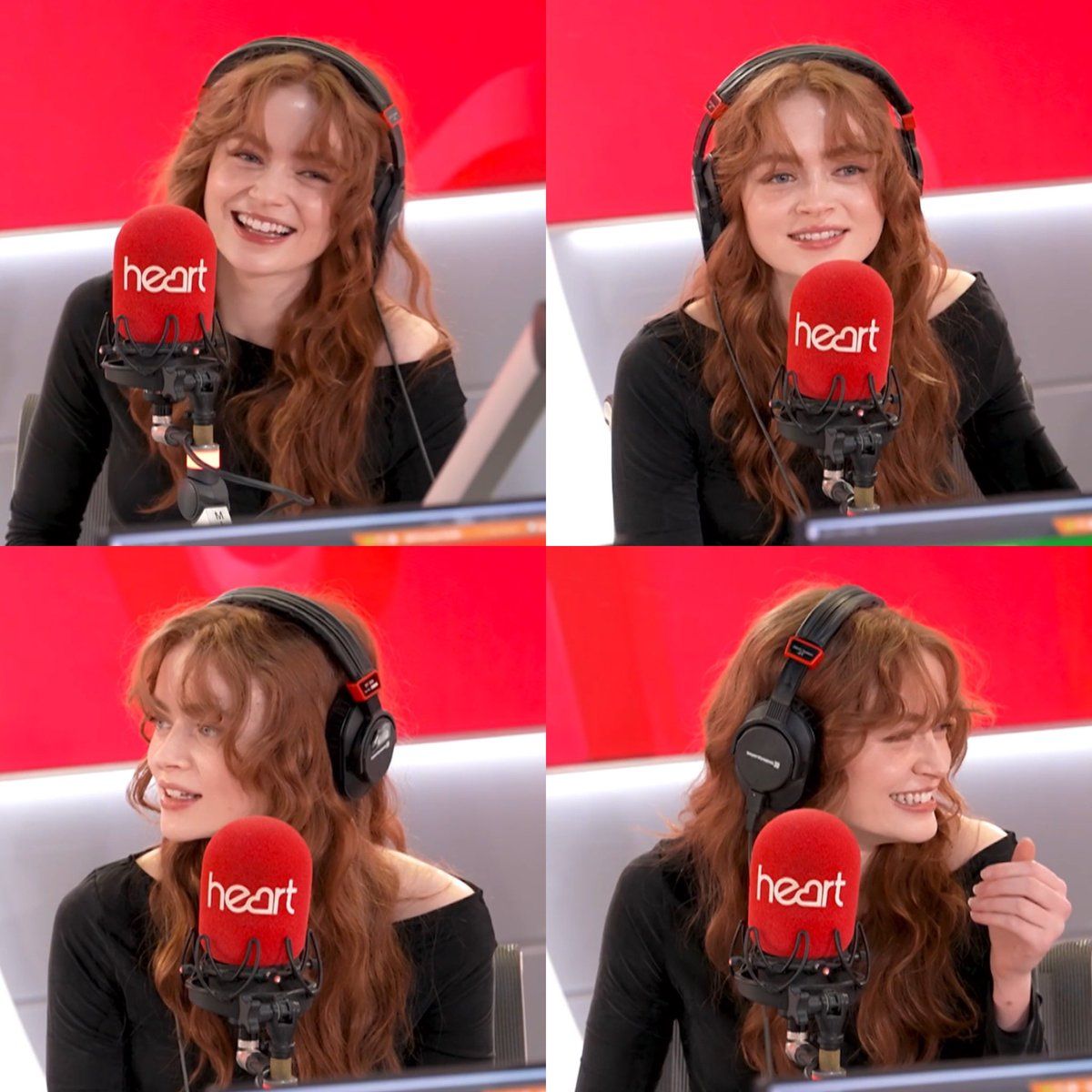
{ "title": "Red Studio Glow – Bold Edition", "description": "A confident young woman with long, flowing auburn waves sits inside a vibrant professional radio studio. Wearing sleek black over-ear headphones and a stylish black off-shoulder top, she speaks into a bold red 'heart' branded microphone. Her radiant smile and expressive candid moments capture her natural charm and charismatic on-air personality. The striking red studio background enhances the energetic, modern broadcast vibe.", "mood": "Confident, vibrant, charismatic, joyful", "location": "Professional radio broadcast studio", "outfit": "Elegant black off-shoulder top", "accessories": ["Black over-ear studio headphones", "Red branded microphone"], "main_colors": ["Bright Red", "Deep Black", "Soft Auburn"], "lighting": "Bright studio lighting with soft facial highlights", "vibe": "Modern radio presenter with lively and magnetic presence" }
Category
Brand & Logos
Model
Nano Banana Pro
Views39
Source ID
13058
Published
Apr 7, 2026

Guide

About "红影迷音:魅惑电台女主播"

What is this prompt for?

"红影迷音:魅惑电台女主播" AI image prompt for Nano Banana Pro (Brand & Logos). { "title": "红色录音棚光芒 – 大胆版", "description": "一位自信的年轻女性,留着一头飘逸的赤褐色长卷发,坐在一间充满活力的专业广播录音棚内。她戴着时尚…

The full copyable prompt and example visuals above are ready for AI image generation or one-click recreate in Picva.

How to use this prompt

  1. Step 1

    Open the prompt detail

    Review the example visuals, category, and full prompt text for "红影迷音:魅惑电台女主播".

  2. Step 2

    Copy the prompt

    Copy the prompt body from this page, or load it directly in Studio.

  3. Step 3

    Pick a model (Nano Banana Pro)

    Prefer Nano Banana Pro. If you switch models, keep subject and composition and tweak style terms.

  4. Step 4

    Generate and export

    Recreate the look in Picva, or export into your workflow for editing and publishing.

FAQ

What is the "红影迷音:魅惑电台女主播" prompt?
It is an AI image-generation prompt for Nano Banana Pro in the Brand & Logos category. This page includes the full prompt text, example visuals, and a one-click recreate path in Picva.
How do I use this prompt to generate an image?
Copy the prompt from this page, or use Generate / Studio. Paste it into a compatible image model, or recreate the look in Picva with optional reference images.
Which model is this prompt for?
This page lists Nano Banana Pro. Most descriptive prompts also transfer to nearby image models such as GPT Image, Flux, or Midjourney with light style tweaks.
Can I use the result commercially?
You can usually copy the prompt for creation, but commercial use of the final image depends on the model terms, reference-image rights, and the generated content. Follow the source author and platform rules.