18

复古波普风红发少女玩转夏日
Enlarge

复古波普风红发少女玩转夏日

Prompt
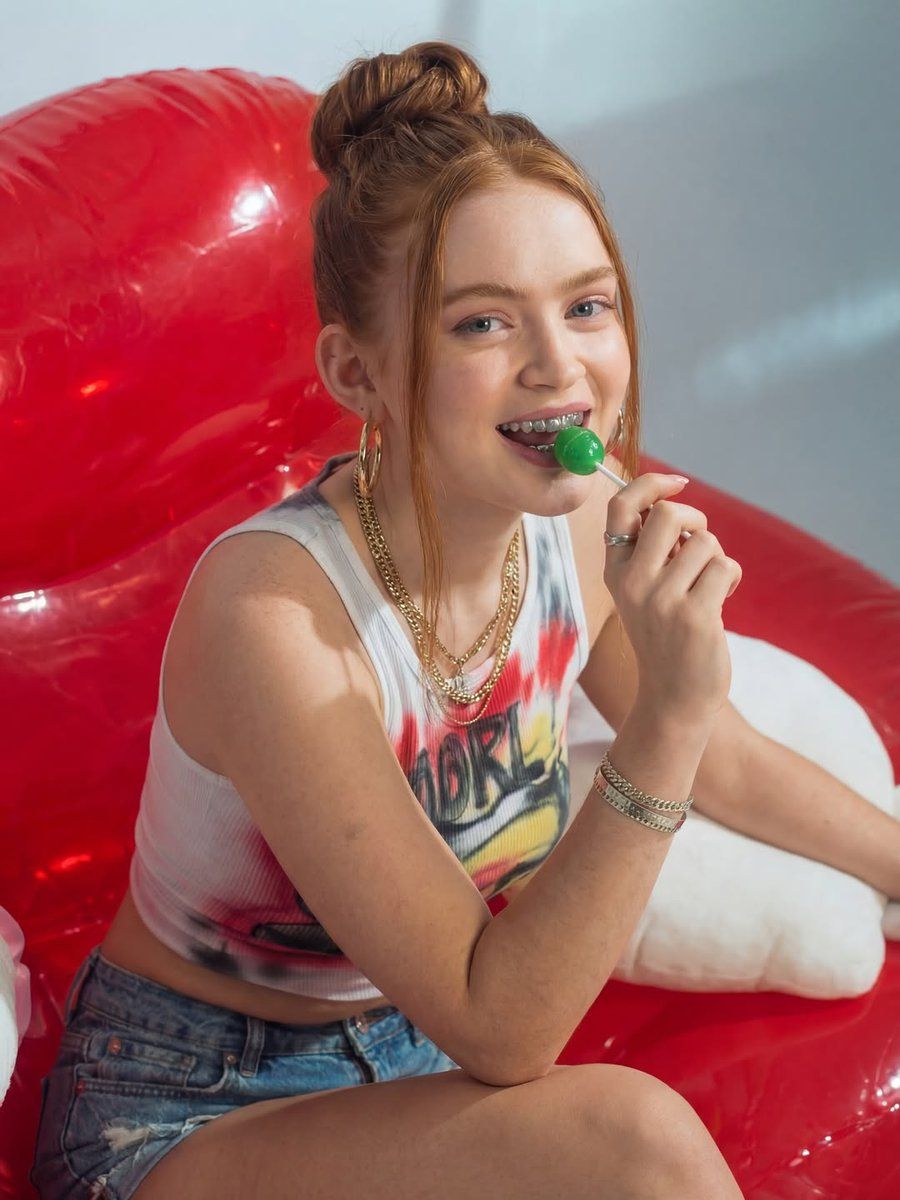
"This image features a high-resolution, vibrant portrait of a young woman with fair skin and striking red hair styled in a high, sleek bun with soft tendrils framing her face. She is sitting on a glossy, translucent red inflatable chair, leaning forward with a playful expression and holding a bright green lollipop to her mouth, revealing silver grillz on her teeth. She wears a white ribbed cropped tank top with a colorful graphic print, paired with distressed denim shorts. Her accessories include layered gold chain necklaces, large gold hoop earrings, a silver ring, and several gold chain bracelets on her wrist. The lighting is bright and directional, creating soft shadows and a summery, retro-pop aesthetic, while the background is a simple, neutral studio wall that makes the bold colors of the red chair and her ginger hair pop."
Category
Photography & Realism
Model
Nano Banana Pro
Views55
Source ID
12413
Published
Apr 17, 2026

Guide

About "复古波普风红发少女玩转夏日"

What is this prompt for?

"复古波普风红发少女玩转夏日" AI image prompt for Nano Banana Pro (Photography & Realism). 这张图片展示了一位年轻女性的高清、生动肖像。她皮肤白皙,一头醒目的红发梳成高高的光滑发髻,几缕柔软的发丝垂落在脸庞。她坐在一张光泽、半透明的红色充气椅上,身体前倾,…

The full copyable prompt and example visuals above are ready for AI image generation or one-click recreate in Picva.

How to use this prompt

  1. Step 1

    Open the prompt detail

    Review the example visuals, category, and full prompt text for "复古波普风红发少女玩转夏日".

  2. Step 2

    Copy the prompt

    Copy the prompt body from this page, or load it directly in Studio.

  3. Step 3

    Pick a model (Nano Banana Pro)

    Prefer Nano Banana Pro. If you switch models, keep subject and composition and tweak style terms.

  4. Step 4

    Generate and export

    Recreate the look in Picva, or export into your workflow for editing and publishing.

FAQ

What is the "复古波普风红发少女玩转夏日" prompt?
It is an AI image-generation prompt for Nano Banana Pro in the Photography & Realism category. This page includes the full prompt text, example visuals, and a one-click recreate path in Picva.
How do I use this prompt to generate an image?
Copy the prompt from this page, or use Generate / Studio. Paste it into a compatible image model, or recreate the look in Picva with optional reference images.
Which model is this prompt for?
This page lists Nano Banana Pro. Most descriptive prompts also transfer to nearby image models such as GPT Image, Flux, or Midjourney with light style tweaks.
Can I use the result commercially?
You can usually copy the prompt for creation, but commercial use of the final image depends on the model terms, reference-image rights, and the generated content. Follow the source author and platform rules.