20

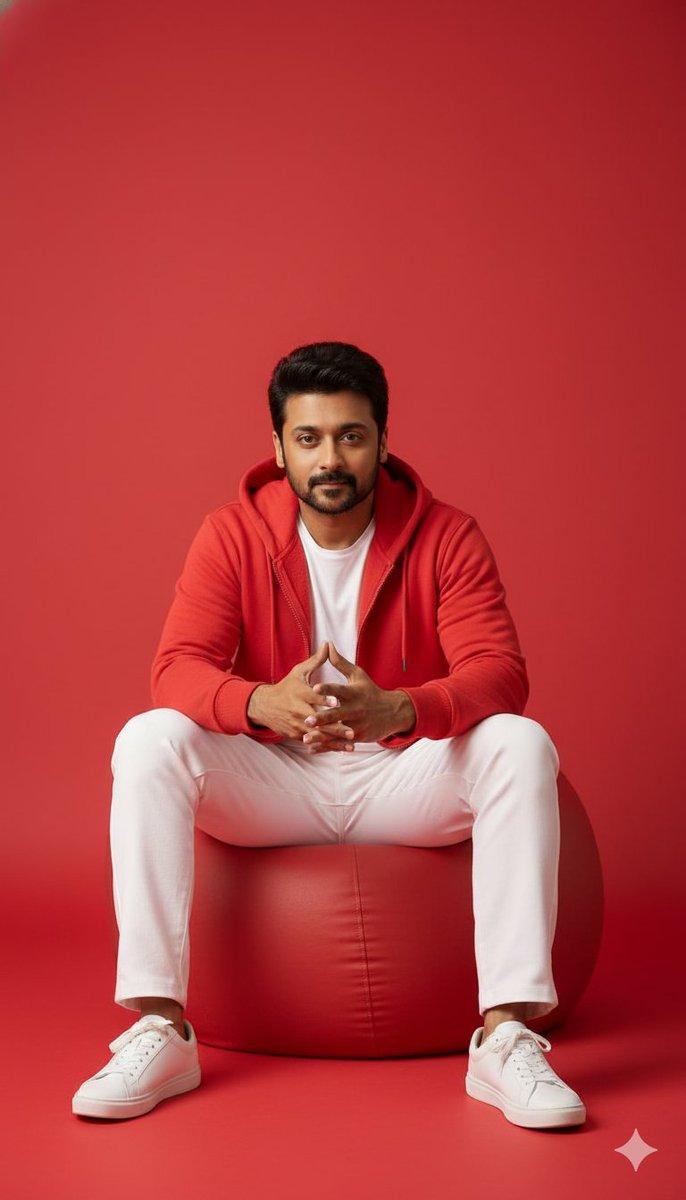
8K极简单色红房中的沉浸式电竞男神
Enlarge

8K极简单色红房中的沉浸式电竞男神

Prompt
A highly detailed 8K full-body shot of a handsome man in a relaxed pose, gaming in a stylized, monochromatic red room. He is sitting on a large red beanbag chair, wearing a deep red crewneck sweatshirt, light grey joggers, and red slide sandals. He has on red wireless headphones and is holding a white video game controller, with a modern white gaming console next to him.The scene includes a red floor lamp and a red bucket of popcorn 
The background is a solid, flat red, maintaining a clean minimal aesthetic.
Use the uploaded reference image for 100% identical facial features and hairstyle — preserve the exact face shape, eyes, lips, and skin tone with no alteration or change.
Lighting: clean, bright studio lighting with soft reflections and realistic skin tone rendering.
Style: photorealistic, sharp focus, ultra-detailed, cinematic clarity, --ar 4:5 --style raw.
Category
Charts & Infographics
Model
Nano Banana Pro
Views37
Source ID
7216
Published
Mar 16, 2026

Guide

About "8K极简单色红房中的沉浸式电竞男神"

What is this prompt for?

"8K极简单色红房中的沉浸式电竞男神" AI image prompt for Nano Banana Pro (Charts & Infographics). 一张高清8K全身照,一位英俊的男士以放松的姿态,在一个风格化的单色调红色房间里玩游戏。他坐在一个大型红色豆袋椅上,身穿深红色圆领卫衣、浅灰色运动裤和红色拖鞋…

The full copyable prompt and example visuals above are ready for AI image generation or one-click recreate in Picva.

How to use this prompt

  1. Step 1

    Open the prompt detail

    Review the example visuals, category, and full prompt text for "8K极简单色红房中的沉浸式电竞男神".

  2. Step 2

    Copy the prompt

    Copy the prompt body from this page, or load it directly in Studio.

  3. Step 3

    Pick a model (Nano Banana Pro)

    Prefer Nano Banana Pro. If you switch models, keep subject and composition and tweak style terms.

  4. Step 4

    Generate and export

    Recreate the look in Picva, or export into your workflow for editing and publishing.

FAQ

What is the "8K极简单色红房中的沉浸式电竞男神" prompt?
It is an AI image-generation prompt for Nano Banana Pro in the Charts & Infographics category. This page includes the full prompt text, example visuals, and a one-click recreate path in Picva.
How do I use this prompt to generate an image?
Copy the prompt from this page, or use Generate / Studio. Paste it into a compatible image model, or recreate the look in Picva with optional reference images.
Which model is this prompt for?
This page lists Nano Banana Pro. Most descriptive prompts also transfer to nearby image models such as GPT Image, Flux, or Midjourney with light style tweaks.
Can I use the result commercially?
You can usually copy the prompt for creation, but commercial use of the final image depends on the model terms, reference-image rights, and the generated content. Follow the source author and platform rules.