16

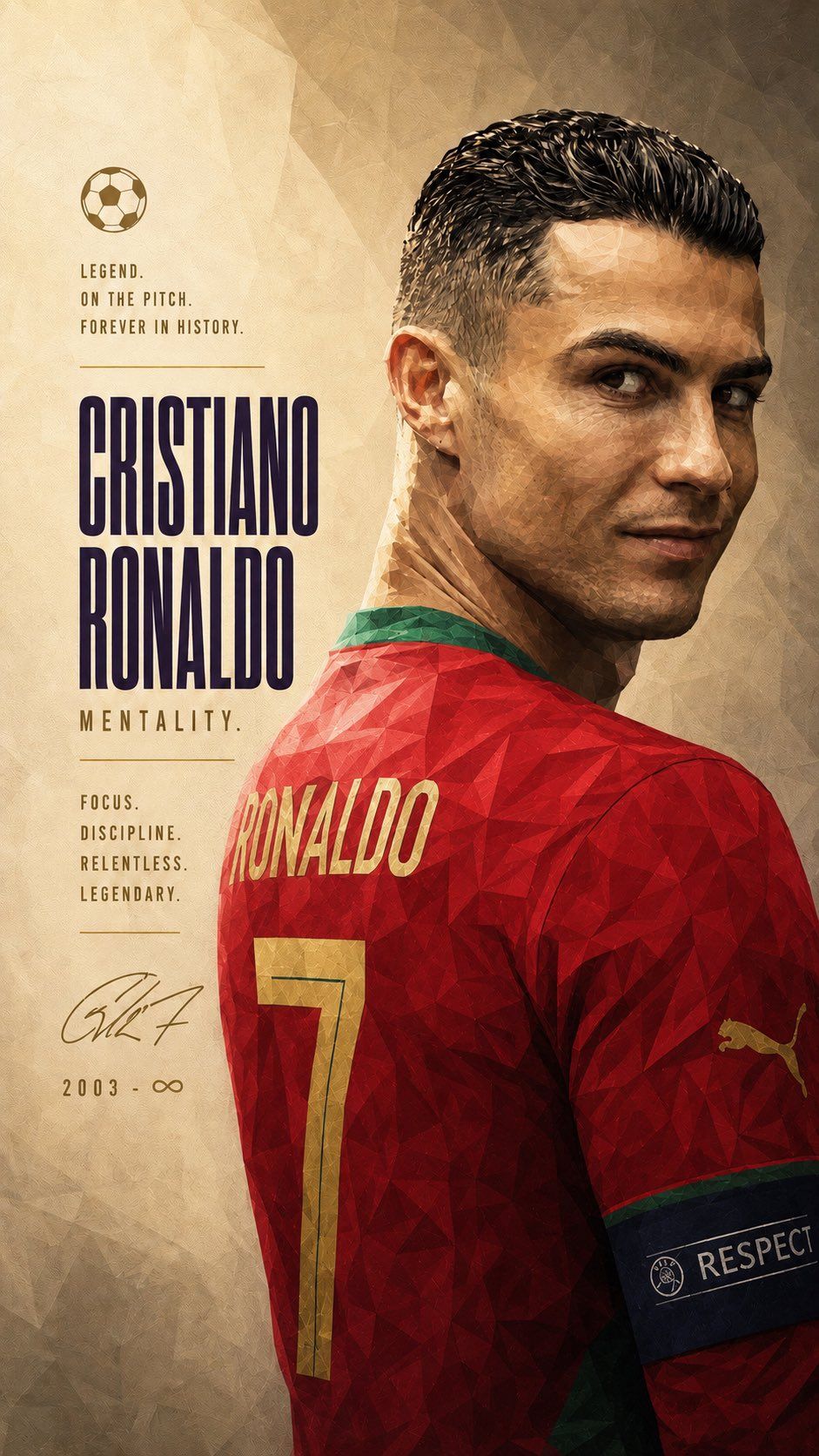
极简低多边形C罗传奇足球纪念海报
Enlarge

Example images

极简低多边形C罗传奇足球纪念海报

Prompt
A vertical tribute poster of a legendary football player in a minimalist luxury sports editorial layout. The athlete is depicted from the back, turning his head in a calm side-profile glance, wearing a red and green Portugal national team jersey with a large gold number 7 and 'Ronaldo' lettering on the back. The player occupies the right side of the composition, while the left side features extensive warm beige negative space for elegant typography. The style is a faceted low-poly digital painting combined with a luxury editorial sports magazine aesthetic, featuring geometric polygonal brush strokes, fragmented lighting, and sculptural volume. The mood is calm and iconic with a legendary atmosphere. The color palette consists of warm beige, deep red, gold, and dark green, illuminated by soft cinematic natural light and subtle rim highlights.
Category
Posters & Typography
Model
ChatGPT
Views195
Source ID
14285
Published
May 12, 2026

Guide

About "极简低多边形C罗传奇足球纪念海报"

What is this prompt for?

"极简低多边形C罗传奇足球纪念海报" AI image prompt for ChatGPT (Posters & Typography). 纵向足球传奇人物纪念海报,极简高端体育杂志版式设计,一位传奇足球运动员背身侧脸回望,穿着红绿色葡萄牙国家队球衣,背后可见巨大金色数字 7 与名字 Ronaldo,人物占据画面右…

The full copyable prompt and example visuals above are ready for AI image generation or one-click recreate in Picva.

How to use this prompt

  1. Step 1

    Open the prompt detail

    Review the example visuals, category, and full prompt text for "极简低多边形C罗传奇足球纪念海报".

  2. Step 2

    Copy the prompt

    Copy the prompt body from this page, or load it directly in Studio.

  3. Step 3

    Pick a model (ChatGPT)

    Prefer ChatGPT. If you switch models, keep subject and composition and tweak style terms.

  4. Step 4

    Generate and export

    Recreate the look in Picva, or export into your workflow for editing and publishing.

FAQ

What is the "极简低多边形C罗传奇足球纪念海报" prompt?
It is an AI image-generation prompt for ChatGPT in the Posters & Typography category. This page includes the full prompt text, example visuals, and a one-click recreate path in Picva.
How do I use this prompt to generate an image?
Copy the prompt from this page, or use Generate / Studio. Paste it into a compatible image model, or recreate the look in Picva with optional reference images.
Which model is this prompt for?
This page lists ChatGPT. Most descriptive prompts also transfer to nearby image models such as GPT Image, Flux, or Midjourney with light style tweaks.
Can I use the result commercially?
You can usually copy the prompt for creation, but commercial use of the final image depends on the model terms, reference-image rights, and the generated content. Follow the source author and platform rules.