15

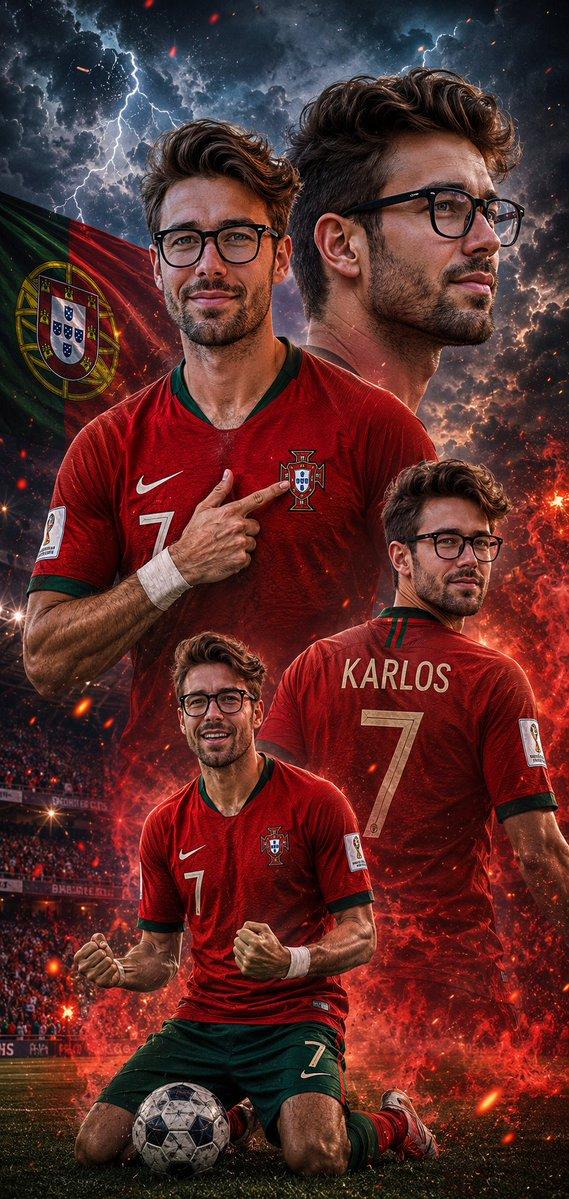
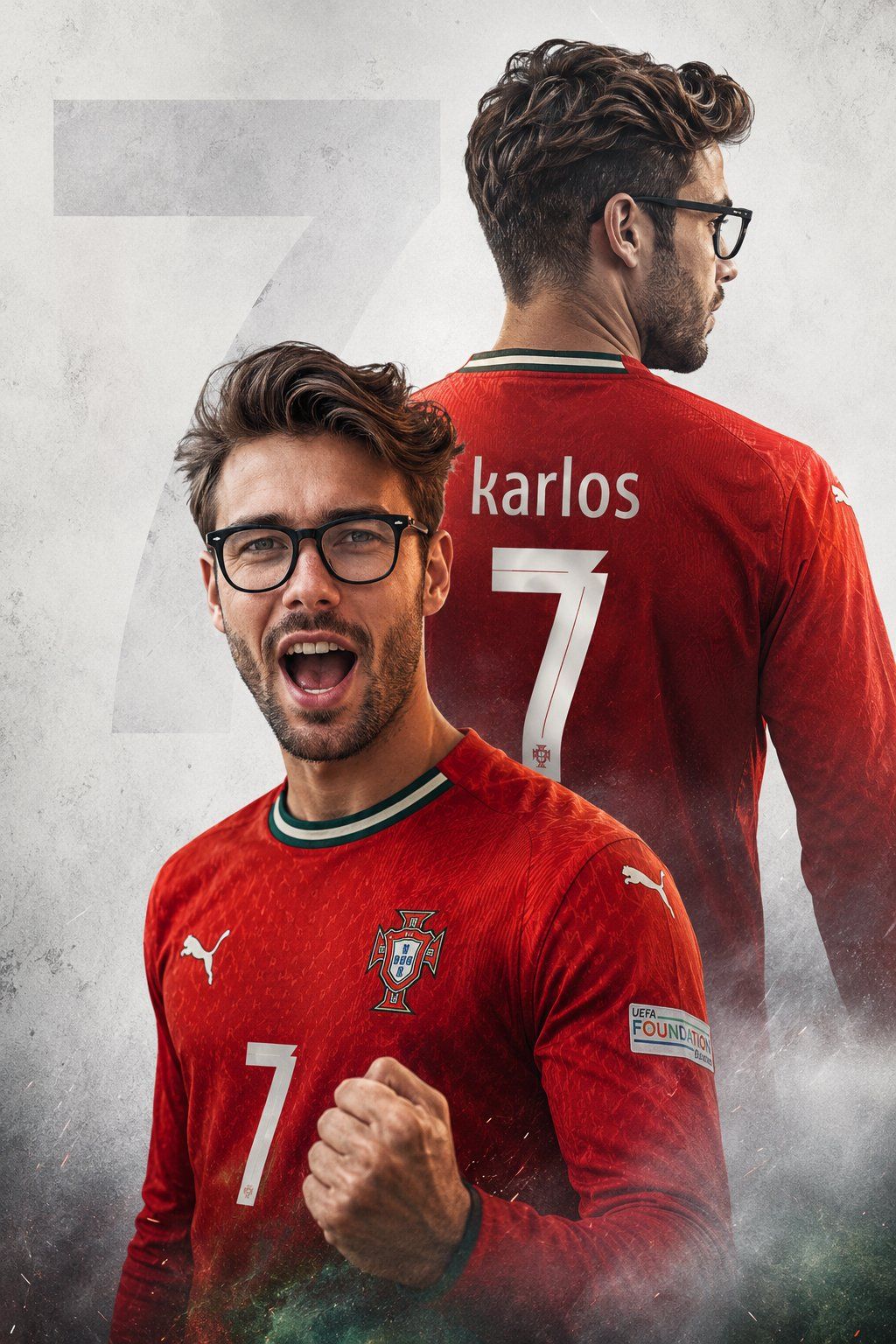
定制足球海报双重曝光
Enlarge

定制足球海报双重曝光

Prompt
Create a high-quality 8K sports poster from the uploaded photo, keeping the original face unchanged. Dress him in the latest full-sleeve {argument name="team jersey" default="Portugal football jersey"} with authentic team branding and sponsor logos. Use a cinematic double-exposure composition: foreground shows him shouting in victory with a clenched fist, while a large faded rear-view silhouette appears behind, displaying “{argument name="player name" default="karlos"}” and number “{argument name="number" default="7"}” on the jersey. Clean textured light-gray background with a subtle oversized “7” watermark. Dramatic lighting, strong contrast, ultra-sharp focus, realistic details, professional football poster design. Give image and use face as in refrence image
Category
Posters & Typography
Model
GPT Image 2
Creator
Karlos
Views5
Source ID
25902
Published
Jun 16, 2026

Guide

About "定制足球海报双重曝光"

What is this prompt for?

"定制足球海报双重曝光" AI image prompt for GPT Image 2 (Posters & Typography). 一款极具创意的体育海报提示词,利用参考照片生成具有定制球衣细节的电影级双重曝光图像。 Copy it on Picva and recreate the look in one c…

The full copyable prompt and example visuals above are ready for AI image generation or one-click recreate in Picva.

How to use this prompt

  1. Step 1

    Open the prompt detail

    Review the example visuals, category, and full prompt text for "定制足球海报双重曝光".

  2. Step 2

    Copy the prompt

    Copy the prompt body from this page, or load it directly in Studio.

  3. Step 3

    Pick a model (GPT Image 2)

    Prefer GPT Image 2. If you switch models, keep subject and composition and tweak style terms.

  4. Step 4

    Generate and export

    Recreate the look in Picva, or export into your workflow for editing and publishing.

FAQ

What is the "定制足球海报双重曝光" prompt?
It is an AI image-generation prompt for GPT Image 2 in the Posters & Typography category. This page includes the full prompt text, example visuals, and a one-click recreate path in Picva.
How do I use this prompt to generate an image?
Copy the prompt from this page, or use Generate / Studio. Paste it into a compatible image model, or recreate the look in Picva with optional reference images.
Which model is this prompt for?
This page lists GPT Image 2. Most descriptive prompts also transfer to nearby image models such as GPT Image, Flux, or Midjourney with light style tweaks.
Can I use the result commercially?
You can usually copy the prompt for creation, but commercial use of the final image depends on the model terms, reference-image rights, and the generated content. Follow the source author and platform rules.