18

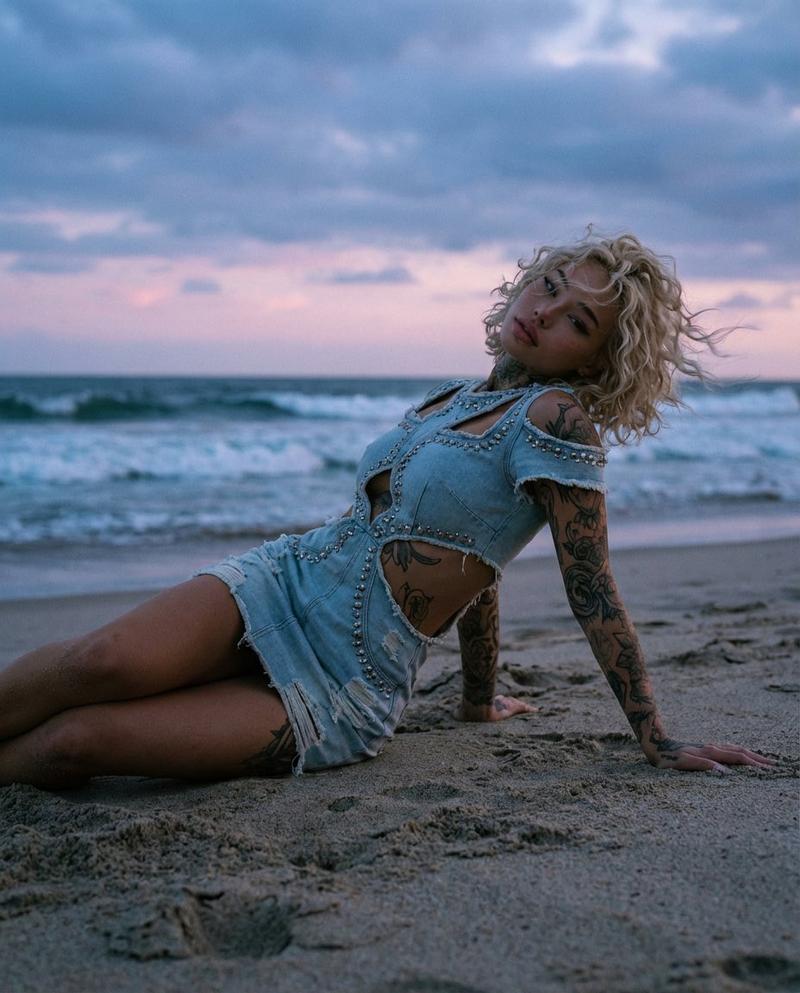
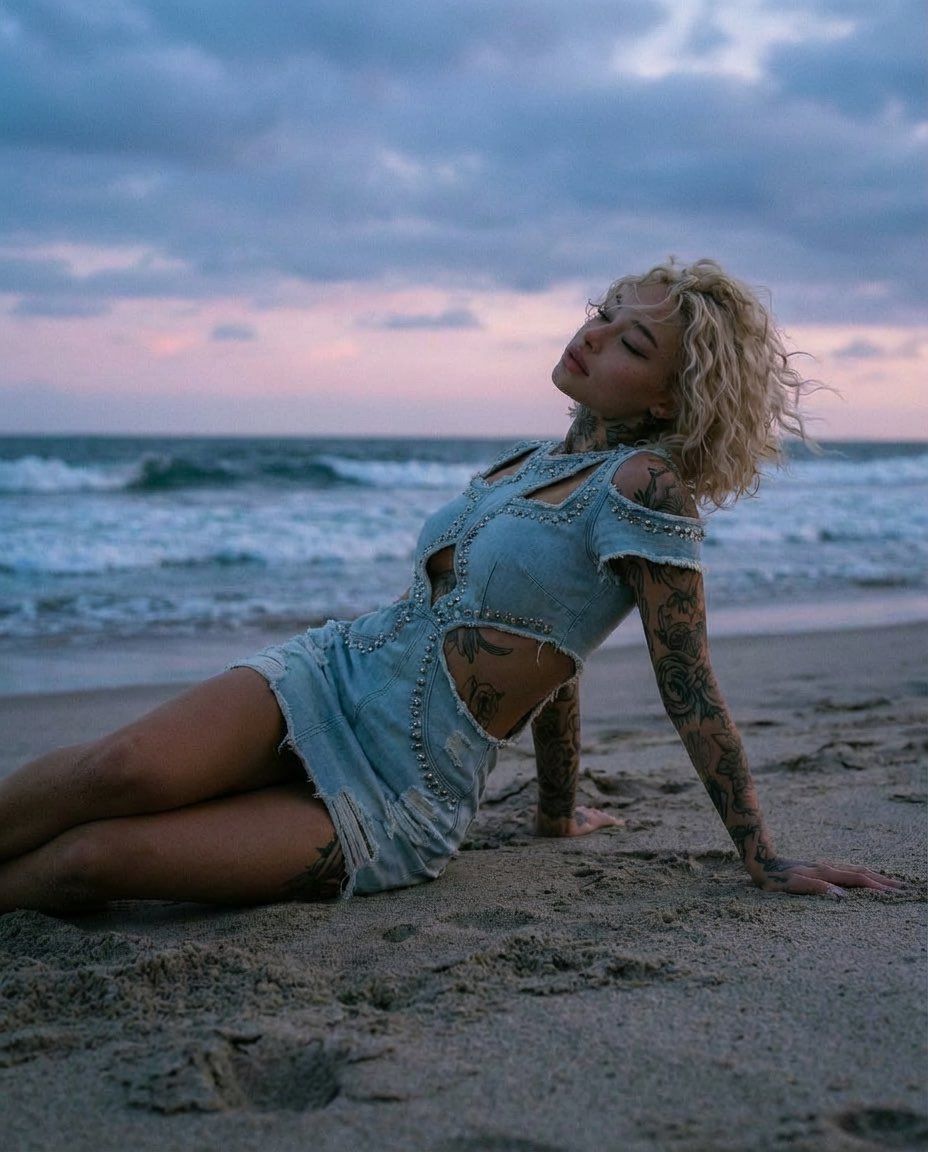
落日余晖下斜卧沙滩的纹身金发女郎
Enlarge

落日余晖下斜卧沙滩的纹身金发女郎

Prompt
{ "prompt": "A cinematic beach portrait of a tattooed woman reclining on wet sand at sunset. She has short curly blonde hair, light skin, and full arm and body tattoos. She is wearing a distressed light blue denim cut-out dress with pearl embellishments, revealing her waist and shoulders. The ocean waves roll behind her under a cloudy pastel sky with soft pink and blue tones. Moody, dreamy atmosphere, shallow depth of field, natural lighting, editorial fashion photography style, high detail, realistic skin texture, calm and sensual pose.", "style": "photorealistic", "lighting": "soft natural sunset light", "camera": { "type": "DSLR", "lens": "50mm", "aperture": "f/1.8" }, "composition": "rule of thirds, subject centered slightly to the right, low-angle perspective", "mood": "dreamy, serene, cinematic", "resolution": "4k", "quality": "high" }
Category
Posters & Typography
Model
Nano Banana Pro
Views45
Source ID
10177
Published
May 6, 2026

Guide

About "落日余晖下斜卧沙滩的纹身金发女郎"

What is this prompt for?

"落日余晖下斜卧沙滩的纹身金发女郎" AI image prompt for Nano Banana Pro (Posters & Typography). { "prompt": "一张电影风格的海滩肖像照,一位纹身女子在日落时分斜倚在湿润的沙滩上。她留着金色短卷发,皮肤白皙,手臂和身体布满了纹身。她穿着一件破旧的…

The full copyable prompt and example visuals above are ready for AI image generation or one-click recreate in Picva.

How to use this prompt

  1. Step 1

    Open the prompt detail

    Review the example visuals, category, and full prompt text for "落日余晖下斜卧沙滩的纹身金发女郎".

  2. Step 2

    Copy the prompt

    Copy the prompt body from this page, or load it directly in Studio.

  3. Step 3

    Pick a model (Nano Banana Pro)

    Prefer Nano Banana Pro. If you switch models, keep subject and composition and tweak style terms.

  4. Step 4

    Generate and export

    Recreate the look in Picva, or export into your workflow for editing and publishing.

FAQ

What is the "落日余晖下斜卧沙滩的纹身金发女郎" prompt?
It is an AI image-generation prompt for Nano Banana Pro in the Posters & Typography category. This page includes the full prompt text, example visuals, and a one-click recreate path in Picva.
How do I use this prompt to generate an image?
Copy the prompt from this page, or use Generate / Studio. Paste it into a compatible image model, or recreate the look in Picva with optional reference images.
Which model is this prompt for?
This page lists Nano Banana Pro. Most descriptive prompts also transfer to nearby image models such as GPT Image, Flux, or Midjourney with light style tweaks.
Can I use the result commercially?
You can usually copy the prompt for creation, but commercial use of the final image depends on the model terms, reference-image rights, and the generated content. Follow the source author and platform rules.