20

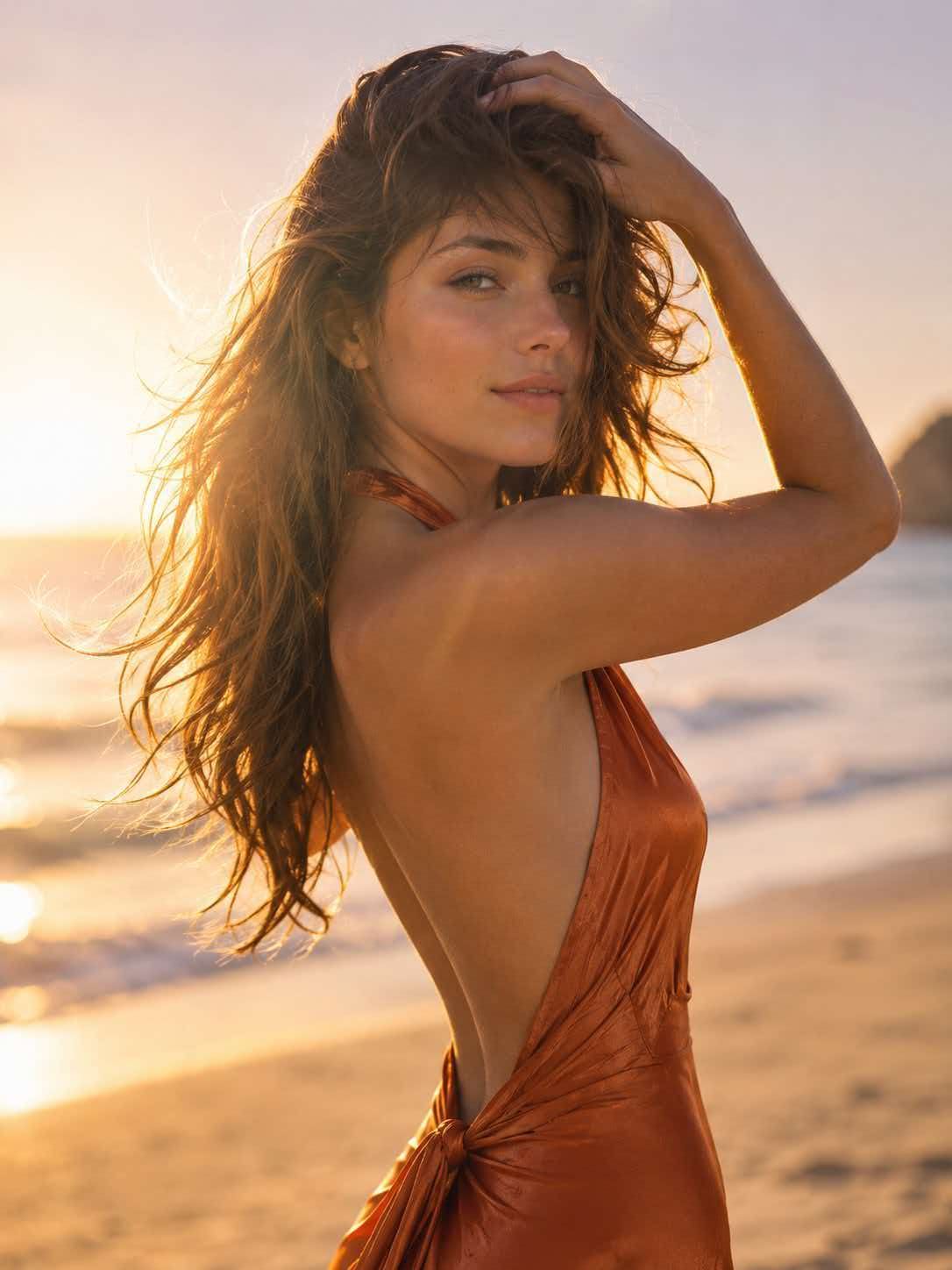
奢华海滩时尚人像
Enlarge

奢华海滩时尚人像

Prompt
Golden-hour luxury editorial {argument name="setting" default="beach portrait"}, breathtakingly beautiful woman with sun-kissed luminous skin, dark silky hair swept by a gentle breeze, wearing a {argument name="clothing" default="flowing backless burnt-orange silk halter gown"} clinging to her feminine curves, one arm lifted brushing hair from face revealing an {argument name="expression" default="elegant side profile, soft knowing half-smile"}, eyes half-closed, barefoot on warm sand, ocean horizon blurred into creamy amber-and-lavender bokeh, warm backlight creating a luminous hair halo, large silver reflector filling face, lens flare at frame edge, Contax 645 medium format 80mm f/2.0 Portra 400 emulation, 8k resolution, photorealistic, cinematic composition, high detail, no harsh lighting, no over-saturated skin, no plastic retouching, no blown highlights, no cluttered background.
Category
Photography & Realism
Model
GPT Image 2
Creator
sada
Views10
Source ID
28678
Published
Jul 14, 2026

Guide

About "奢华海滩时尚人像"

What is this prompt for?

"奢华海滩时尚人像" AI image prompt for GPT Image 2 (Photography & Realism). 一张电影感十足的黄金时刻海滩人像,模特身着飘逸的丝绸挂脖长裙,画面带有柔和的镜头光晕和奶油般的虚化效果。 Copy it on Picva and recreate the look…

The full copyable prompt and example visuals above are ready for AI image generation or one-click recreate in Picva.

How to use this prompt

  1. Step 1

    Open the prompt detail

    Review the example visuals, category, and full prompt text for "奢华海滩时尚人像".

  2. Step 2

    Copy the prompt

    Copy the prompt body from this page, or load it directly in Studio.

  3. Step 3

    Pick a model (GPT Image 2)

    Prefer GPT Image 2. If you switch models, keep subject and composition and tweak style terms.

  4. Step 4

    Generate and export

    Recreate the look in Picva, or export into your workflow for editing and publishing.

FAQ

What is the "奢华海滩时尚人像" prompt?
It is an AI image-generation prompt for GPT Image 2 in the Photography & Realism category. This page includes the full prompt text, example visuals, and a one-click recreate path in Picva.
How do I use this prompt to generate an image?
Copy the prompt from this page, or use Generate / Studio. Paste it into a compatible image model, or recreate the look in Picva with optional reference images.
Which model is this prompt for?
This page lists GPT Image 2. Most descriptive prompts also transfer to nearby image models such as GPT Image, Flux, or Midjourney with light style tweaks.
Can I use the result commercially?
You can usually copy the prompt for creation, but commercial use of the final image depends on the model terms, reference-image rights, and the generated content. Follow the source author and platform rules.



