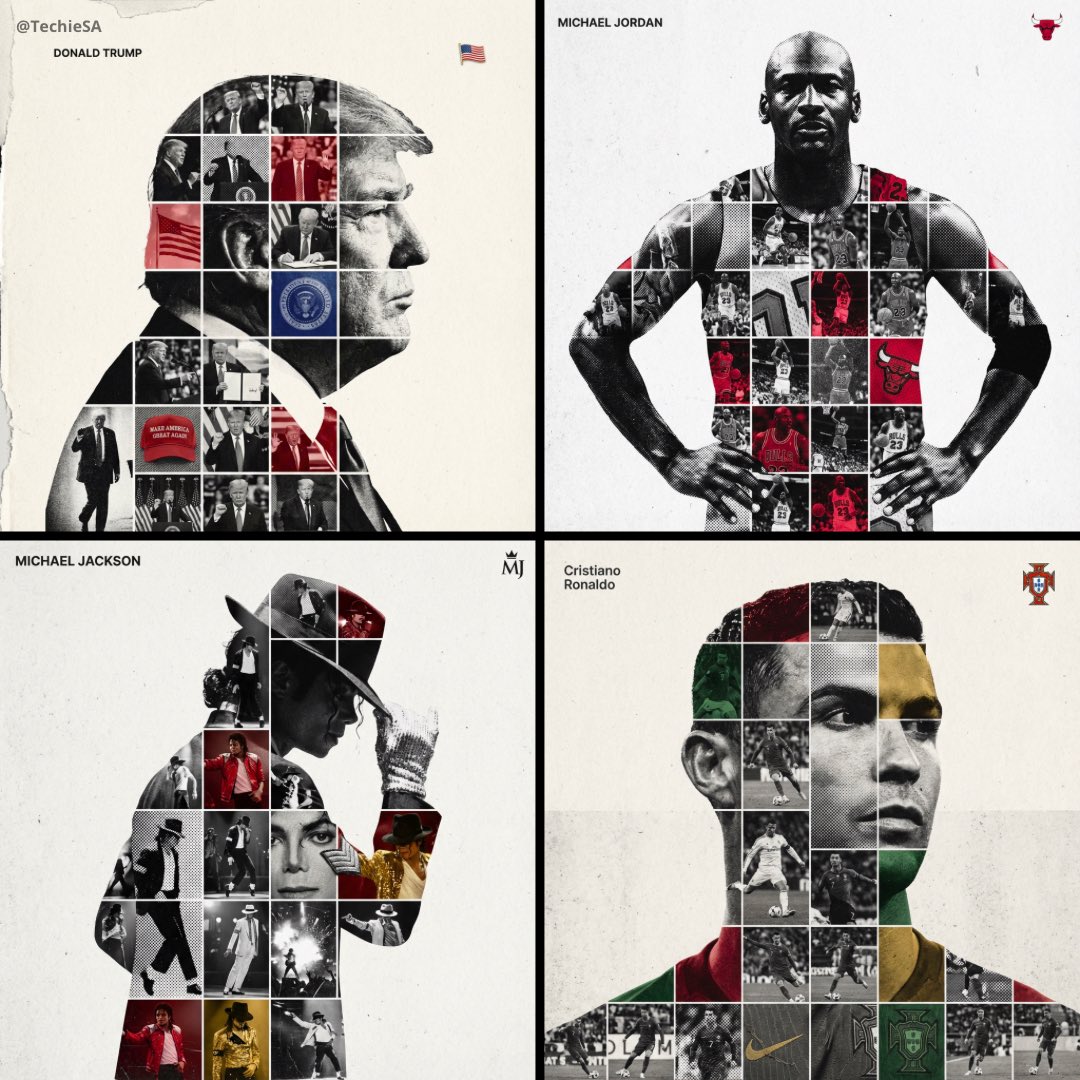
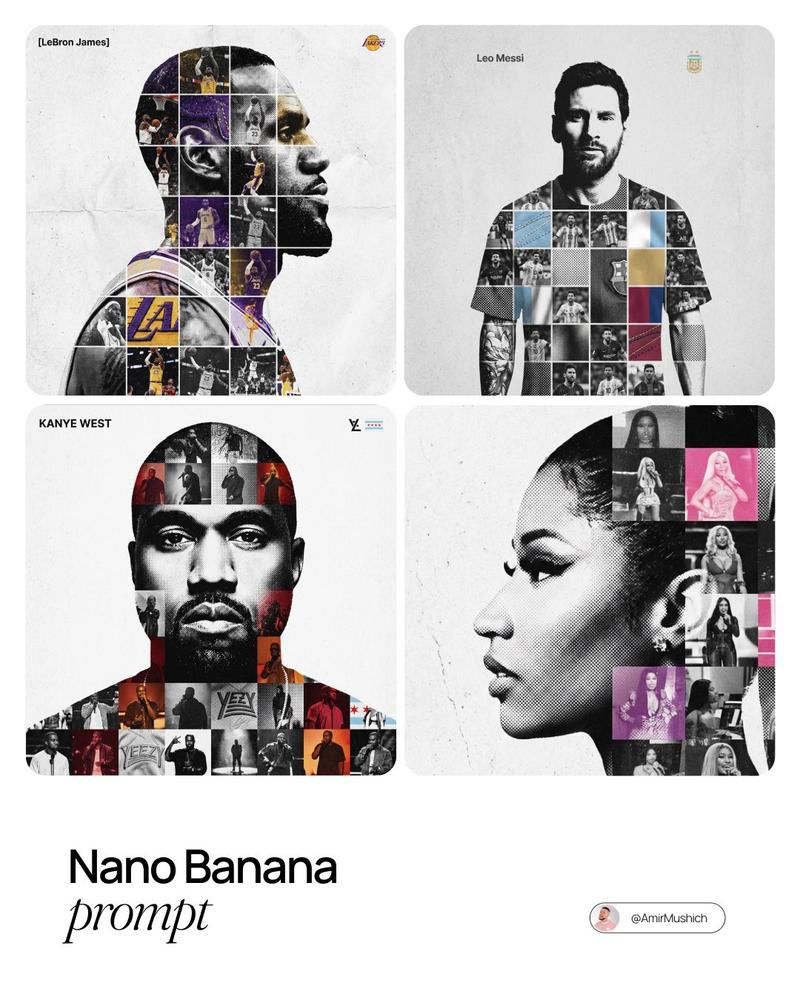
质感拼贴剪影致敬海报
Prompt
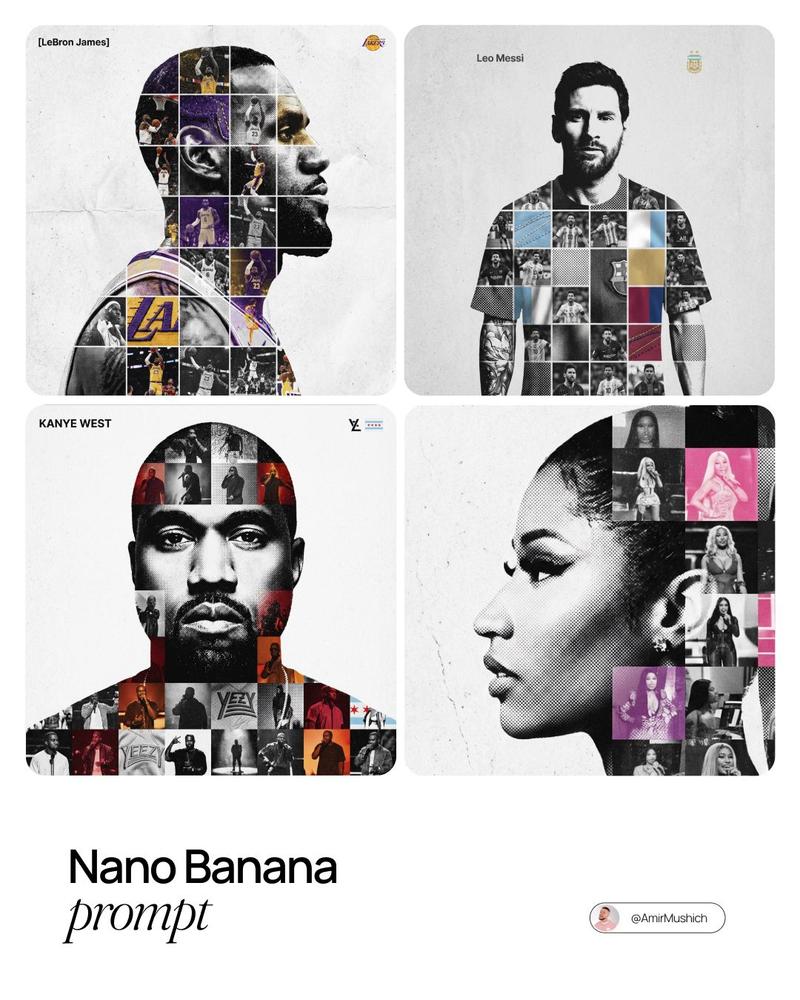
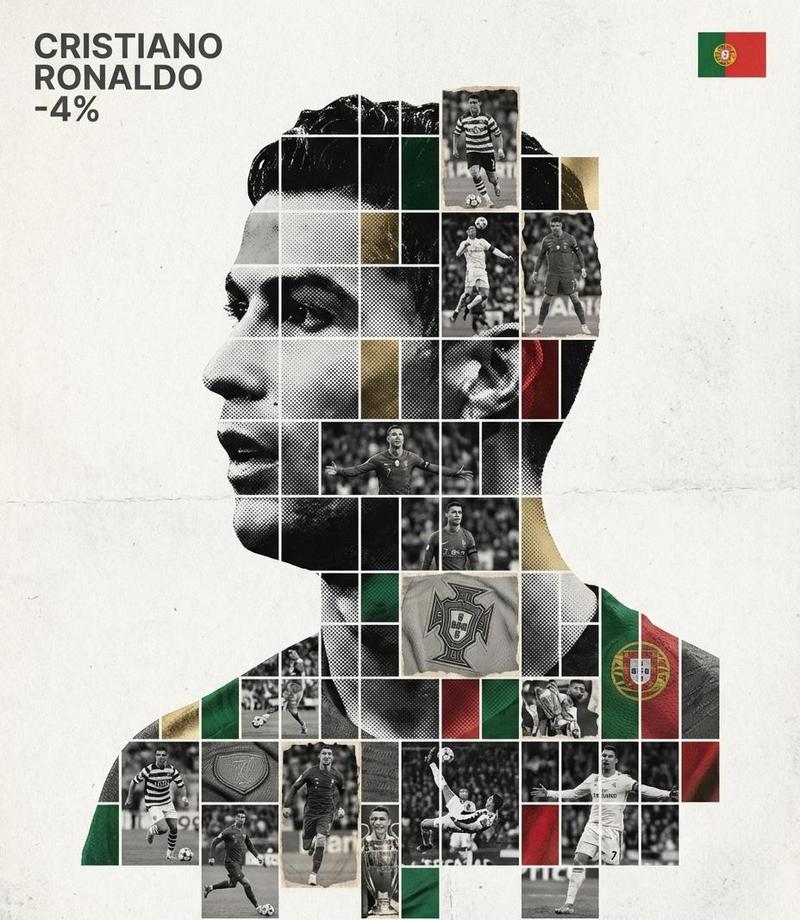
Create a refined, gallery-quality tribute poster built around a central portrait silhouette filled with a textured photo mosaic. The design should feel tactile, layered, and premium not like flat digital collage work. Central Structure : The Vessel The central focus must be a large-scale, high-contrast black and white portrait silhouette of [Persons name]. This silhouette acts as the container for the internal visual narrative. It must be centered perfectly on the canvas. The Grid Fill and Mixed Media Textures The interior of the silhouette should be populated by a dense photo mosaic grid made from action shots throughout the person’s career. Critical Texture Direction Do not paste flat photos. Each grid cell should have artistic treatment to create a tactile, collage-like aesthetic. Incorporate a mix of the following textures selectively across different cells: Halftone dots (comic-book style raster patterns) Fabric or embroidery textures suggesting jersey material or stitched patches Film grain or heavy noise on high-contrast action shots The result should feel handcrafted and layered rather than digitally assembled. Color Strategy Base palette: monochrome black and white. Introduce selective color overlays only on specific grid cells. The accent colors should relate to the relevant team, brand, or national flag. Use color sparingly to create visual rhythm and emphasis. Typography and Branding – Strict Micro-Scaling Top Left (The name) Write “[person name]” using the font Inter Semibold. Kerning: tight negative kerning , Size: small and discreet. The name must occupy a maximum of 20% of the total canvas width. Do not make it large or dominant. Top Right (The symbol) Place the primary logo (Team, Brand, or Flag). Size: very small. It must occupy a maximum of 10% of the total canvas width. Composition and Background Background Use off-white or light grey. Include a visible high-quality paper or subtle concrete texture. Avoid flat digital white. Alignment Center the silhouette precisely. Maintain generous negative space around the figure to preserve elegance and balance.
- Category
- Posters & Typography
- Model
- Nano Banana Pro
- Creator
- @Naiknelofar788
- Source ID
- 12699
- Published
- Apr 10, 2026
Views149