19

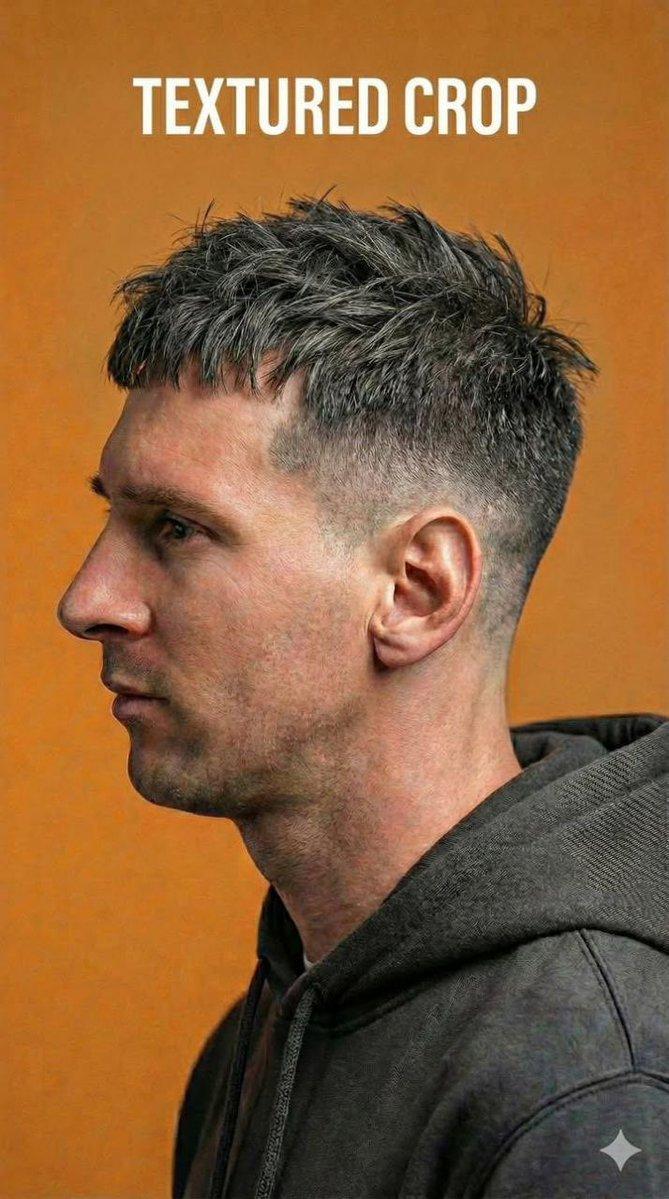
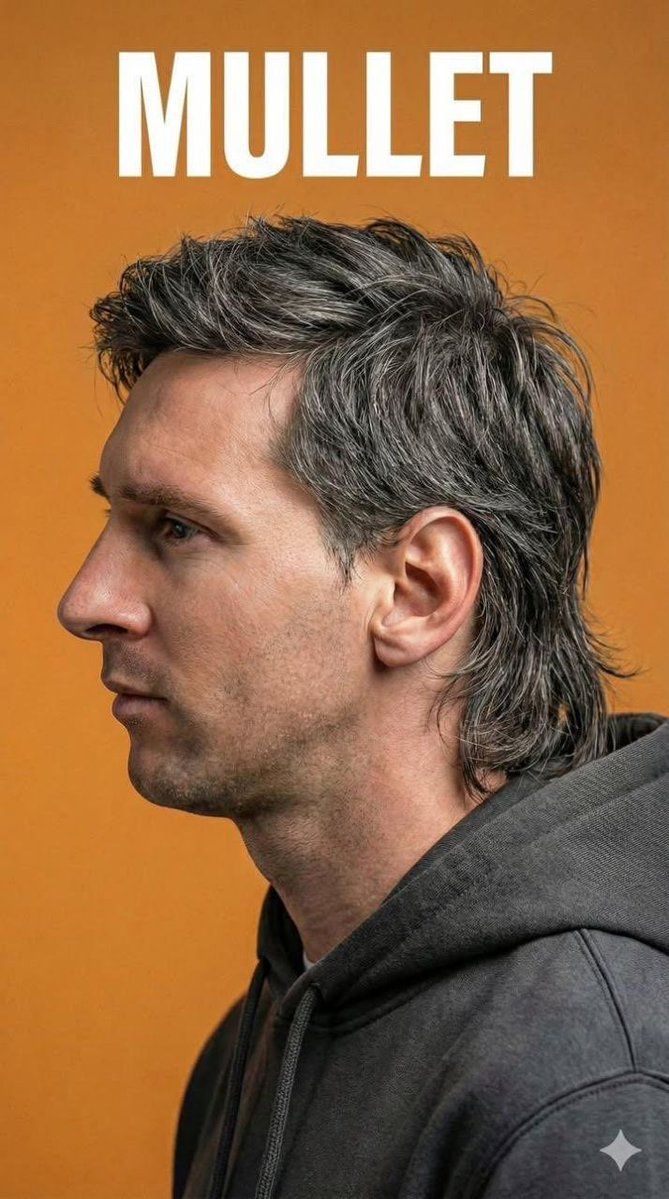
极致写实男士理发店肖像
Enlarge

极致写实男士理发店肖像

Prompt
Ultra-realistic studio side-profile portrait of a modern man showcasing contemporary men’s hairstyles. Clean barbershop photography style with sharp focus on haircut details and texture. Neutral male model wearing a dark hoodie, shot in profile view. Warm mustard–orange seamless background, soft diffused studio lighting with gentle shadows to emphasize fade transitions and hair texture. Natural skin tones, visible hair strands, crisp edges, professional grooming aesthetic, high-resolution DSLR look, shallow depth of field, editorial haircut reference photography. Hair style modifiers (swap as needed): high fade with textured top short textured crop with low fade messy textured quiff with fade modern mullet with layered texture
Category
Architecture & Spaces
Model
Nano Banana Pro
Views39
Source ID
11581
Published
Apr 23, 2026

Guide

About "极致写实男士理发店肖像"

What is this prompt for?

"极致写实男士理发店肖像" AI image prompt for Nano Banana Pro (Architecture & Spaces). 一位现代男士的超逼真工作室侧面肖像,展示了当代男士发型。干净的理发店摄影风格,锐利聚焦发型细节和纹理。中性男模特身穿深色连帽衫,侧面拍摄。温暖的 芥末橙色 无缝背景,柔…

The full copyable prompt and example visuals above are ready for AI image generation or one-click recreate in Picva.

How to use this prompt

  1. Step 1

    Open the prompt detail

    Review the example visuals, category, and full prompt text for "极致写实男士理发店肖像".

  2. Step 2

    Copy the prompt

    Copy the prompt body from this page, or load it directly in Studio.

  3. Step 3

    Pick a model (Nano Banana Pro)

    Prefer Nano Banana Pro. If you switch models, keep subject and composition and tweak style terms.

  4. Step 4

    Generate and export

    Recreate the look in Picva, or export into your workflow for editing and publishing.

FAQ

What is the "极致写实男士理发店肖像" prompt?
It is an AI image-generation prompt for Nano Banana Pro in the Architecture & Spaces category. This page includes the full prompt text, example visuals, and a one-click recreate path in Picva.
How do I use this prompt to generate an image?
Copy the prompt from this page, or use Generate / Studio. Paste it into a compatible image model, or recreate the look in Picva with optional reference images.
Which model is this prompt for?
This page lists Nano Banana Pro. Most descriptive prompts also transfer to nearby image models such as GPT Image, Flux, or Midjourney with light style tweaks.
Can I use the result commercially?
You can usually copy the prompt for creation, but commercial use of the final image depends on the model terms, reference-image rights, and the generated content. Follow the source author and platform rules.