19

灰墙前的红发都市丽人
Enlarge

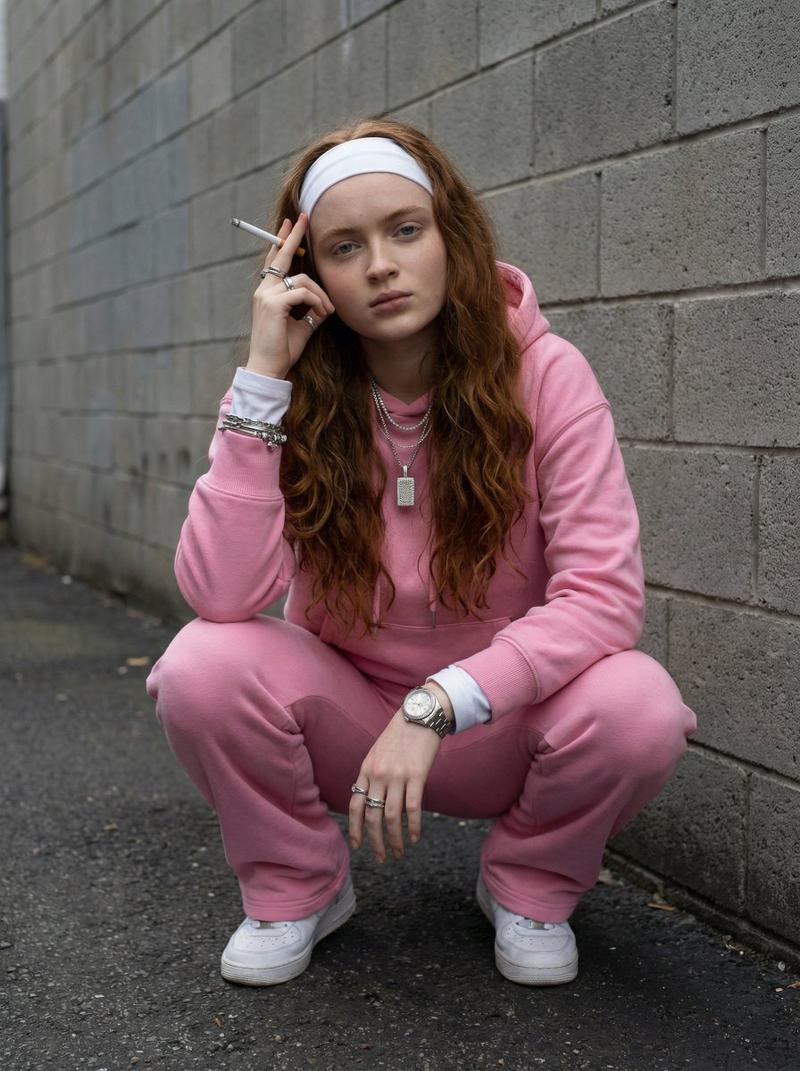
灰墙前的红发都市丽人

Prompt
"A high-resolution, full-body portrait of a young woman with long, voluminous, vibrant red hair and a white headband, squatting down confidently against a textured grey cinder block wall. She is dressed in a cozy, oversized light pink hooded sweatshirt and matching jogger sweatpants, with a white long-sleeve shirt visible underneath the hoodie. She is accessorized with several sparkling silver rings on her fingers, a thick silver watch on her left wrist, and a prominent, shiny silver pendant necklace over the hoodie. She is looking directly into the camera with a serious, stoic expression, holding a thin white object between her fingers near her face. The lighting is soft and even, highlighting the texture of her hair and the soft fabric of the pink loungewear, capturing a candid, urban fashion aesthetic."
Category
Photography & Realism
Model
Nano Banana Pro
Views47
Source ID
12370
Published
Apr 18, 2026

Guide

About "灰墙前的红发都市丽人"

What is this prompt for?

"灰墙前的红发都市丽人" AI image prompt for Nano Banana Pro (Photography & Realism). 一位年轻女性的高分辨率全身肖像,她拥有一头浓密、蓬松、鲜艳的红发,戴着白色发带,自信地蹲坐在一堵有纹理的灰色煤渣砖墙前。她身穿一件舒适、宽松的浅粉色连帽运动衫和配套的慢跑…

The full copyable prompt and example visuals above are ready for AI image generation or one-click recreate in Picva.

How to use this prompt

  1. Step 1

    Open the prompt detail

    Review the example visuals, category, and full prompt text for "灰墙前的红发都市丽人".

  2. Step 2

    Copy the prompt

    Copy the prompt body from this page, or load it directly in Studio.

  3. Step 3

    Pick a model (Nano Banana Pro)

    Prefer Nano Banana Pro. If you switch models, keep subject and composition and tweak style terms.

  4. Step 4

    Generate and export

    Recreate the look in Picva, or export into your workflow for editing and publishing.

FAQ

What is the "灰墙前的红发都市丽人" prompt?
It is an AI image-generation prompt for Nano Banana Pro in the Photography & Realism category. This page includes the full prompt text, example visuals, and a one-click recreate path in Picva.
How do I use this prompt to generate an image?
Copy the prompt from this page, or use Generate / Studio. Paste it into a compatible image model, or recreate the look in Picva with optional reference images.
Which model is this prompt for?
This page lists Nano Banana Pro. Most descriptive prompts also transfer to nearby image models such as GPT Image, Flux, or Midjourney with light style tweaks.
Can I use the result commercially?
You can usually copy the prompt for creation, but commercial use of the final image depends on the model terms, reference-image rights, and the generated content. Follow the source author and platform rules.