18

视觉丰富的人物信息图设计
Enlarge

视觉丰富的人物信息图设计

Prompt
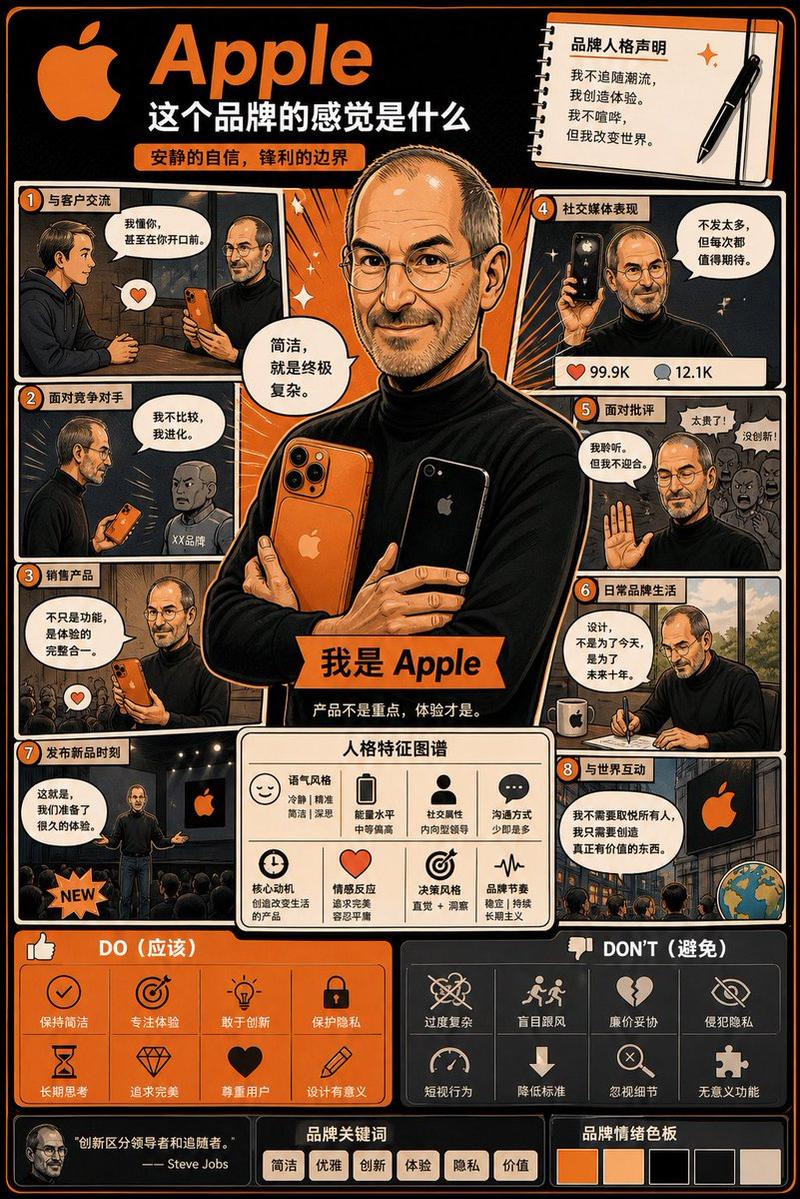
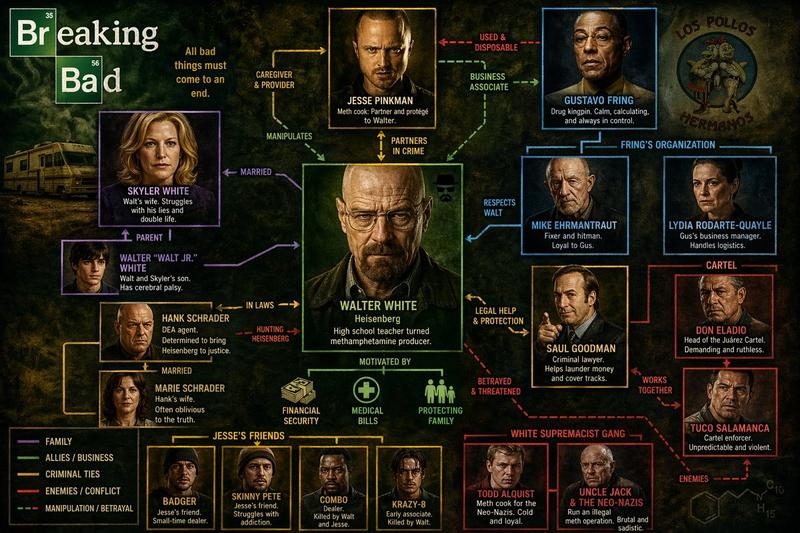
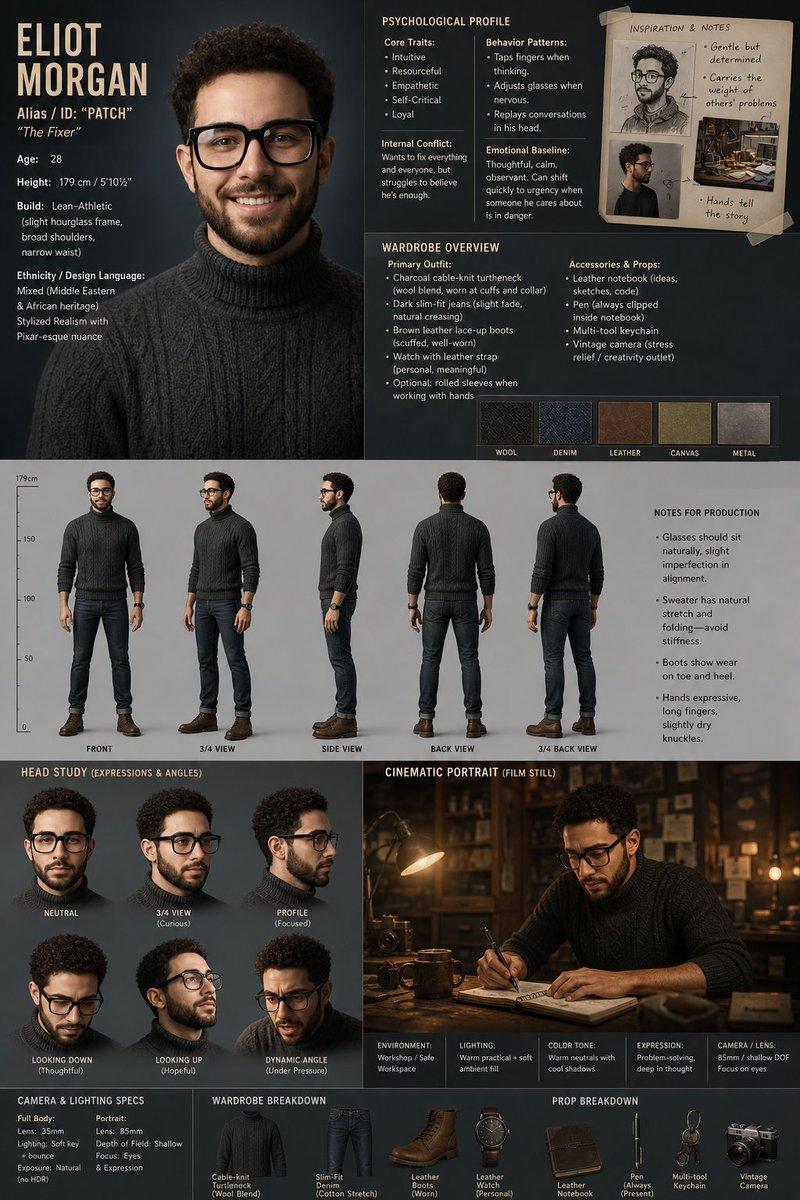
Create a visually rich infographic about [PERSON NAME]. Start by researching his life, major achievements, career milestones, philosophy, and unique impact on technology and design. Present information through annotated visuals and structured callouts, not generic sections. Style it like a bold graphic illustration: a detailed, photorealistic central portrait as the focal point, supported by timelines, diagrams, product references, quotes, and concise text elements. Use clean backgrounds and a mix of photorealism with strong graphic elements (shapes, icons, color blocking) in a layered composition. Make it dense, tactile, and professionally authored.
Category
Charts & Infographics
Model
ChatGPT
Creator
@shiri_shh
Views652
Source ID
13865
Published
Apr 27, 2026

Guide

About "视觉丰富的人物信息图设计"

What is this prompt for?

"视觉丰富的人物信息图设计" AI image prompt for ChatGPT (Charts & Infographics). 创建一个关于 [PERSON NAME] 的视觉丰富的信息图。首先研究他的生平、主要成就、职业里程碑、理念以及对科技和设计的独特影响。通过带有注释的视觉元素和结构化的标注来呈现信息,…

The full copyable prompt and example visuals above are ready for AI image generation or one-click recreate in Picva.

How to use this prompt

  1. Step 1

    Open the prompt detail

    Review the example visuals, category, and full prompt text for "视觉丰富的人物信息图设计".

  2. Step 2

    Copy the prompt

    Copy the prompt body from this page, or load it directly in Studio.

  3. Step 3

    Pick a model (ChatGPT)

    Prefer ChatGPT. If you switch models, keep subject and composition and tweak style terms.

  4. Step 4

    Generate and export

    Recreate the look in Picva, or export into your workflow for editing and publishing.

FAQ

What is the "视觉丰富的人物信息图设计" prompt?
It is an AI image-generation prompt for ChatGPT in the Charts & Infographics category. This page includes the full prompt text, example visuals, and a one-click recreate path in Picva.
How do I use this prompt to generate an image?
Copy the prompt from this page, or use Generate / Studio. Paste it into a compatible image model, or recreate the look in Picva with optional reference images.
Which model is this prompt for?
This page lists ChatGPT. Most descriptive prompts also transfer to nearby image models such as GPT Image, Flux, or Midjourney with light style tweaks.
Can I use the result commercially?
You can usually copy the prompt for creation, but commercial use of the final image depends on the model terms, reference-image rights, and the generated content. Follow the source author and platform rules.