16

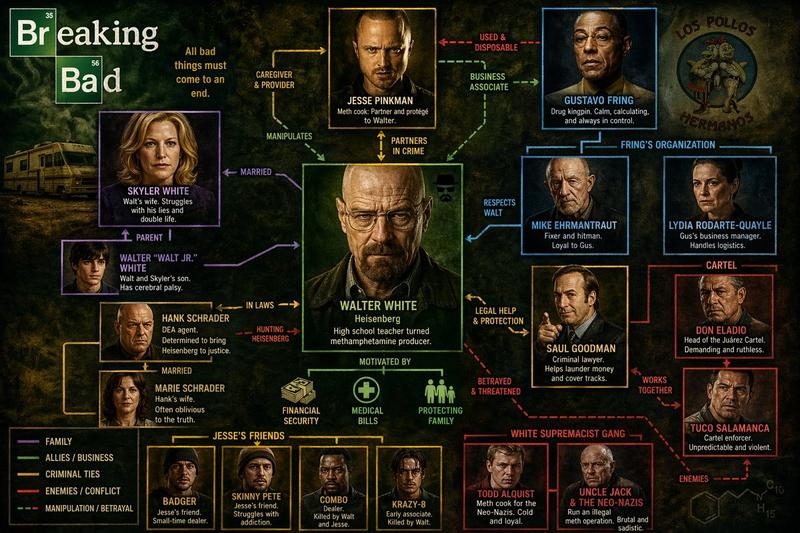
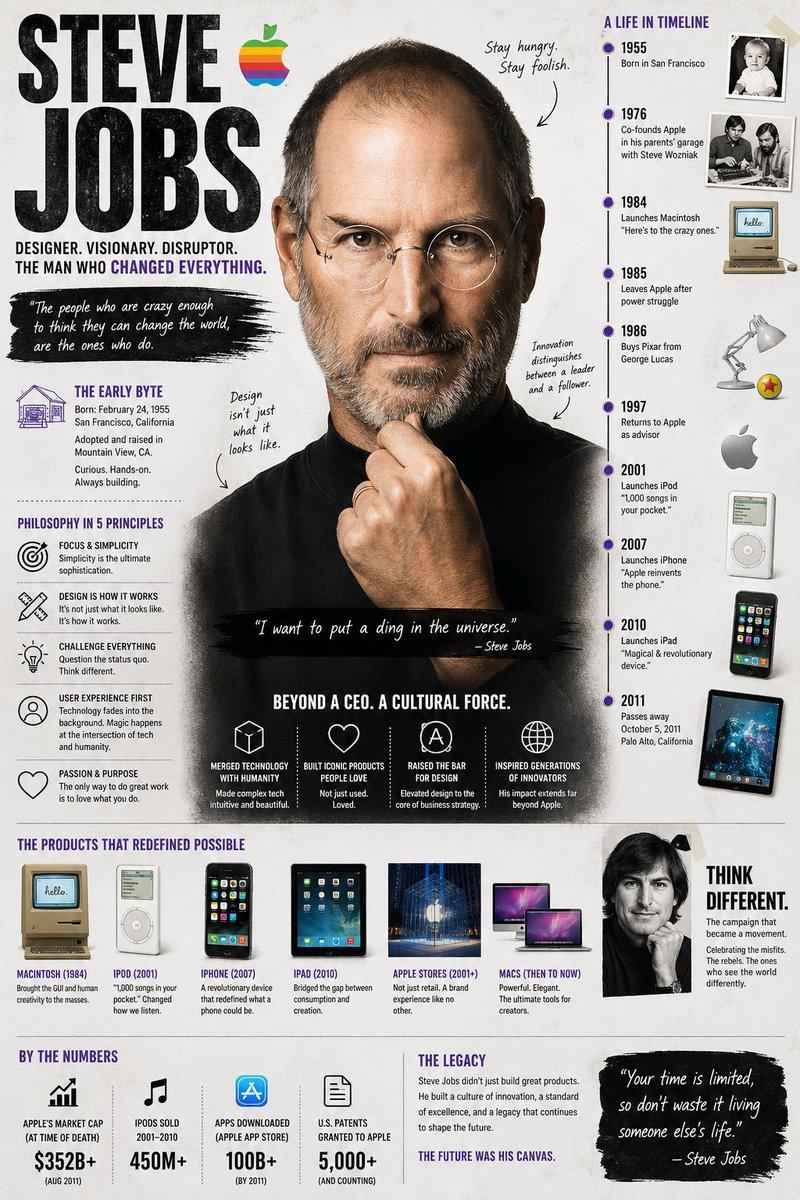
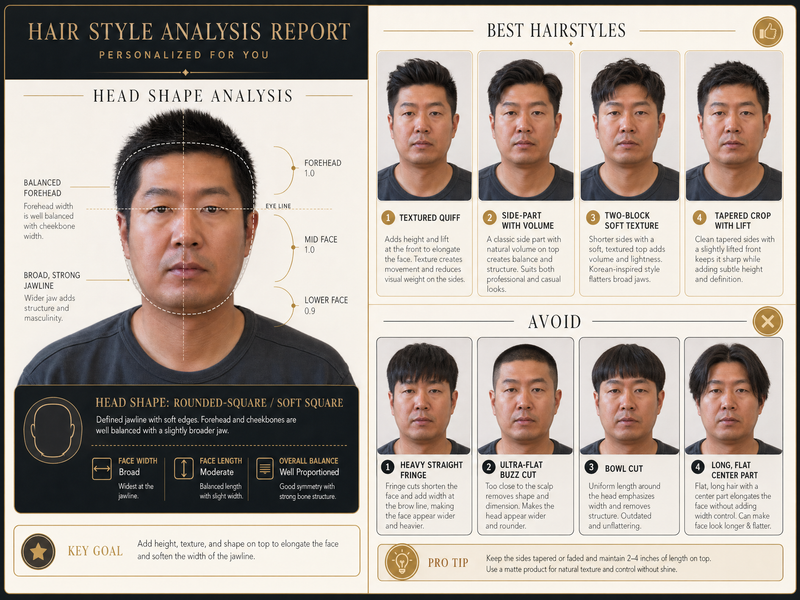
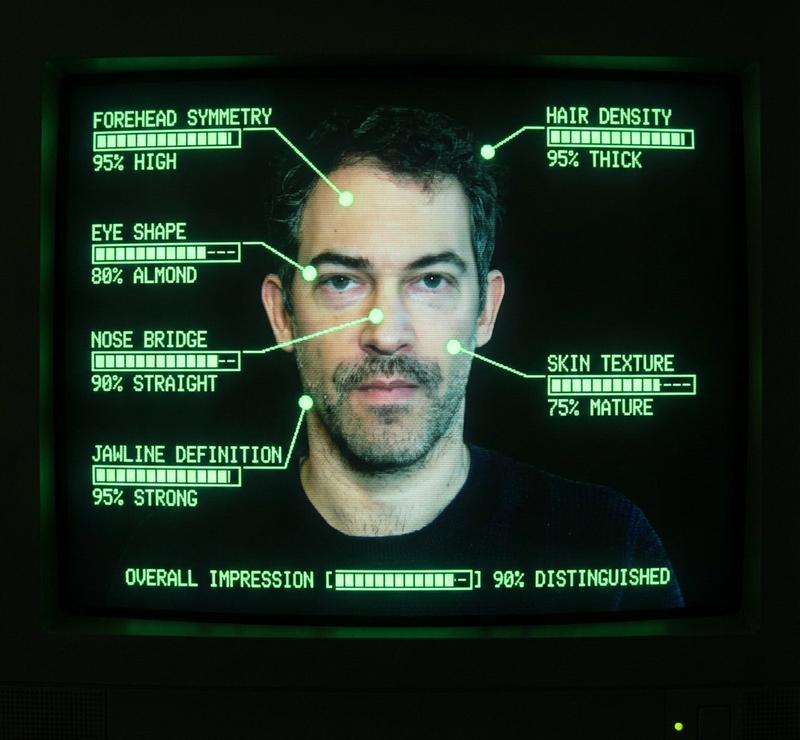
AI 面相分析信息图
Enlarge

AI 面相分析信息图

Prompt
Create a professional AI face reading analysis infographic. Style: {argument name="style" default="elegant, modern, dark background with golden accent lines"}. Analyze and annotate these facial features: - Forehead shape → Career & wisdom interpretation - Eyebrow arch → Personality & temperament - Eye shape & spacing → Emotional intelligence - Nose bridge & tip → Wealth & determination - Lip shape → Communication & relationships - Jawline → Willpower & resilience Layout: - Center: a stylized face outline with golden annotation lines - Sides: interpretation cards for each feature - Bottom: overall personality summary with strengths Professional consultation report style. Clean typography.
Category
Charts & Infographics
Model
GPT Image 2
Creator
JoyPix.ai
Views1
Source ID
22689
Published
May 26, 2026

Guide

About "AI 面相分析信息图"

What is this prompt for?

"AI 面相分析信息图" AI image prompt for GPT Image 2 (Charts & Infographics). 一个用于 GPT Image 2 的信息图提示词,旨在通过优雅的排版生成专业的面相分析图。 Copy it on Picva and recreate the look in o…

The full copyable prompt and example visuals above are ready for AI image generation or one-click recreate in Picva.

How to use this prompt

  1. Step 1

    Open the prompt detail

    Review the example visuals, category, and full prompt text for "AI 面相分析信息图".

  2. Step 2

    Copy the prompt

    Copy the prompt body from this page, or load it directly in Studio.

  3. Step 3

    Pick a model (GPT Image 2)

    Prefer GPT Image 2. If you switch models, keep subject and composition and tweak style terms.

  4. Step 4

    Generate and export

    Recreate the look in Picva, or export into your workflow for editing and publishing.

FAQ

What is the "AI 面相分析信息图" prompt?
It is an AI image-generation prompt for GPT Image 2 in the Charts & Infographics category. This page includes the full prompt text, example visuals, and a one-click recreate path in Picva.
How do I use this prompt to generate an image?
Copy the prompt from this page, or use Generate / Studio. Paste it into a compatible image model, or recreate the look in Picva with optional reference images.
Which model is this prompt for?
This page lists GPT Image 2. Most descriptive prompts also transfer to nearby image models such as GPT Image, Flux, or Midjourney with light style tweaks.
Can I use the result commercially?
You can usually copy the prompt for creation, but commercial use of the final image depends on the model terms, reference-image rights, and the generated content. Follow the source author and platform rules.